

Terminal unit management. Activation sequence and automatic sizing options
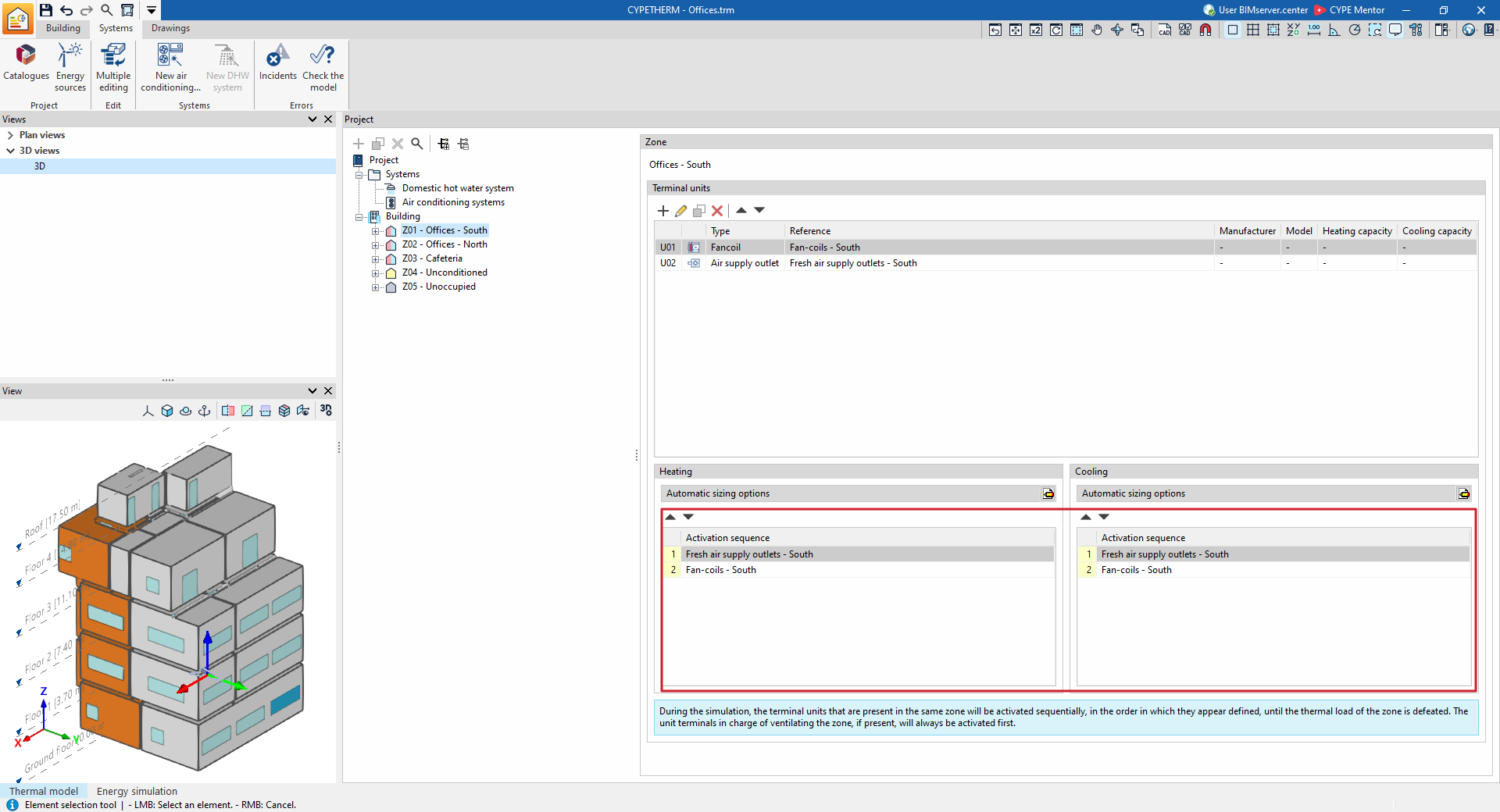
The "Terminal units" panel, which can be accessed by selecting each zone in the "Project" tree view under the "Systems" tab, lets you manage the operation of the terminal units defined in each zone and to set the EnergyPlus™ automatic sizing options.
Activation sequence
During the simulation, the terminal units in the zone are activated sequentially until the zone’s thermal load is met, in accordance with the order of the terminal unit lists defined in the "Activation sequence" sections, distinguishing between "Heating" and "Cooling".
The terminal unit responsible for ventilating the area, if there is one, is always activated first.
Automatic sizing options
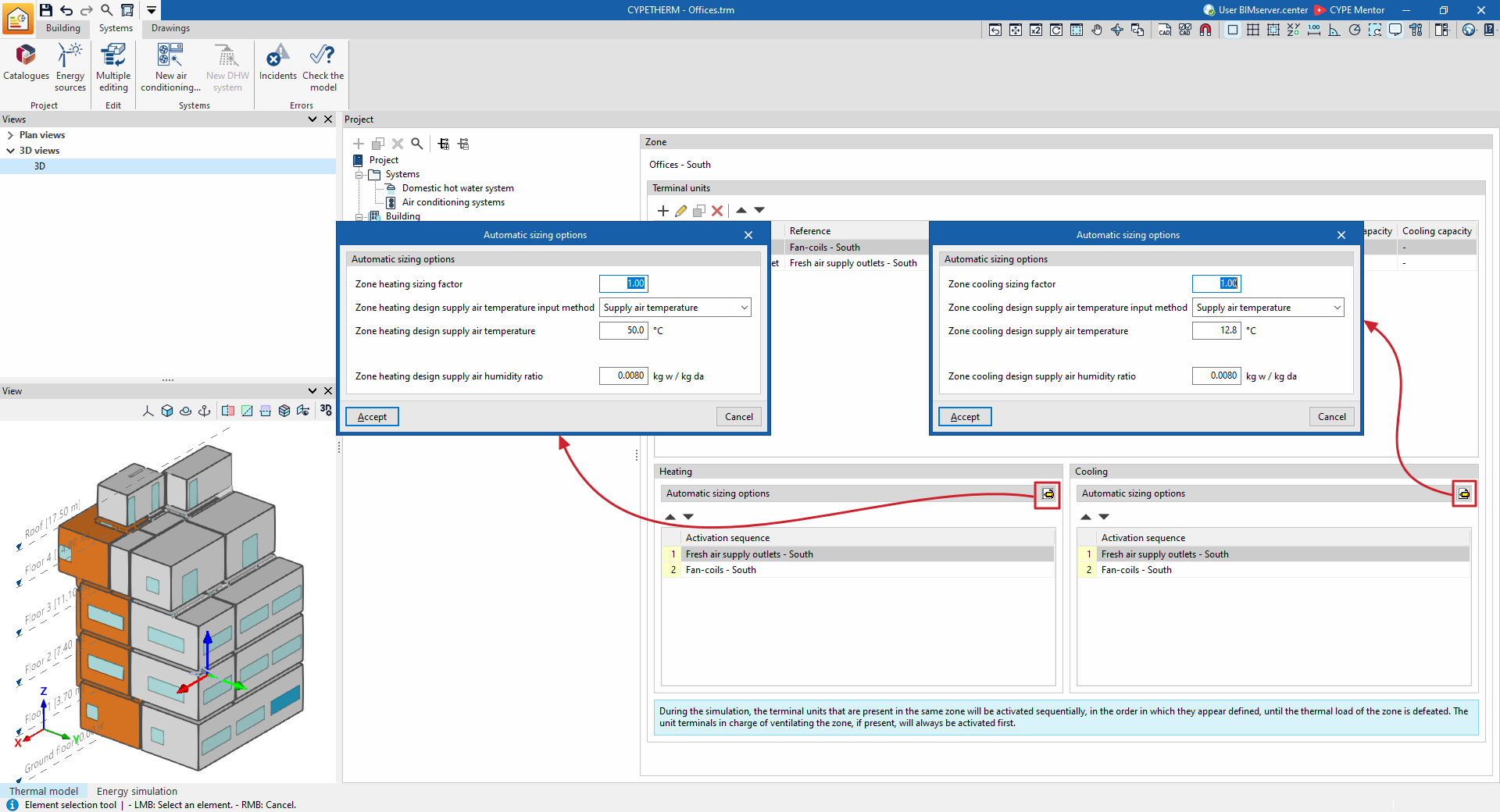
The automatic sizing options for heating and cooling are advanced functions accessible via the specific edit buttons on the "Terminal units" panel, which allow you to edit the parameters that EnergyPlus™ uses to determine the characteristics of HVAC equipment that the user has not specified (autosize function):
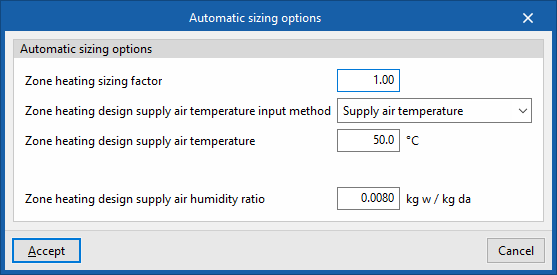
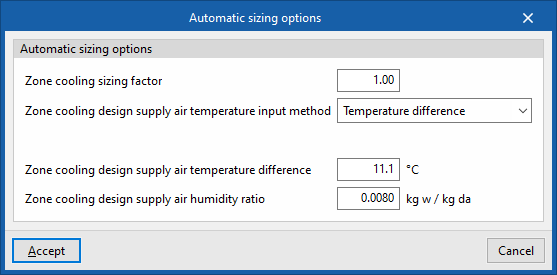
- Zone heating sizing factor / Zone cooling sizing factor
A scaling factor applied to the calculated thermal load for the zone. The capacity of the HVAC equipment is determined by multiplying the zone’s thermal load by this factor. - Zone heating design supply air temperature input method / Zone cooling design supply air temperature input method
The air flow rates required to be delivered by the units to overcome the thermal load are calculated based on a user-defined design supply air temperature. Three options are available in these sections:- Supply air temperature
The design supply air temperature for heating/cooling must be specified. - Temperature difference
The temperature difference between the supply air and the zone temperature must be defined. - System supply air temperature
This applies only if the zone is connected to an all-air system. The ‘supply air temperature’ shall be taken as the cooling/heating design supply air temperature as defined on the control panel of the all-air system’s air-handling unit.
- Supply air temperature
- Zone heating design supply air temperature / Zone cooling design supply air temperature
Parameter to be defined when selecting "Supply air temperature" in the previous option. - Temperature difference between supply air and the heated zone / Temperature difference between supply air and the cooled zone
Parameter to be defined when selecting "Temperature difference" in the previous option. - Design specific humidity for zone supply air heating / Design specific humidity for zone supply air cooling
Parameter to be defined when selecting "Supply air temperature", "Temperature difference" or "System supply air temperature" in the previous option.
| Example: |
|---|
| The zone sizing factor multiplies the zone’s demand on the design day to determine the power required for the heating and cooling equipment. For example, if there are two radiators in a heating zone and their power has not been specified, when the simulation begins, EnergyPlus™ calculates that the zone’s heating demand on the design day is equal to 1000 W. In this case: - If the "Zone heating sizing factor" is equal to 1, EnergyPlus™ assigns each radiator a power of 1 × 1000 = 1000 W. In total, the installed power in the zone will be 2000 W. In practice, only one of the radiators is switched on, as this is sufficient to meet the heating demand. - If the "Zone heating sizing factor" is equal to 0.5, EnergyPlus™ assigns each radiator a power rating of 0.5 × 1000 = 500 W. In total, the installed power in the zone will be 1,000 W. The radiators will switch on consecutively: the first will switch on to deliver up to 500 W, and if the heating demand in the zone is higher, then the second will switch on. |
