Graphical analysis of results in the "Thermal loads’ tab
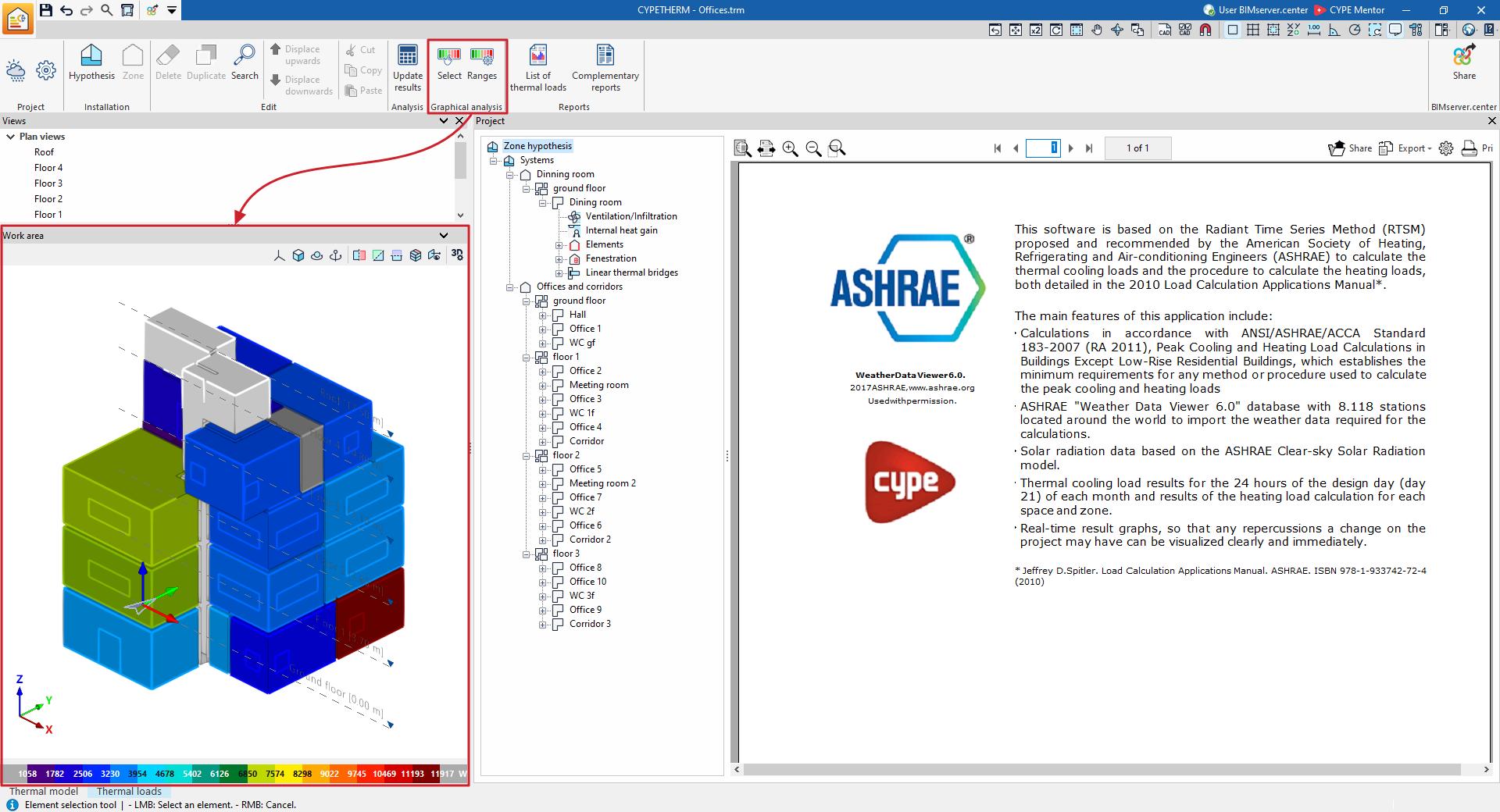
Using the options in the "Graphical analysis of results" group on the main toolbar of the "Thermal loads" tab, you can view the calculated thermal load values in the "Work area" view, which is located by default in the bottom right-hand corner.

The zones or spaces are coloured according to the value associated with each one in the selected quantity, and a colour scale is displayed as a legend.
Select
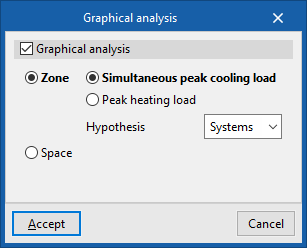
Using the "Select" option, you can enable and configure the display of the graphical analysis of results:
- Graphical analysis (optional)
Display the graphical analysis of results in the workspace.- Zone
When this option is selected, the graphical analysis is displayed by zone.- Simultaneous peak cooling load / Peak heating
load
This is where you select the unit used in the colour-coded display of the values. - Hypothesis
Select the zoning hypothesis to be represented.
- Simultaneous peak cooling load / Peak heating
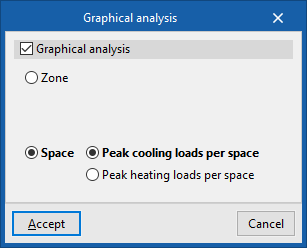
- Space
When this option is selected, the graphical analysis is displayed by spaces.- Peak cooling loads per space / Peak heating loads per space
This is where you select the unit used in the colour-coded display of the values.
- Peak cooling loads per space / Peak heating loads per space
- Zone
Ranks
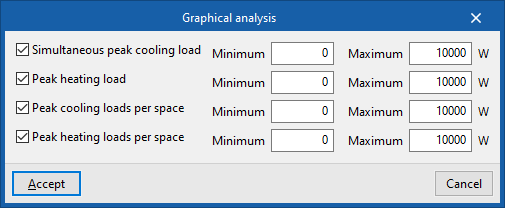
By default, the program displays the minimum and maximum values for each parameter obtained from the analysis for the entire building. However, the colour scale can be adjusted in the dialog box that appears when you click on the "Ranges" option, which allows you to specify specific ranges of minimum and maximum values for each parameter:
- Simultaneous peak cooling load (optional) (Minimum, Maximum)
- Peak heating load (optional) (Minimum, Maximum)
- Peak cooling loads per space (optional) (Minimum, Maximum)
- Peak heating loads per space (optional) (Minimum, Maximum)