Defining hypotheses and zones in the "Thermal loads" tab
The zone hypothesis and the zones included in each hypothesis must be defined to calculate thermal loads. This is done using the tools in the "Installation" group on the top toolbar of the "Thermal loads" tab.

The available options are as follows:
Hypothesis
This option lets you add a zone hypothesis to the project.
When adding a zone hypothesis, you must provide the following information:
- Reference
Reference to the zone hypothesis.
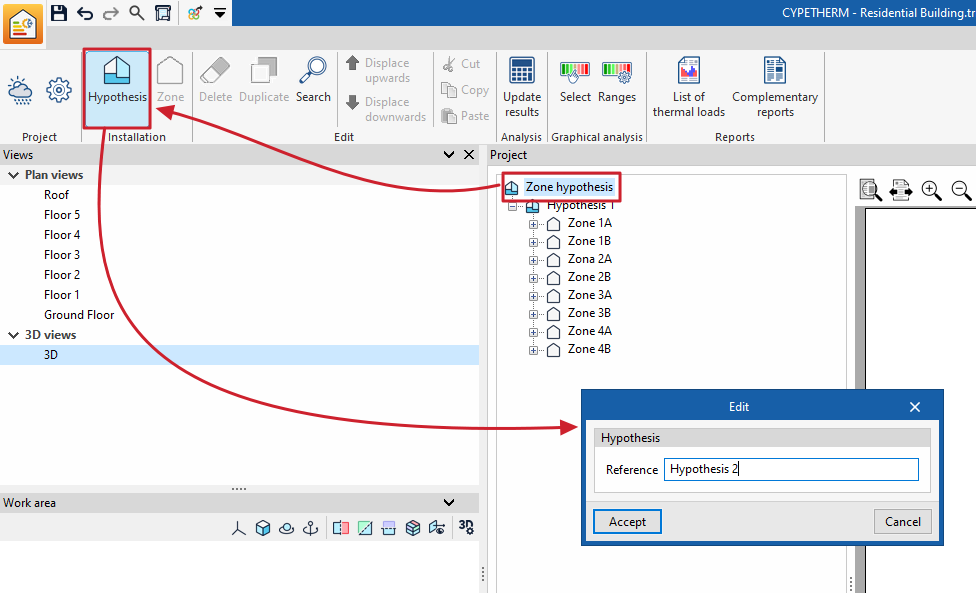
Each zone hypothesis lets you create a specific number of thermal zones within the building and assign the desired rooms to each of these zones.
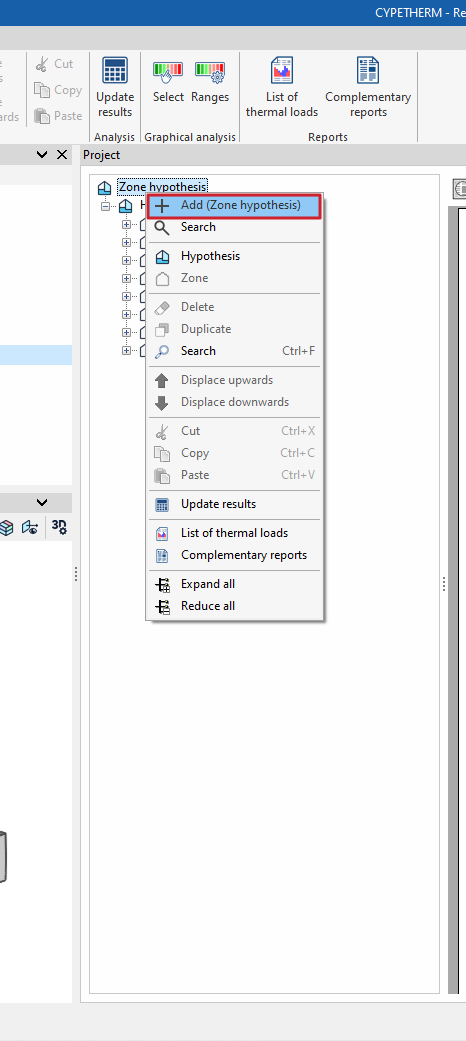
Hypotheses can also be added in the "Project" navigation tree by right-clicking on the base level and selecting "Add (Zone hypothesis)".
| Note: |
|---|
| The availability of several zone hypotheses lets you group spaces into zones in various ways, so that calculations for different hypotheses of the building’s actual use can be carried out within the same file. For example, in a two-storey office building, one hypothesis might involve two zones – one per floor – if they are used independently, whilst a second hypothesis might involve a single zone covering both floors if they are used jointly. |
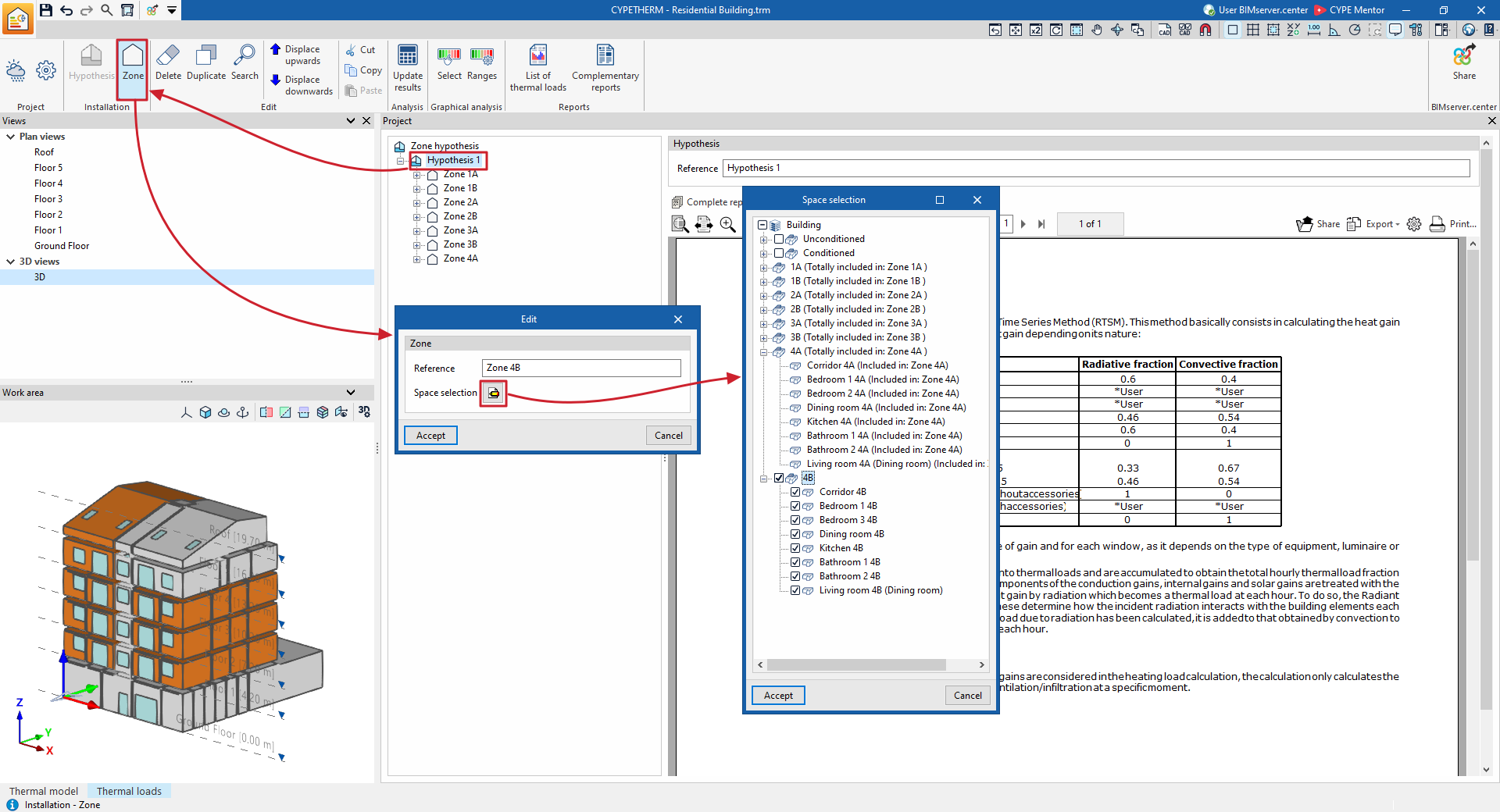
Area
This option allows you to add an area within the selected zone hypothesis.
When entering a zone, you must provide the following details:
- Reference
Reference for the zone. - Selecting rooms
In this section, you must select the spaces in the project that are to be assigned to that zone. You can only select spaces that have not previously been included in other zones within the same hypothesis.
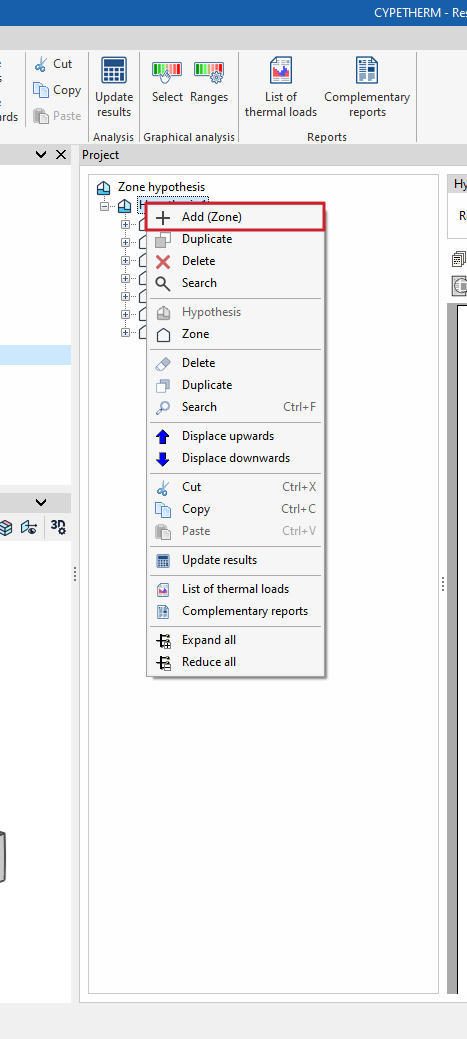
Zones can also be added to the "Project" navigation tree by right-clicking on the level corresponding to a hypothesis and selecting "Add (Zone)".
| Note: |
|---|
| A thermal zone is a group of spaces that share similar characteristics in terms of definition and/or use. Defining them enables the simultaneous thermal load to be calculated, which can be used to determine the required power output from a heating system to cover that group of spaces. For example, in a residential block, each flat may constitute a thermal zone. In addition to the flat zones, we would need to add another thermal zone comprising the building’s communal areas. In the case of two spaces belonging to different zones, the program will consider the average temperature between the space’s internal temperature and the external temperature at that moment in its calculation. Meanwhile, for two spaces within the same zone but with different temperatures, what varies is the adjacent temperature, which in this case no longer corresponds to the outside temperature. |