Information at the "Hypothesis" level
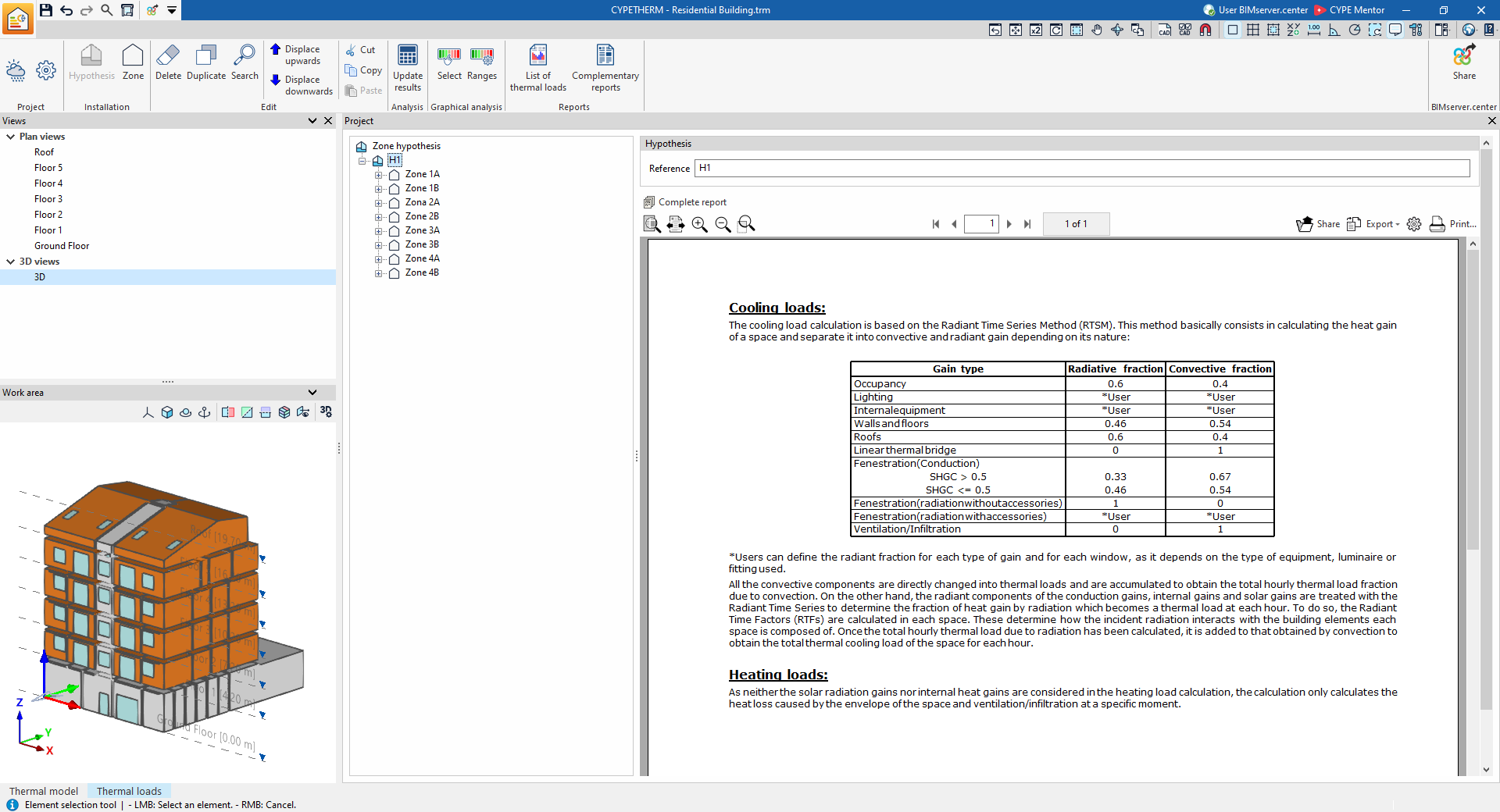
If a zone hypothesis is selected in the tree, the program displays an information box on the right-hand side of the interface with details of the method used to analyse thermal loads.
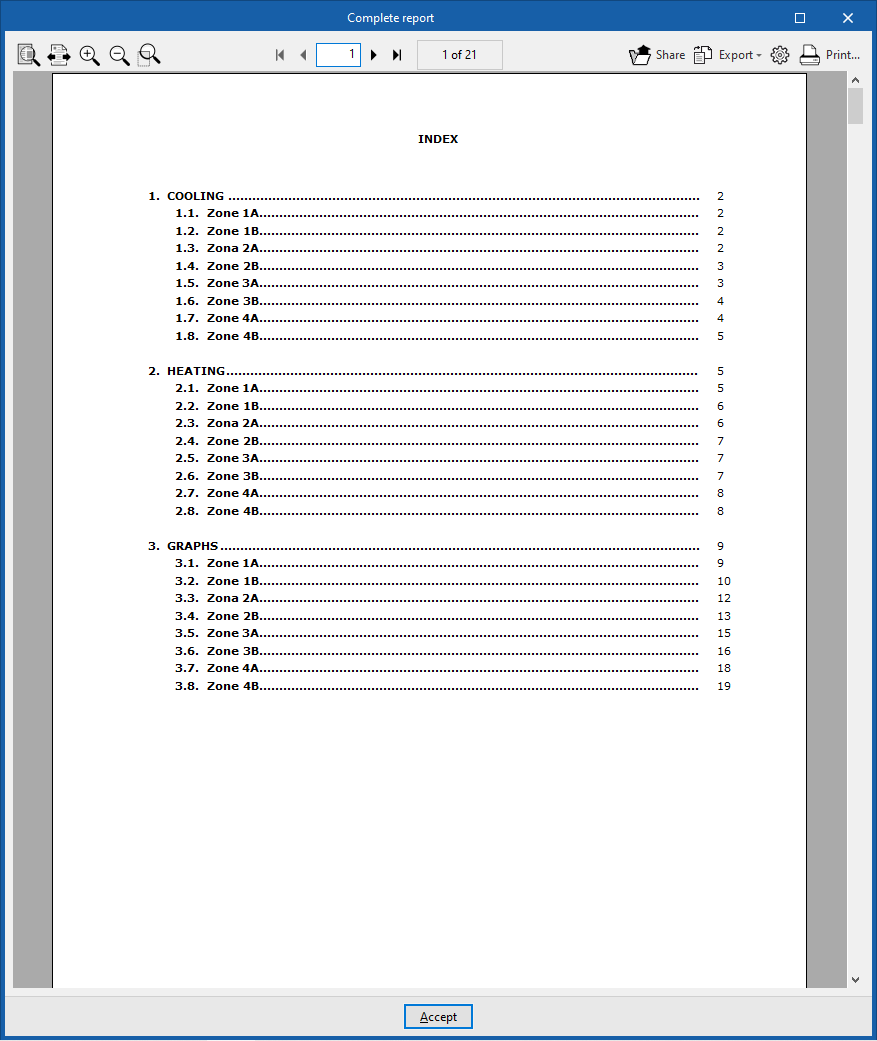
Furthermore, using the "Complete report" option, you can generate a "Thermal load report" for all the zones defined in the selected hypothesis, which contains the following information:
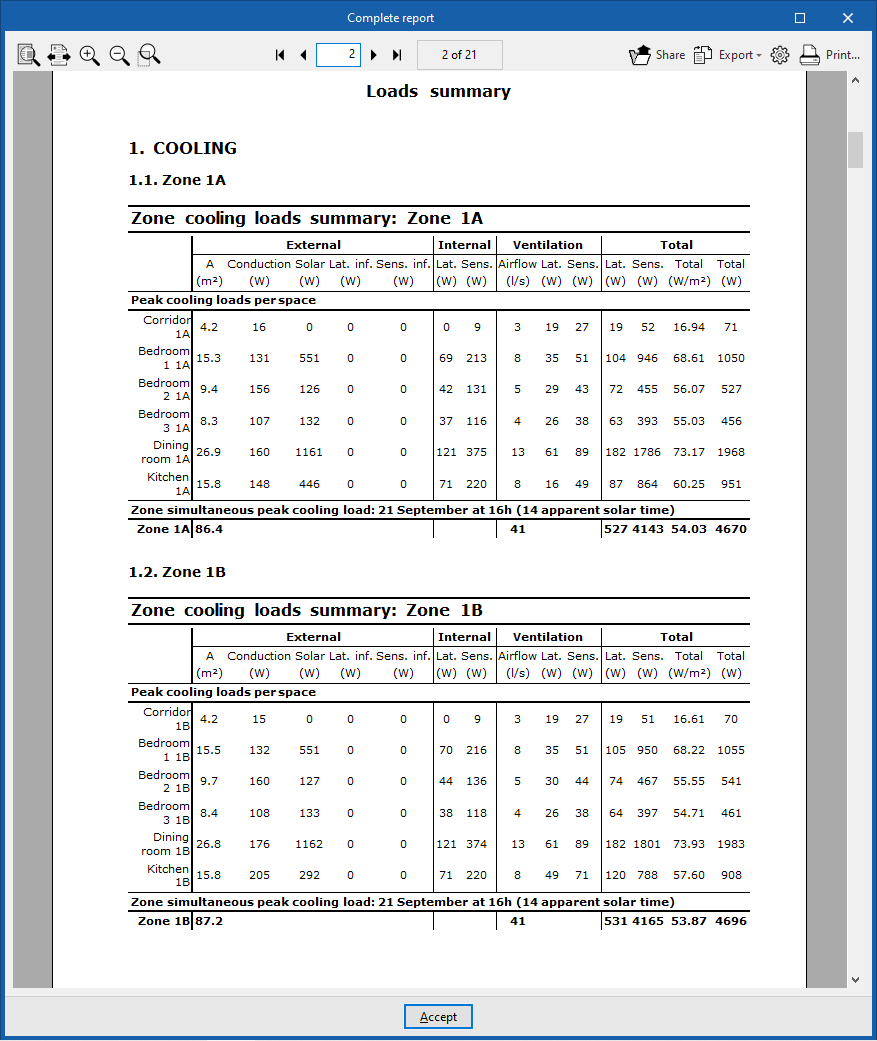
- Cooling
- Summary of the zone’s cooling loads (External, Internal, Ventilation, Total)
- Peak cooling loads per space
- Zone simultaneous peak cooling load
- Summary of the zone’s cooling loads (External, Internal, Ventilation, Total)
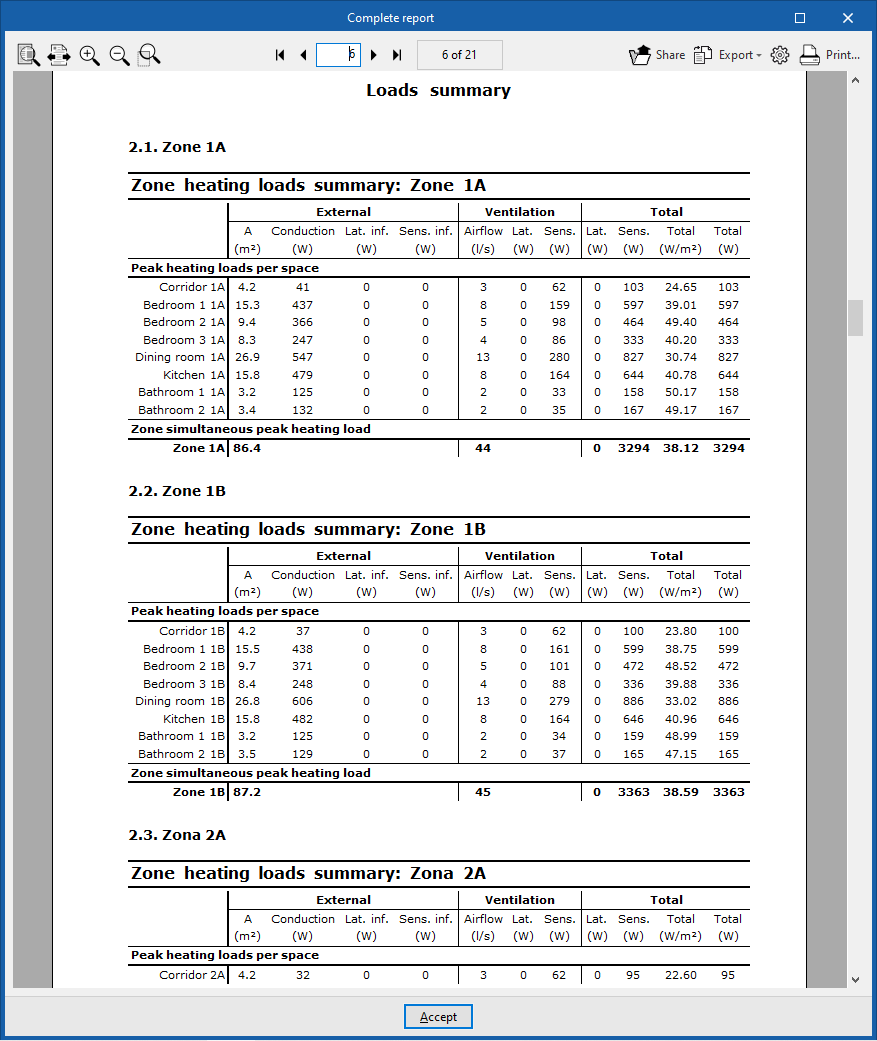
- Heating
- Summary of heating loads for the area (External, Ventilation, Total)
- Peak heating loads per space
- Peak cooling loads per space
- Summary of heating loads for the area (External, Ventilation, Total)
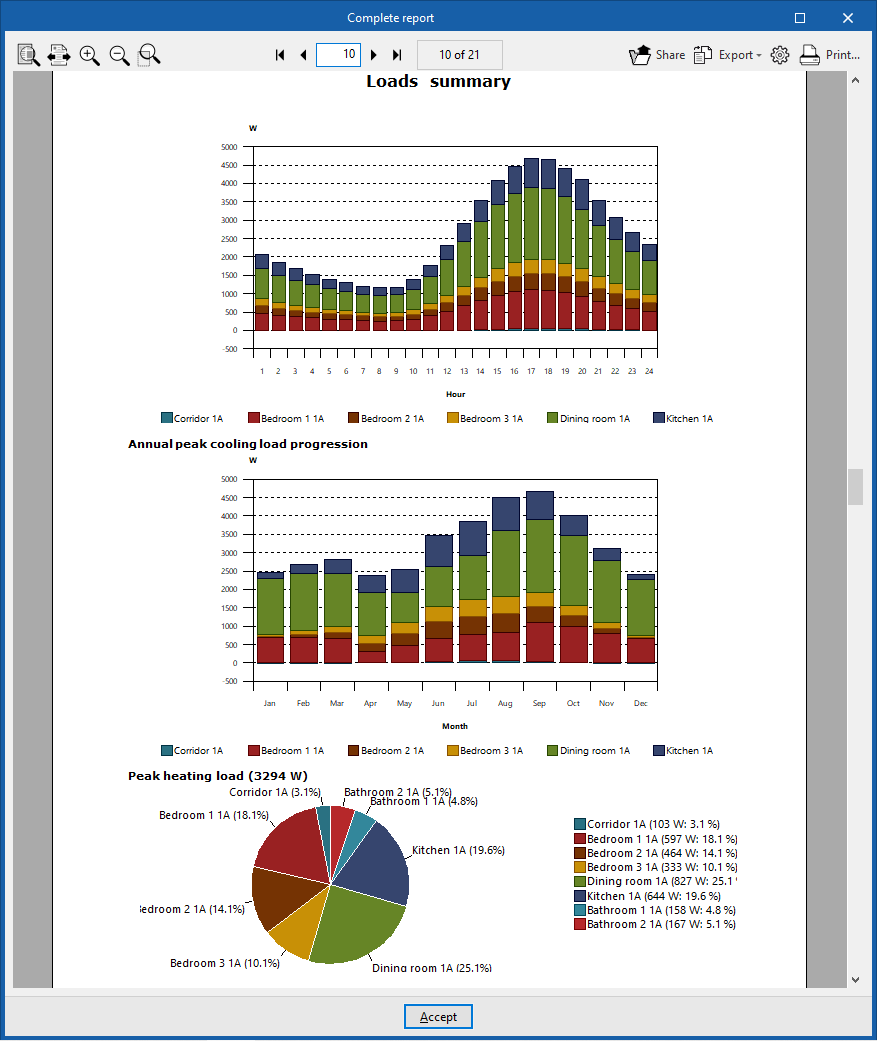
- Graphs
- Simultaneous peak cooling load
- Hourly peak cooling load progression
- Annual peak cooling load progression
- Peak heating load