Information at the "Space" level
If a space is selected in the tree, the program displays the "Results analysis" drop-down menu, which allows the following information to be displayed on the right-hand side of the program interface, depending on the selection made:
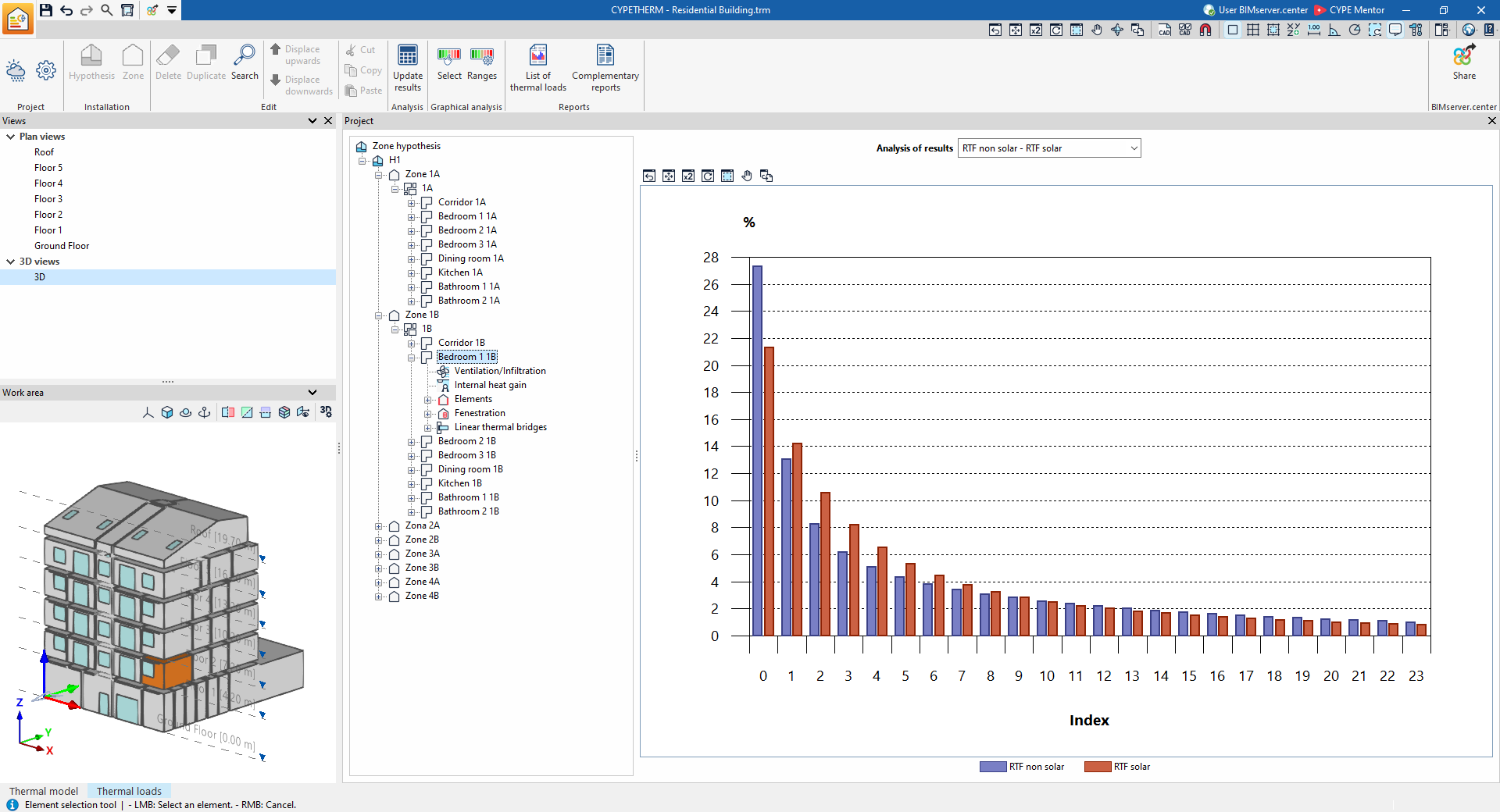
- Non-solar RTF – Solar RTF
Displays a bar chart showing the values (%) of the RTF indices obtained in the analysis.
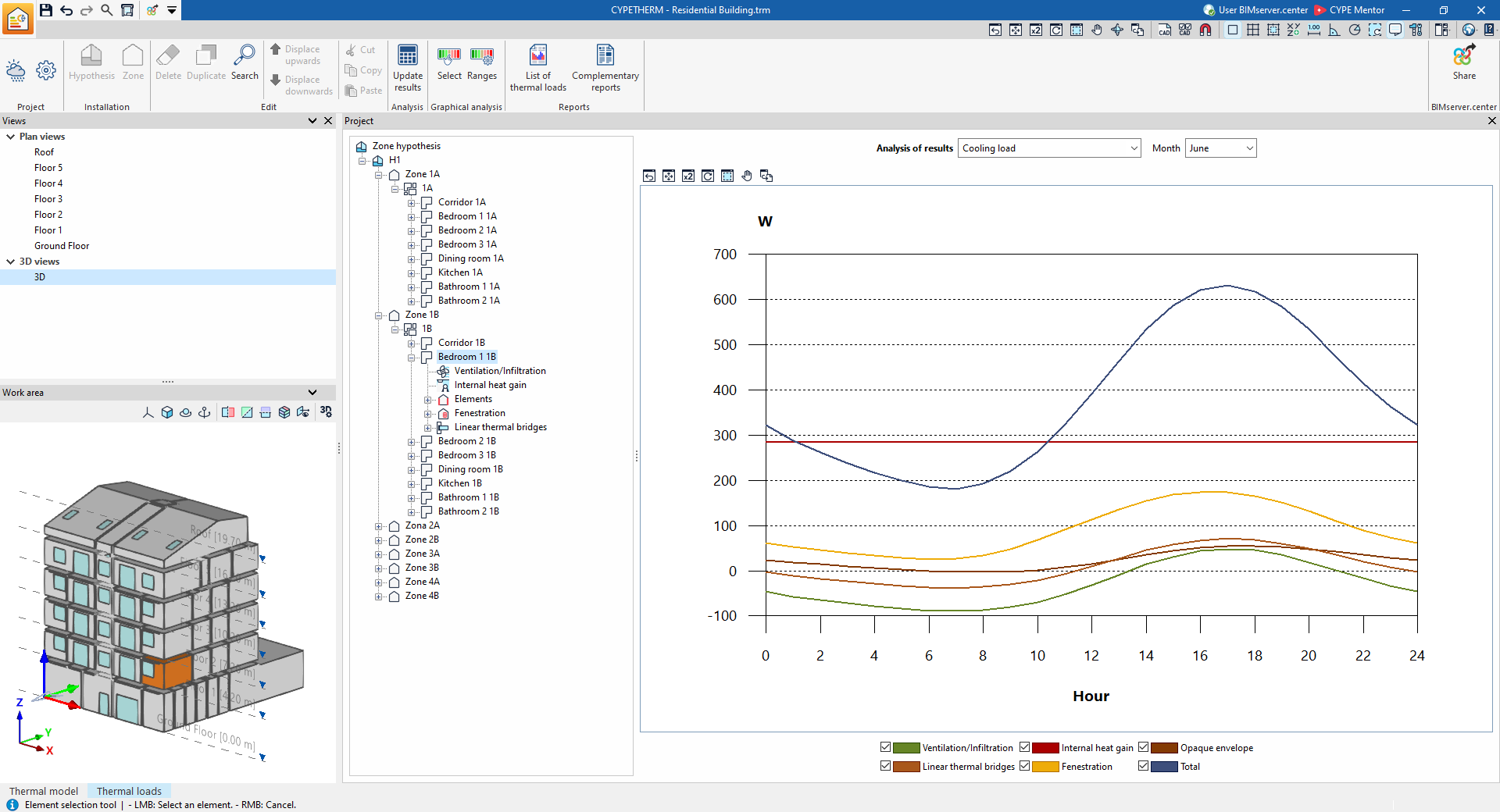
- Cooling load (for each month)
Displays a line chart showing the breakdown of the building’s cooling thermal loads for each month.
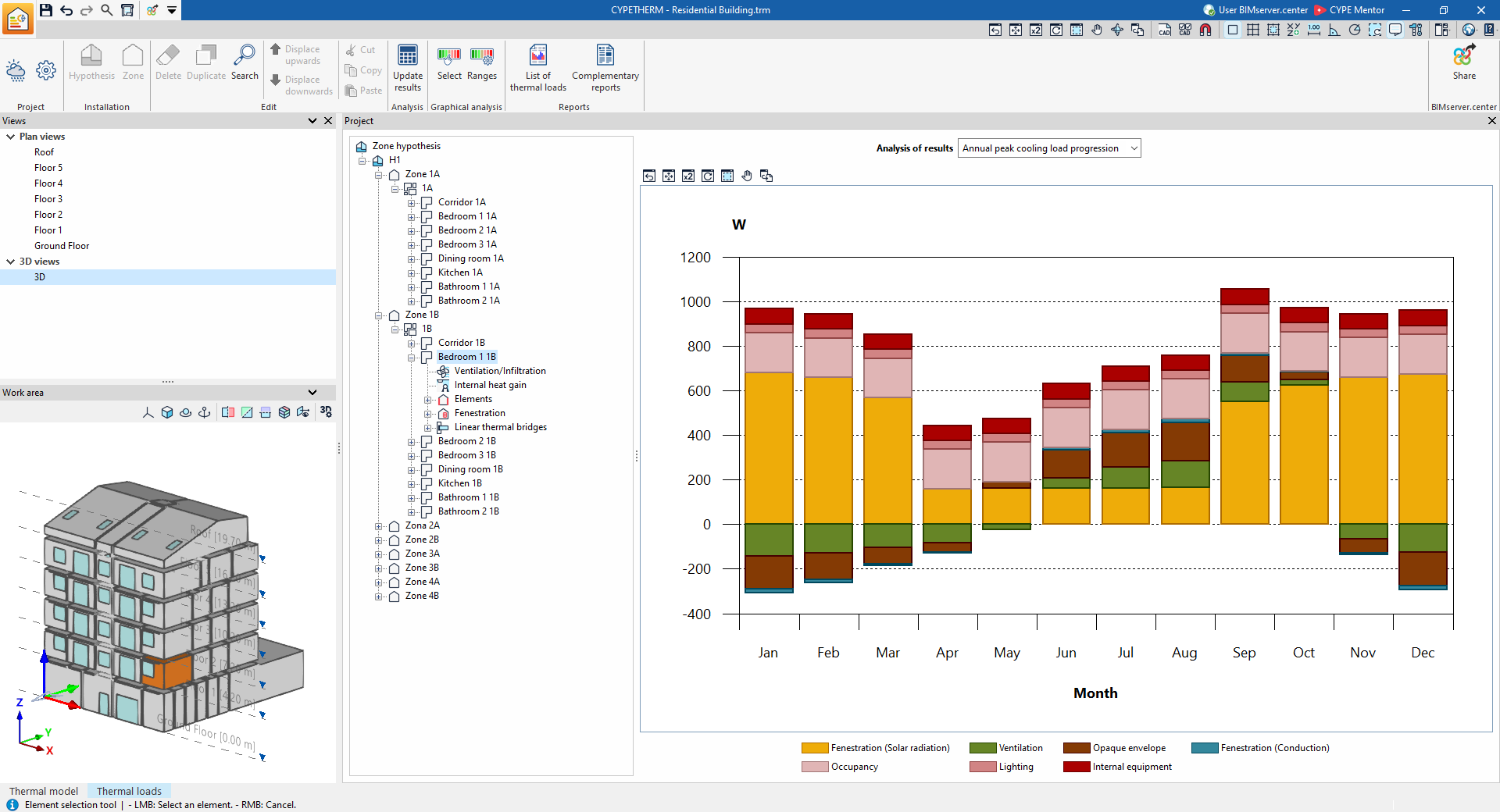
- Annual peak cooling load progression
Displays a bar chart showing the breakdown of the premises’ cooling heat loads, grouped by month.
- Time of peak cooling load
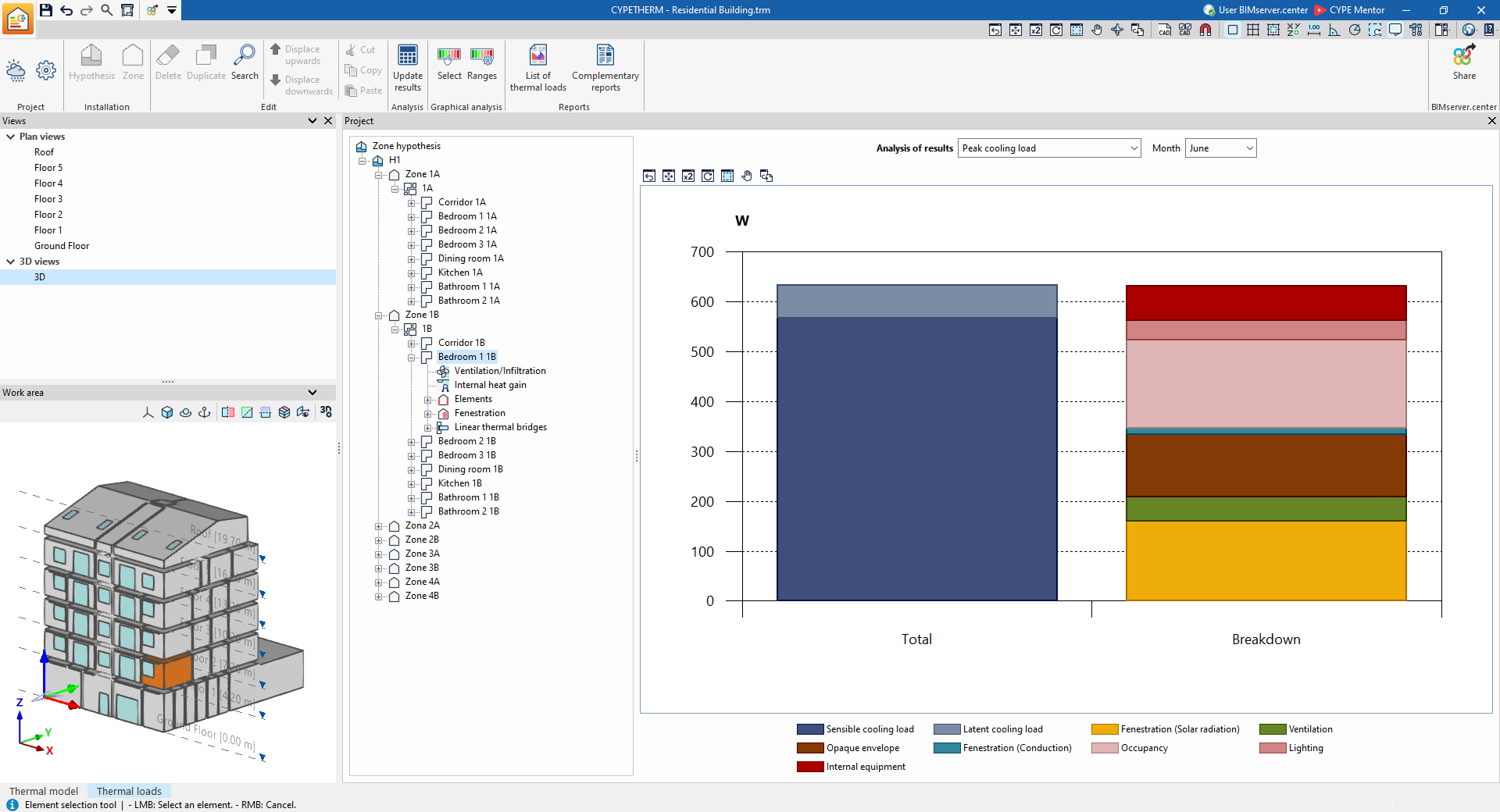
Displays a bar chart showing the total value and the sum of the breakdown of the space’s cooling loads for each month.
- Complete cooling load report
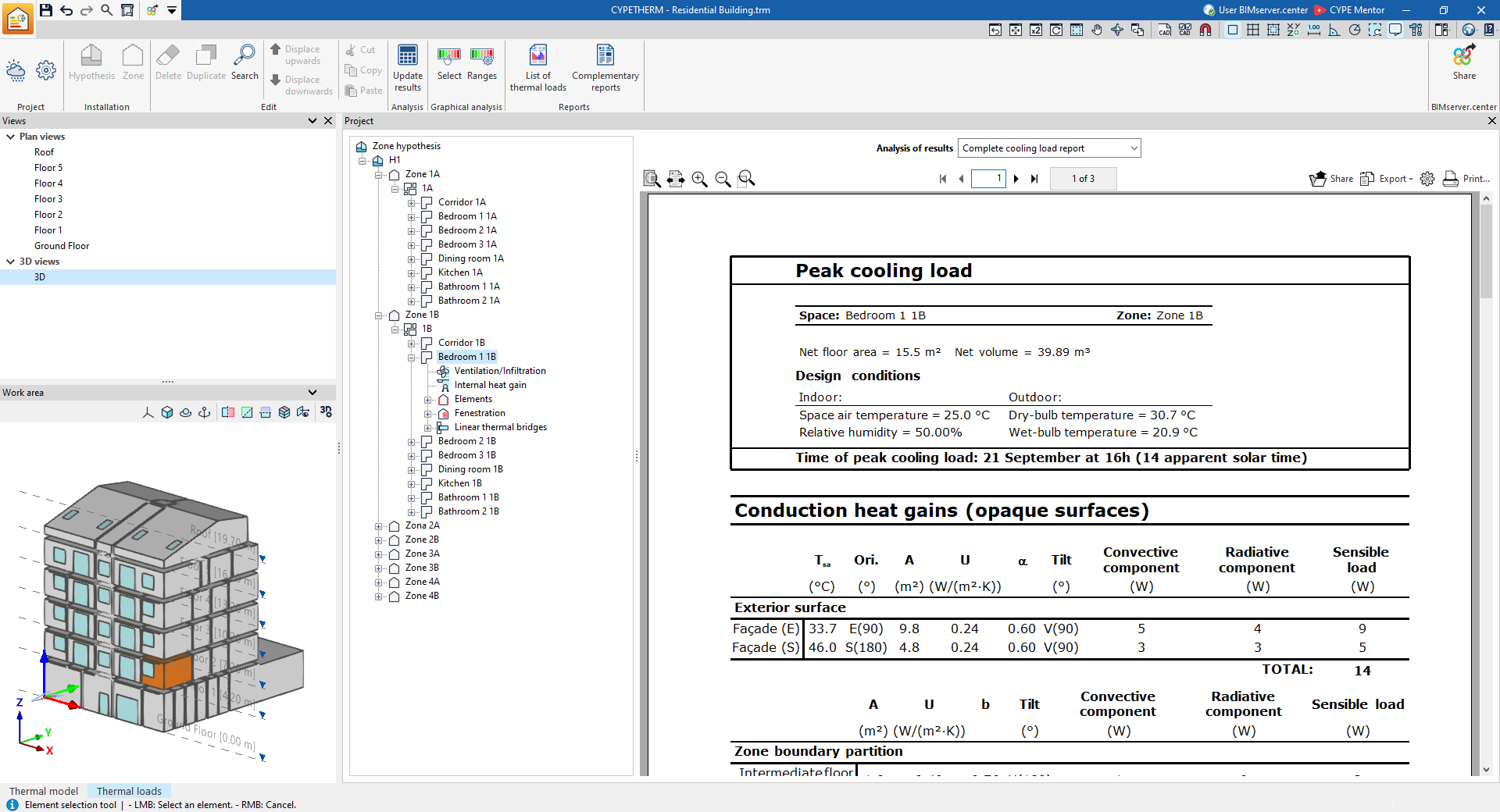
Displays the report on the premises’ cooling heat loads, which includes the following data:- Time of peak cooling load
- Conduction heat gains (opaque surfaces)
- Conduction heat gains (openings)
- Internal heat gains
- Ventilation and infiltration heat gains
- Total cooling load
- Time of peak cooling load
- Peak heating load
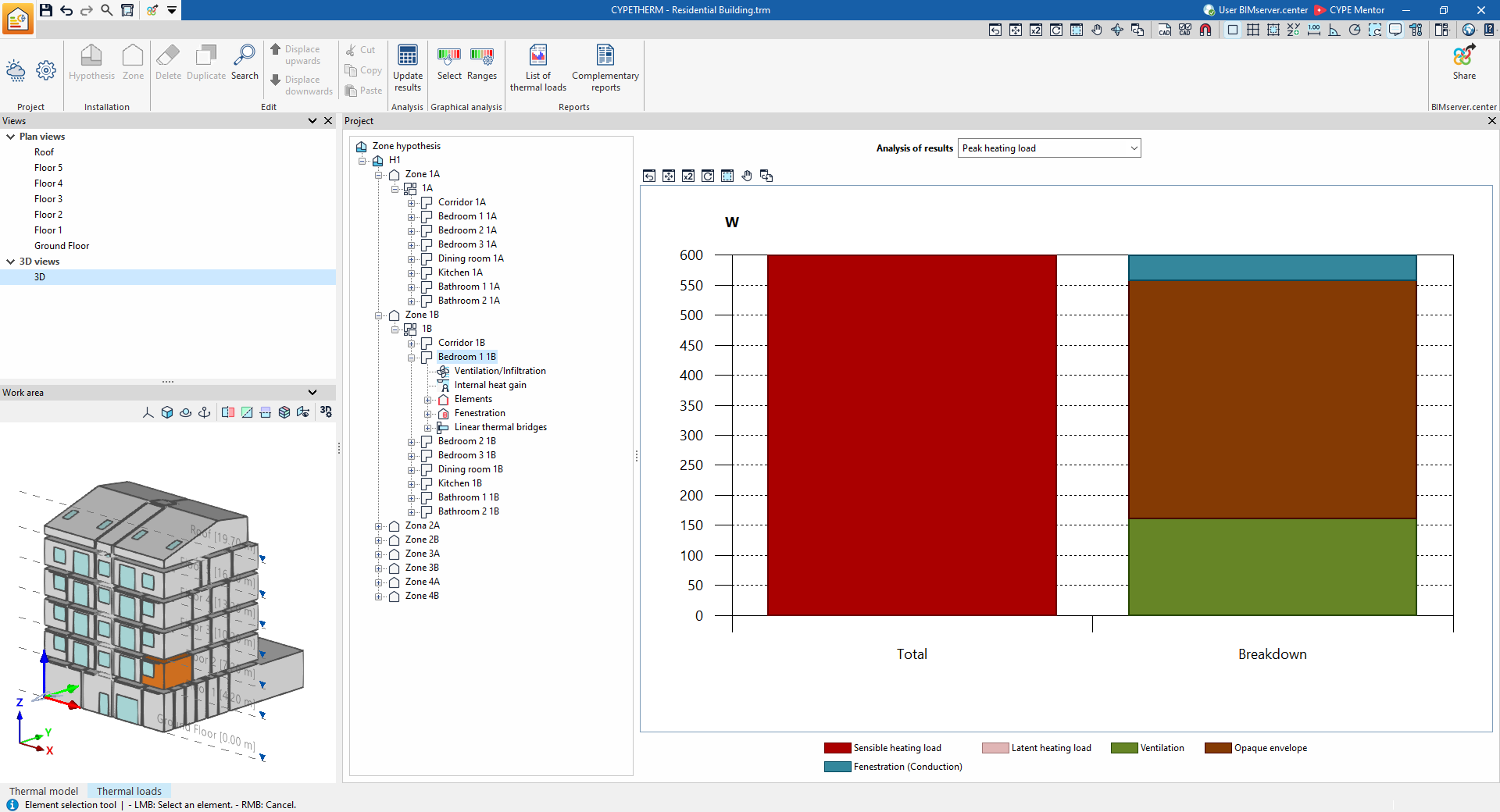
Displays a bar chart showing the total value and the sum of the individual heating load values for the space.
- Complete heating load report
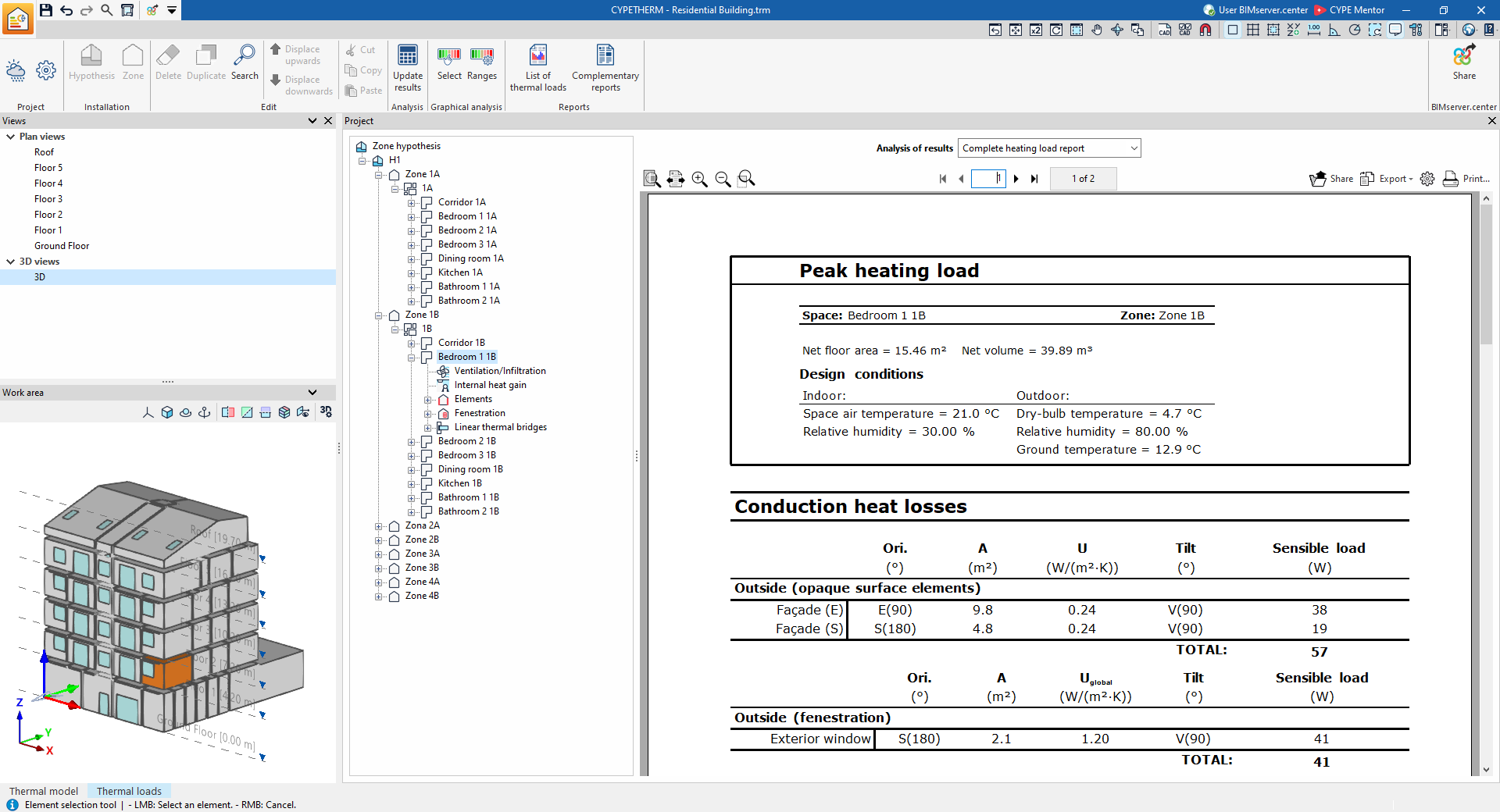
Displays the report on the premises’ heating thermal loads, which includes the following data:- Maximum heating load
- Conduction heat losses
- Ventilation and infiltration heat losses
- Total heating load
- Maximum heating load
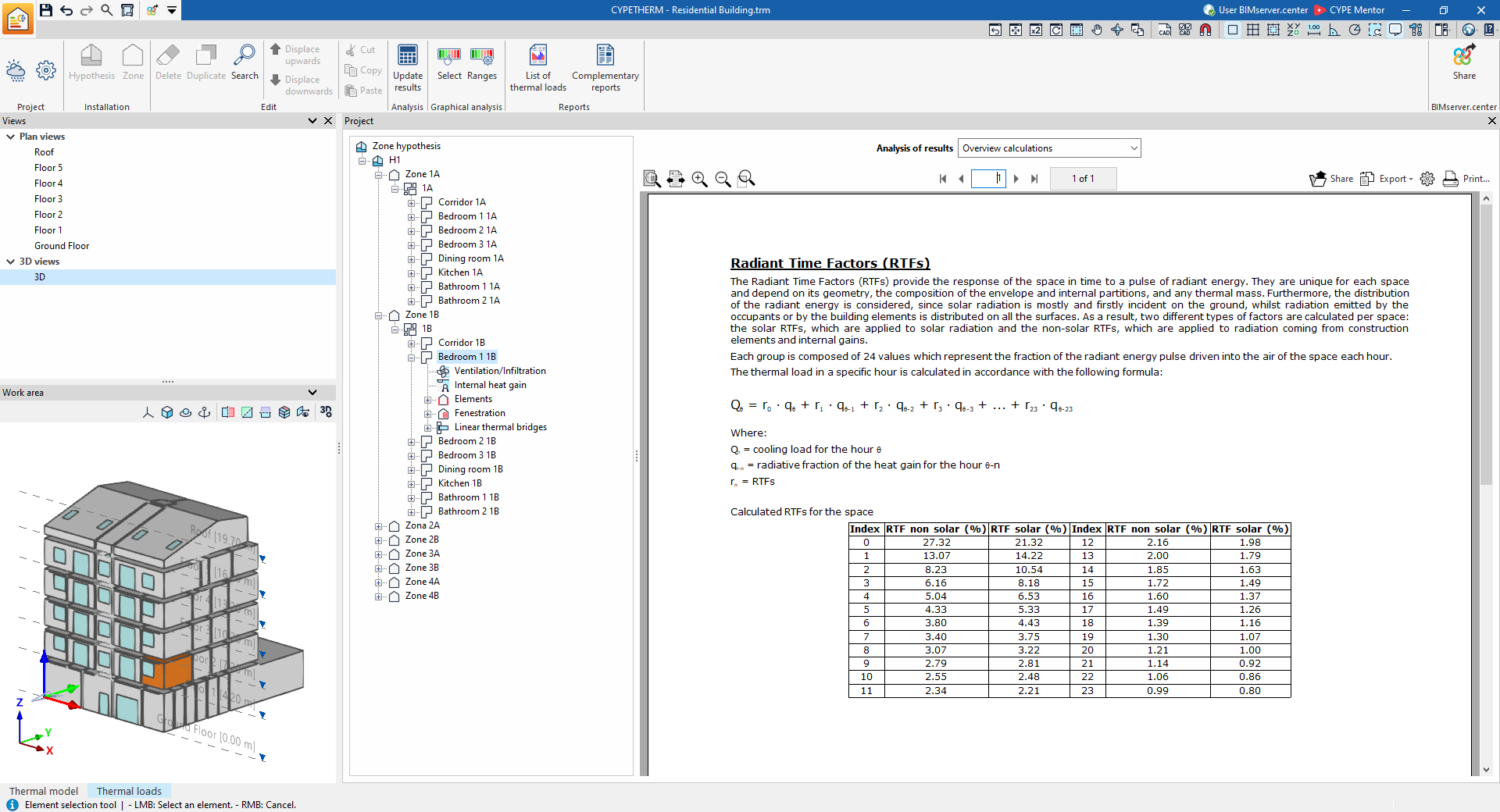
- Overview calculations
Displays an informative text with details on the calculation of radiant time factors (RTF) within the space.