Information on the space's elements
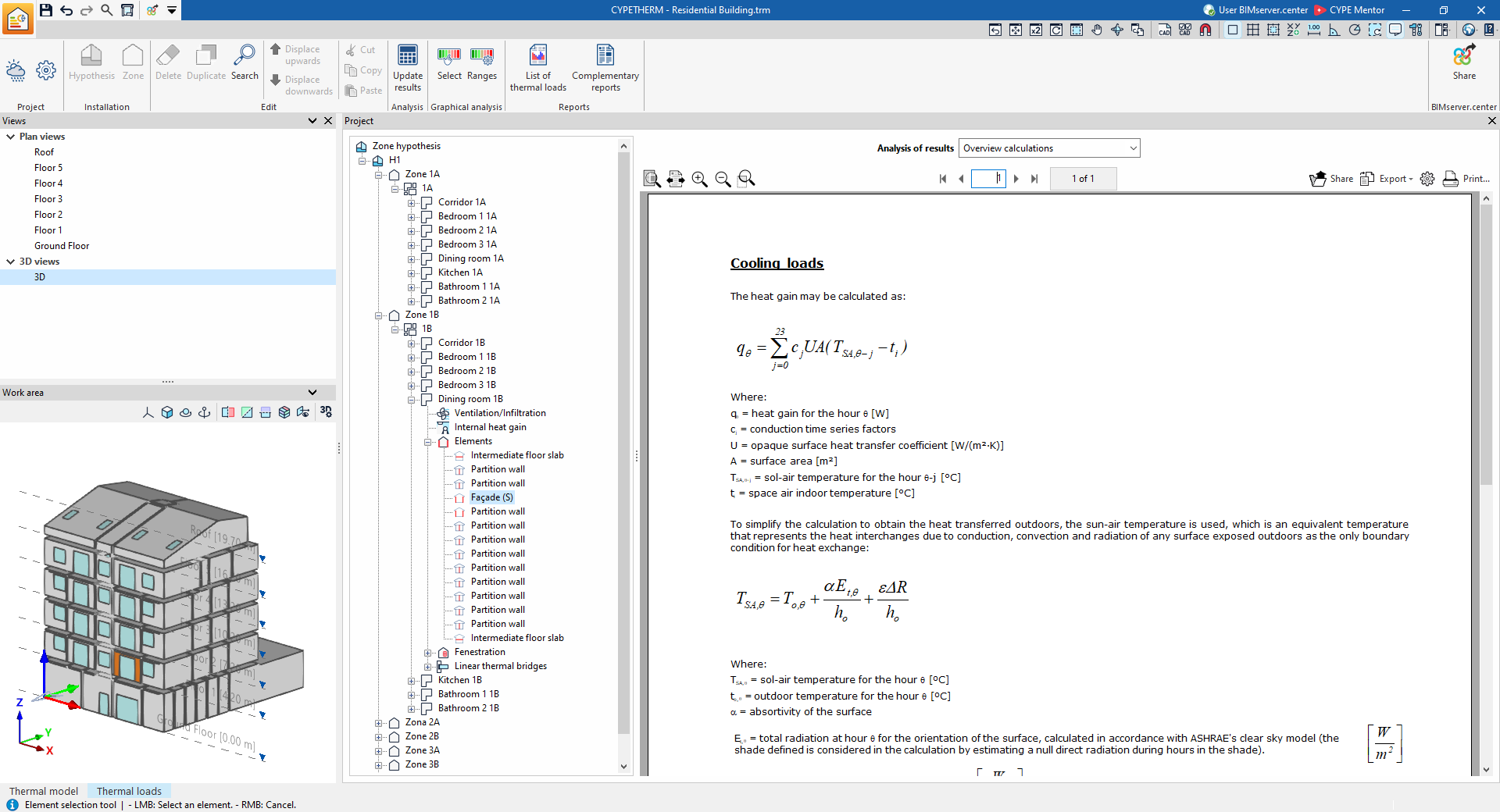
If a space is selected in the tree and the "Elements" level is then selected, the program displays an information box with details on the calculation of cooling and heating loads in the building elements.
If, after expanding the "Elements" level, a specific element is selected in the tree, the program displays the "Results analysis" drop-down menu, which allows the following information to be displayed in the central part of the program interface, depending on the selection made:
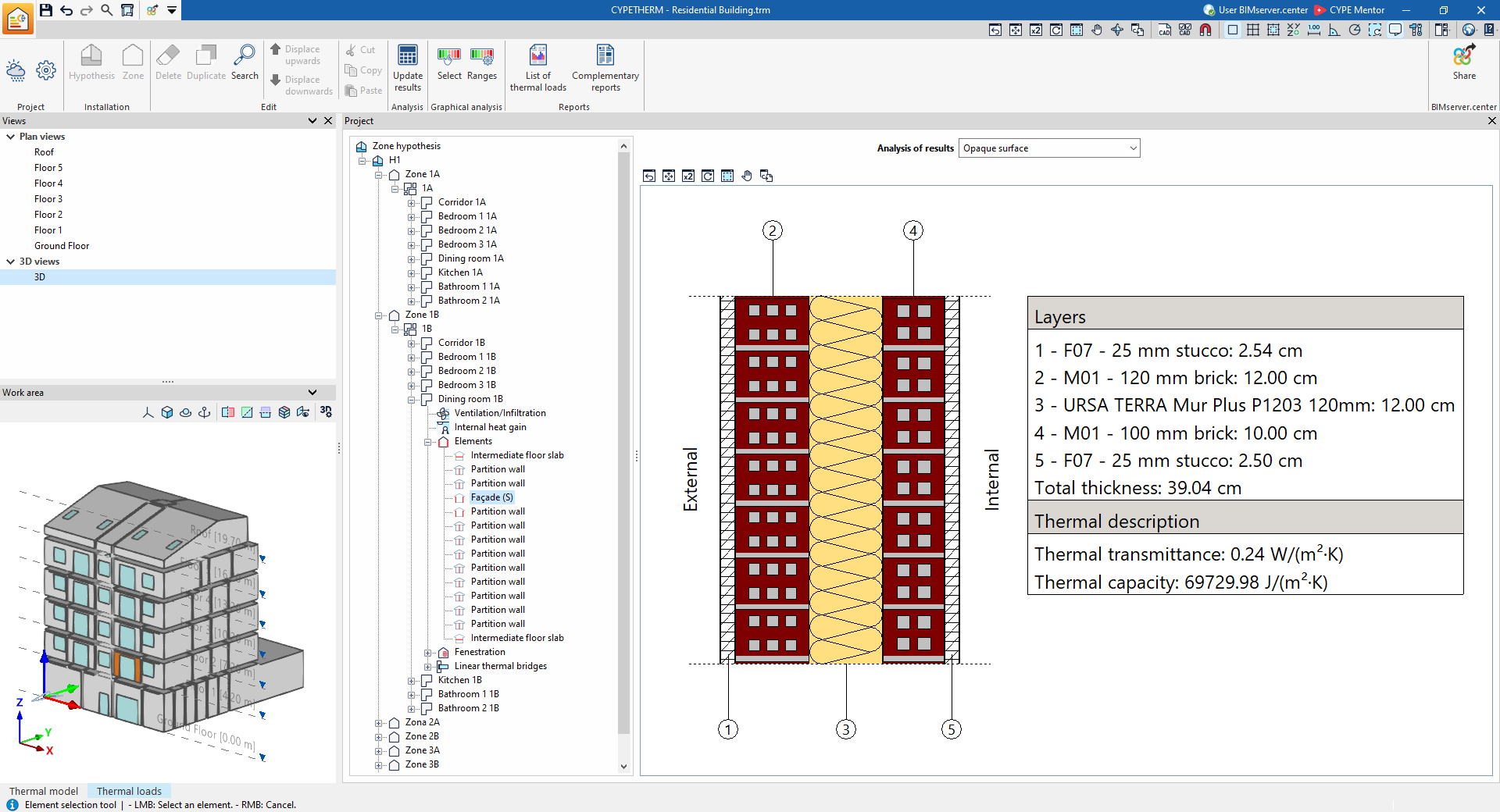
- Opaque element
Displays the construction details of the selected building element, including the layers of materials it comprises, its total thickness, and the parameters describing its thermal properties, such as thermal transmittance and thermal capacity.
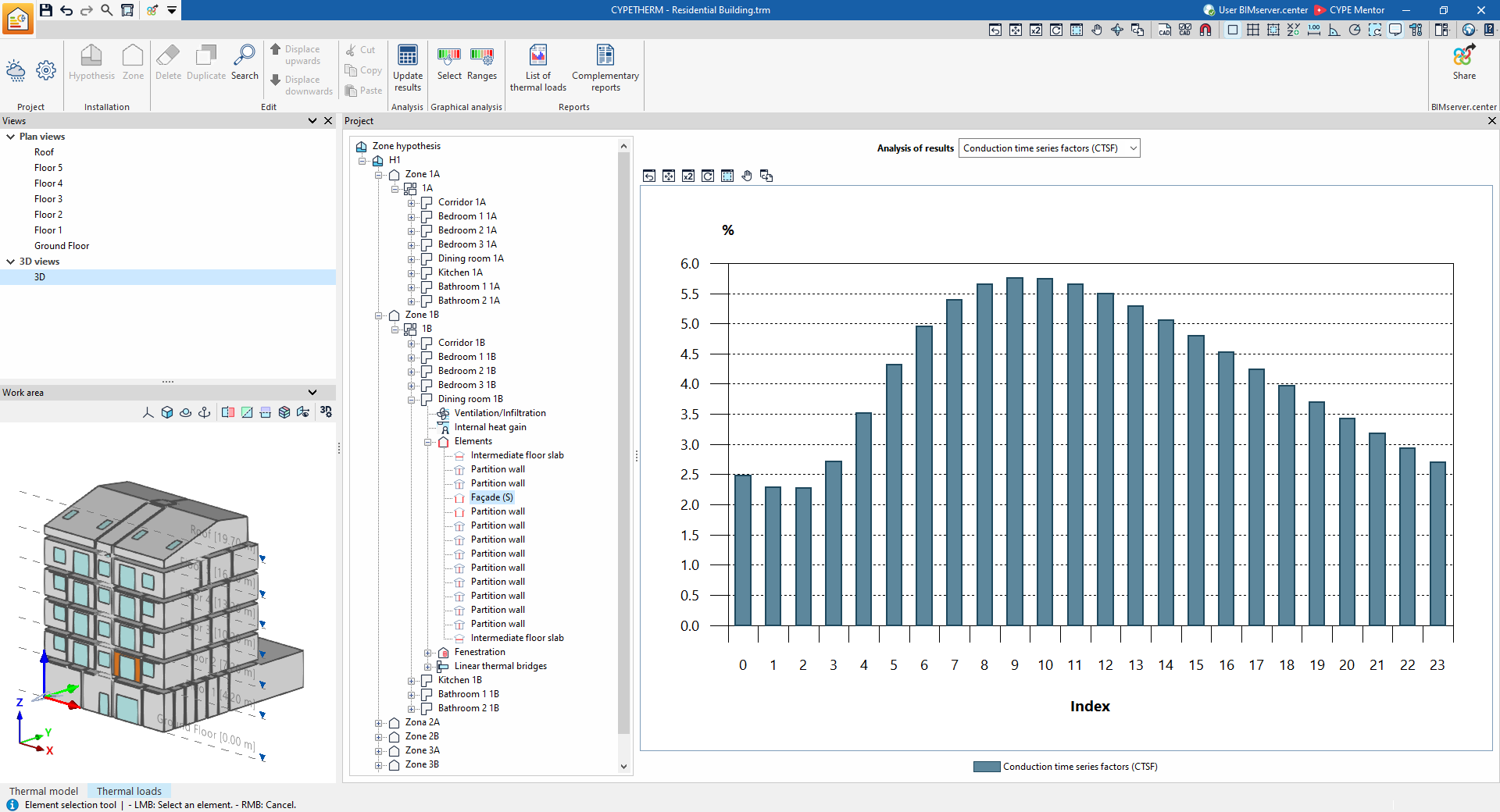
- Conduction Time Series Factors (CTSF)
Displays a bar chart showing Conduction Time Series Factor (CTSF) values (%) obtained from the calculation.
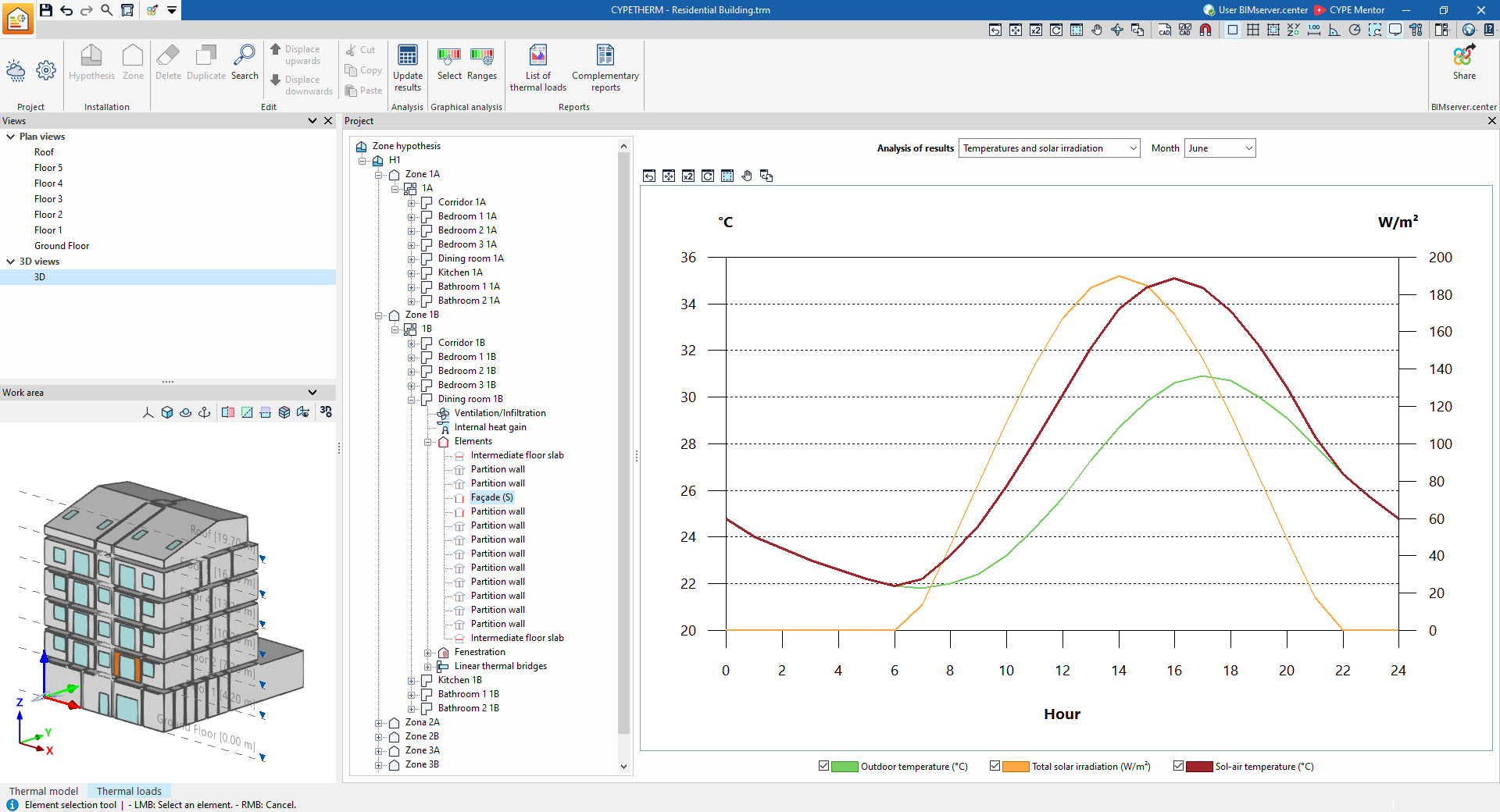
- Temperatures and solar radiation
Displays the hourly changes in outdoor temperature, sun-to-air temperature and total solar radiation for the selected month.
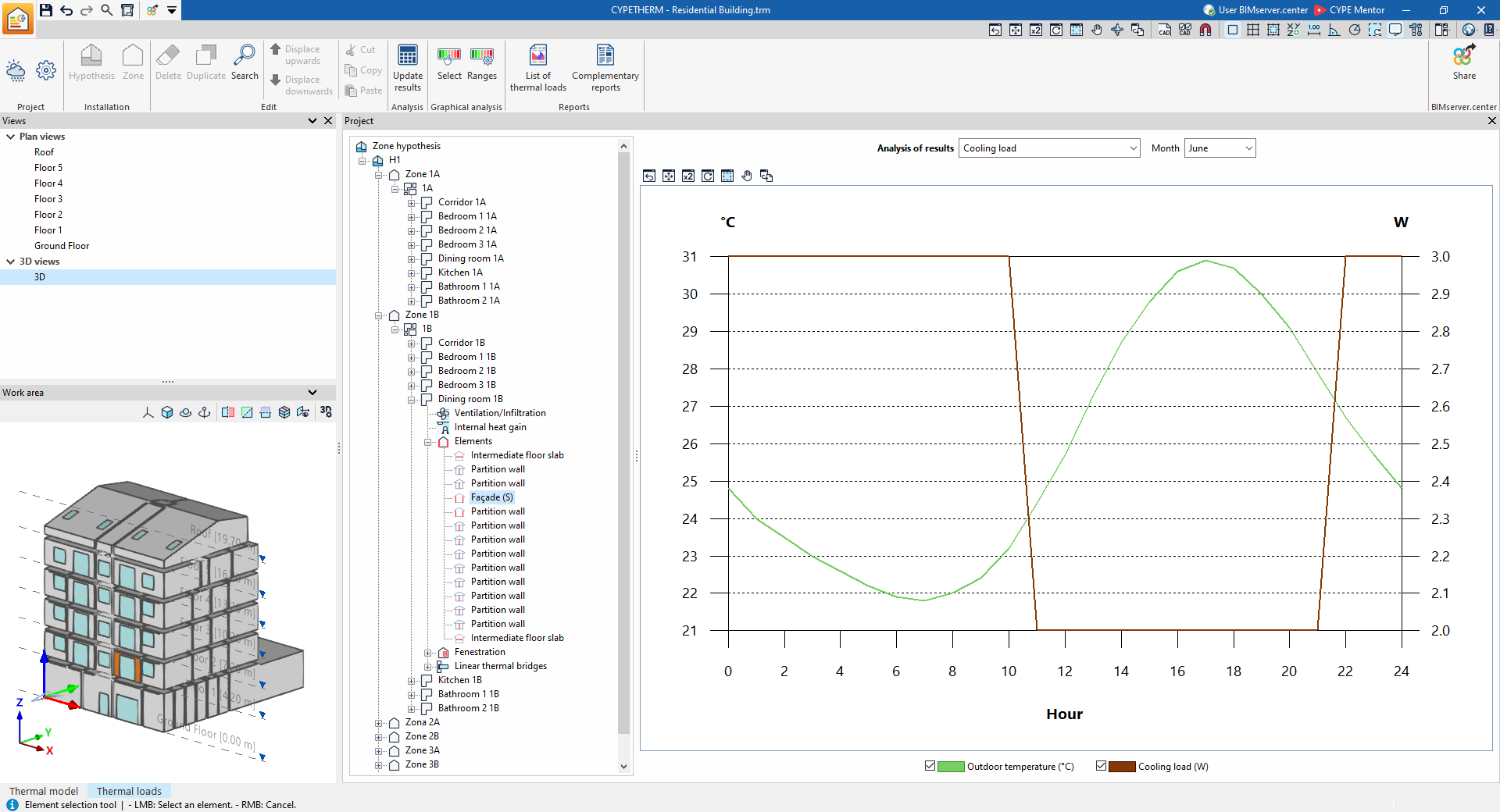
- Cooling load
Displays the hourly trend in cooling load and outdoor temperature for the selected month.
- Overview calculations
Displays an informative text with details on the calculation of cooling loads, including the calculation of the sun-air temperature, the conduction time series factors (CTSF), and the heating loads through the element.