

IFC requirements for the analytical model generator
For the automatic generation of the analytical model (integrated into programs such as Open BIM Analytical Model) to work correctly, several requirements must be met in the architectural IFC model. Please note that the app provides the necessary tools to manually correct any inconsistencies resulting from failure to meet one or more of the following requirements.
Architectural modelling
General requirements
Defining type references
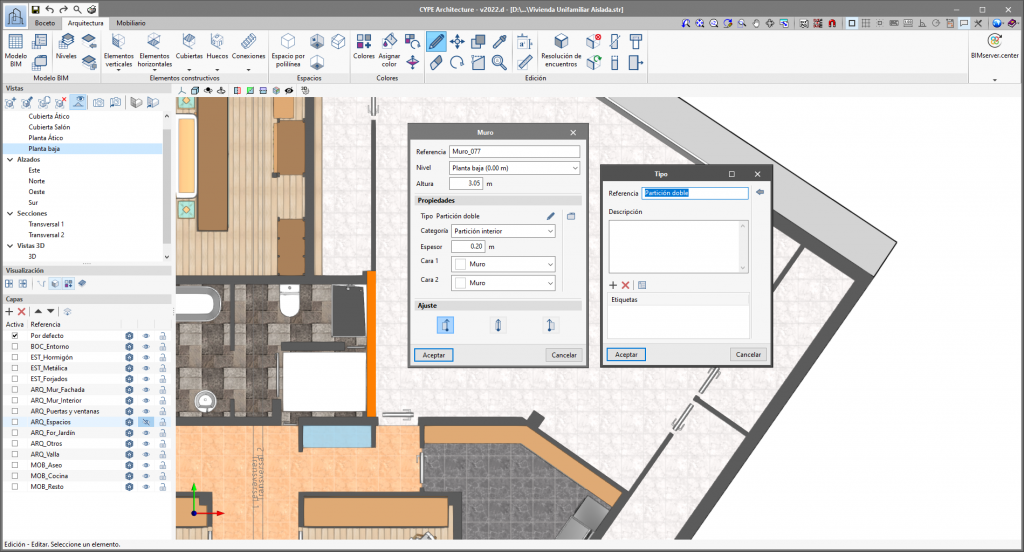
For the spaces and surfaces generated in the analytical model to be grouped according to the types of spaces and structural elements, these must first be defined in the physical model. Otherwise, no type reference will be assigned to spaces or surfaces derived from structural elements that do not have one associated with them.
Structural elements
Defining building elements (IfcWall, IfcSlab, etc.)
The physical model must include structural elements, such as walls or floor slabs, exported with their corresponding IFC entities. These are needed to determine the reference and type of surfaces, as well as their adjacency conditions.
External cladding
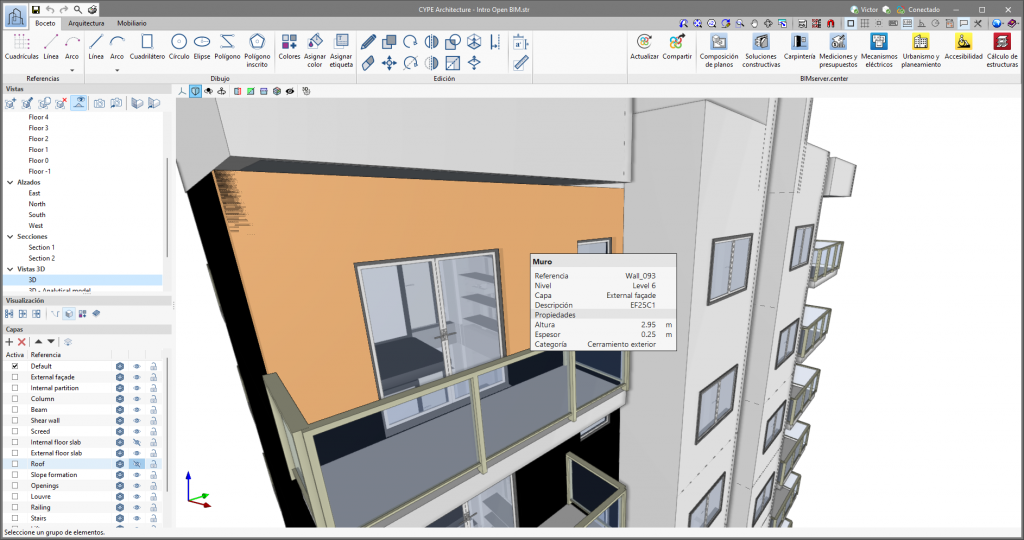
The IsExternal property must be applied to the building elements in the physical model (IfcWall and IfcSlab) to indicate that a wall or slab is in contact with the external environment. Otherwise, the boundaries of the derived surfaces will not be detected correctly, and these will be assigned as adjoining "building elements". When exporting to IFC from CYPE Architecture, the IsExternal property is set to true for the following categories of building elements:
| Structural element | Category |
| Wall | External cladding |
| Slab | External floor slab/Roof |
Interior partitions
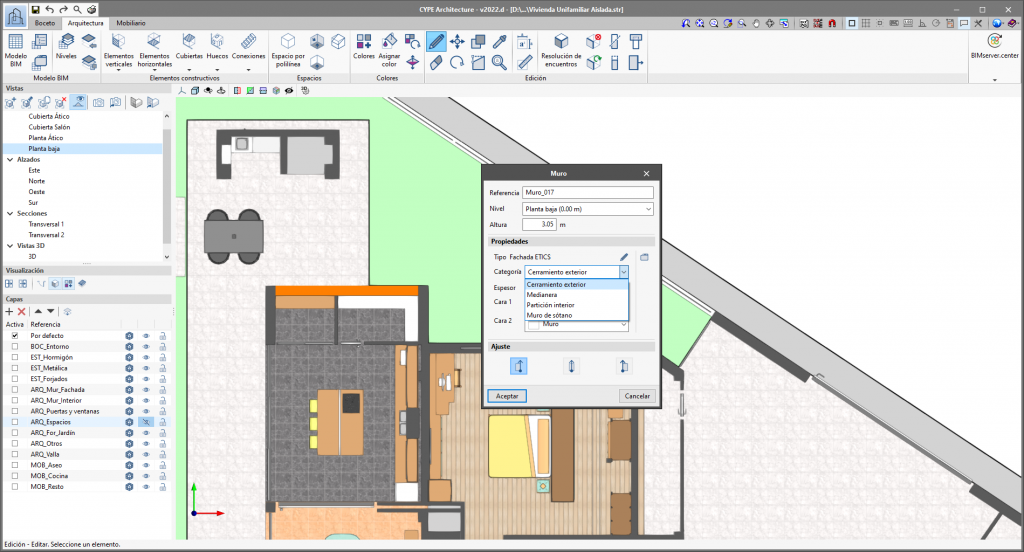
For internal partition elements, you must ensure that the IsExternal property is not set to "true". Otherwise, the adjoining surface will not be detected, and an incorrect external surface will be generated. When exporting to IFC from CYPE Architecture, the IsExternal property is not set to "true" for the following categories of internal partition elements:
| Structural element | Category |
| Wall | Interior partition |
| Slab | Intermediate floor slab |
For party walls, the IfcWallType parameter must be set to PARTYWALL. This is done automatically in CYPE's modelling tools (CYPE Architecture and IFC Builder).
Elements in contact with the ground
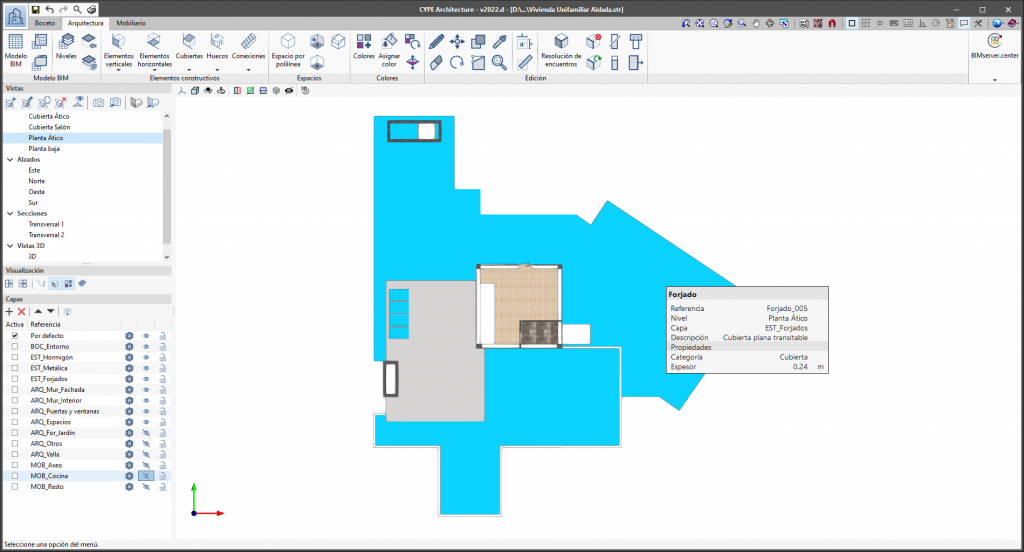
The structural elements in the physical model (IfcWall and IfcSlab) that are in contact with the ground must be identified. Otherwise, the boundaries of the derived surfaces will not be detected correctly, and these will be assigned as adjoining "structural elements". When exporting to IFC from CYPE Architecture, a structural element is considered to be in contact with the ground when it is associated with one of the following categories:
| Structural element | Category | |
| Wall | Basement wall | |
| Slab | Slab-on-ground |
For floor slabs, the IfcSlabType parameter must be set to BASESLAB. This is done automatically in CYPE's modelling tools (CYPE Architecture and IFC Builder). For Autodesk Revit, instructions on how to apply this configuration can be found in the "CYPE-Revit Interoperability Guide" (section 7.5).
For walls, the procedure is the same, but in this case the IfcWallType parameter must be set to BASEMENTWALL.
Separating construction elements based on adjacency
The same wall or floor element should not be used if it has both internal and external parts. Different geometries must be exported, and the IsExternal property must be used. The same applies to elements in contact with the ground.
Correct definition
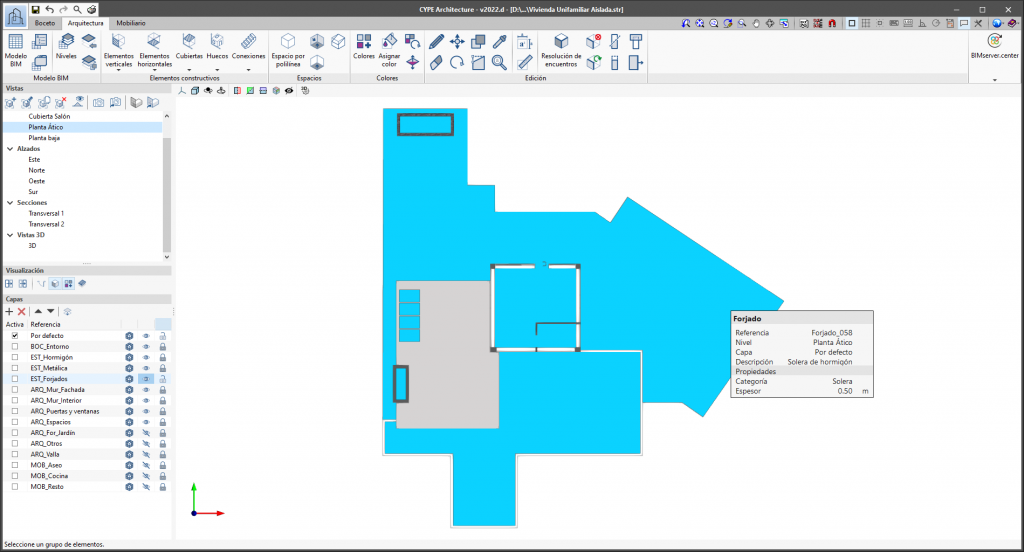
Incorrect definition
Spaces
Defining spaces (IfcSpace)
The IFC file must contain a geometric definition of the spaces as specified in the IfcSpace entity specification. During the generation process, the faces describing the space will be transformed into surfaces in the analytical model. In CYPE modelling software, when enclosures (IFC Builder) or spaces (CYPE Architecture) are created, these will be automatically exported as IfcSpace when the model is shared on BIMserver.center. For Autodesk Revit, instructions on how to export spaces correctly can be found in the "CYPE-Revit Interoperability Guide" (section 7.1).
Outline of the spaces
The surfaces that define the space must be coplanar with one of the faces of the building elements in the physical model (IfcWall, IfcSlab, etc.). Otherwise, the properties of the building elements will not be correctly assigned to the generated surfaces.
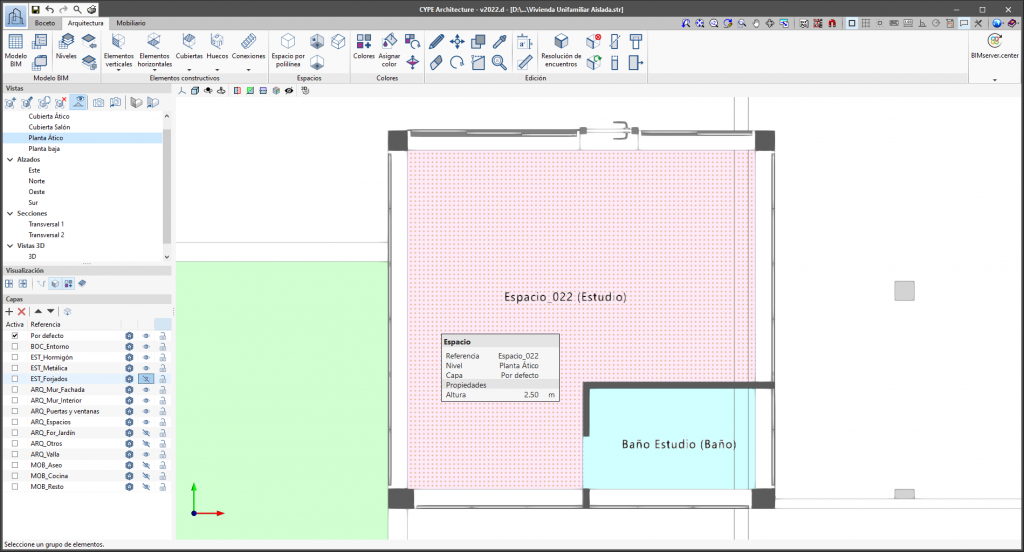
Correct definition
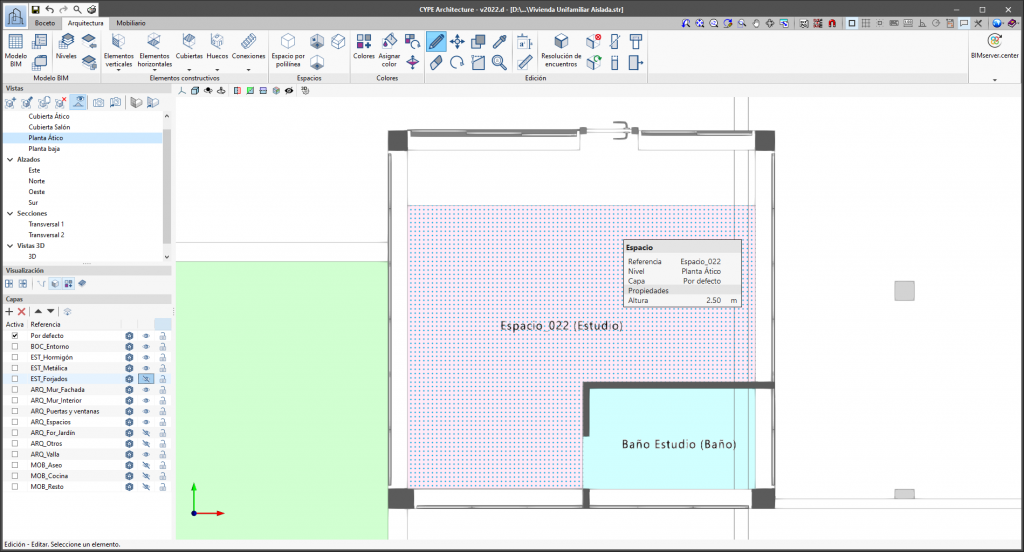
Incorrect definition
Virtual connections between spaces
When two spaces are connected but there is no physical separating element, the surfaces of the spaces where the connection occurs must be coplanar. Otherwise, incorrect surfaces with an adjacency of "construction element" will be generated.
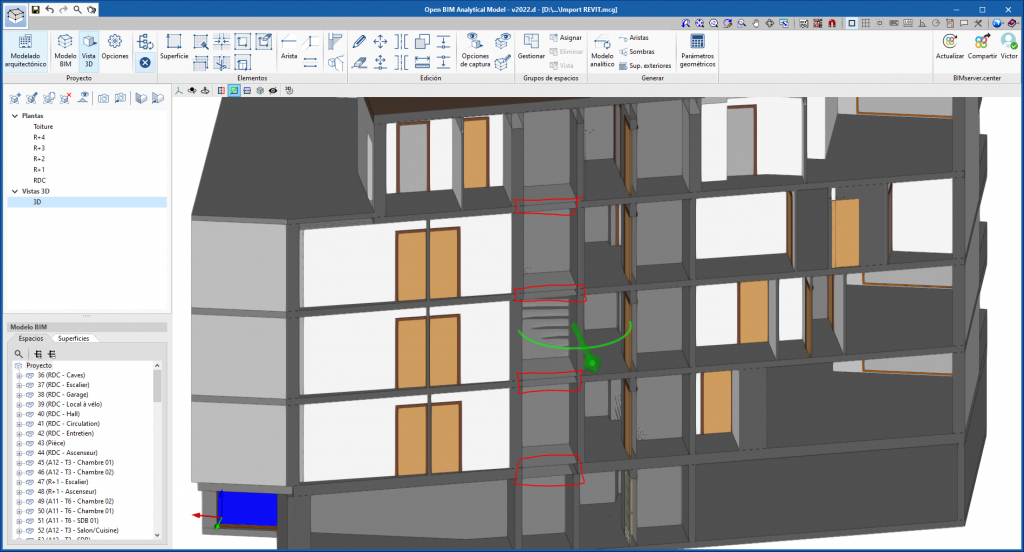
Example of incorrect modelling in a lift shaft
Volume and surface area of spaces
The volume and area of spaces are derived from the set of base quantities in the IFC standard (IfcQuantitySet) corresponding to spaces, Qto_SpaceBaseQuantities. If the volume or area is not explicitly defined in these properties, they will be derived from the analytical geometry generated for the space. In CYPE’s modelling tools (IFC Builder and CYPE Architecture), these parameters are exported automatically. For Autodesk Revit, instructions on how to correctly calculate the volume of spaces can be found in the "CYPE-Revit Interoperability Guide" (section 4.3.3).
Shadow elements
Defining shading elements (IfcShadingDevice)
Elements that cast shadows must be exported to IFC using the IfcShadingDevice entity. Buildings and other shadow-casting elements close to the model, generated using CYPE applications (Open BIM Site, IFC Builder and CYPECAD MEP), are automatically exported with this entity. For Autodesk Revit, the mapping file must be configured to specify which components are to be exported as shadows, as detailed in the "CYPE-Revit Interoperability Guide" (section 4.1).
IFC model elements that can be read by Open BIM Analytical Model
The following table sets out the configuration of the IFC model components that must be set for them to be read by Open BIM Analytical Model.
| Open BIM Analytical Model | IFC | PredefinedType | isExternal |
| Roofs or overhangs | IfcRoof | - | - |
| Roofs or overhangs | IfcSlab | - | TRUE |
| Floor slabs | IfcSlab | - | - |
| Floor slabs | IfcSlab | - | FALSE |
| Slab-on-ground | IfcSlab | BASESLAB | - |
| Interior partitions | IfcWall | - | - |
| Interior partitions | IfcWall | PARTITIONING | - |
| Basement walls | IfcWall | USERDEFINED (BASEMENTWALL) | - |
| Enclosures | IfcWall | - | TRUE |
| Partition walls | IfcWall | USERDEFINED (PARTYWALL) | - |
| Curtain walls | IfcCurtainWall | - | - |
| Columns | IfcColumn | - | - |
| Beams | IfcBeam | - | - |
| External doors | IfcDoor | - | TRUE |
| Interior doors | IfcDoor | - | FALSE |
| External windows | IfcWindow | - | TRUE |
| Internal windows | IfcWindow | - | FALSE |
| Gaps | IfcOpeningElement | - | - |
| Own shadows | IfcShadingDevice* | - | - |
| Distant Shadows | IfcShadingDevice | - | - |
| Venues | IfcSpace | - | - |
*Linked to a storey of the building (IfcBuildingStorey)
