Managing the electronic license
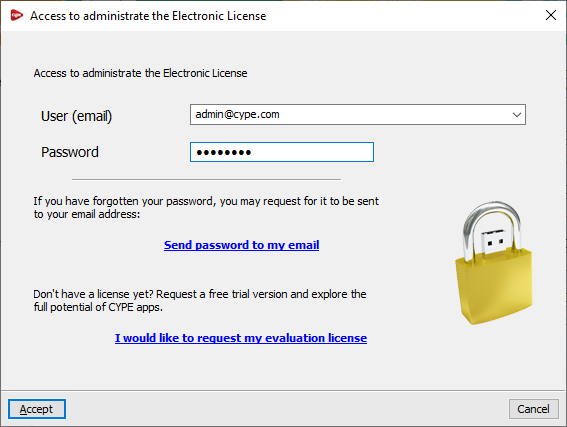
The "Manage Electronic Licence" option can be found at the bottom of the CYPE Menu window or in the "File" menu of each program.
This option allows you to enter your login details to manage the electronic license, including your username or email address and password. If you have forgotten your password, the link "Send password to my email" allows the program to send the password to the email address entered in the relevant field.
| Note: |
|---|
| These access credentials are specifically for managing the electronic license (i.e. those of the license administrator) and may differ from those required to use the electronic license (i.e. those of the license user, who will be using CYPE software). |
Once you have accepted, the "Manage Electronic License" window will open. This displays a table showing all the electronic licenses managed by the license administrator. The following details are shown for each one:
- The license number ("Licence No.") and the "Version" to which it is updated.
- The "Email" and "Password" required to use each licence (i.e. the user login credentials).
- The "Notify" column shows whether the user for each license is being notified of password changes by email.
- In the last column, you can view a description of the "Modules" included in each license; these can be "Viewed" and displayed in a list by clicking on the relevant button.
The tools at the top of the table allow the license administrator to perform the following actions:
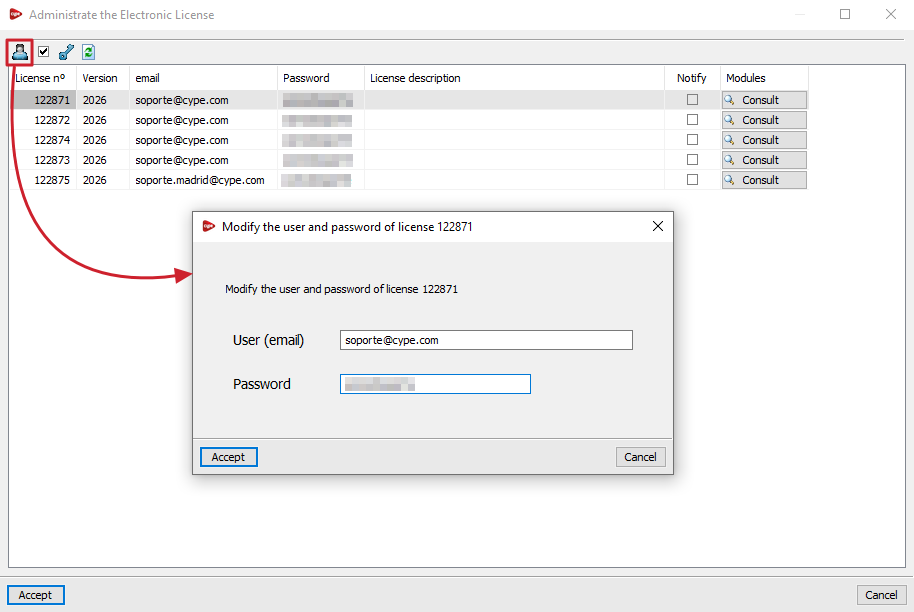
- Change the email address and password associated with the electronic license
This allows you to freely change the login credentials (username or email address and password) for each electronic license in the table. - Notify the user of password changes via email
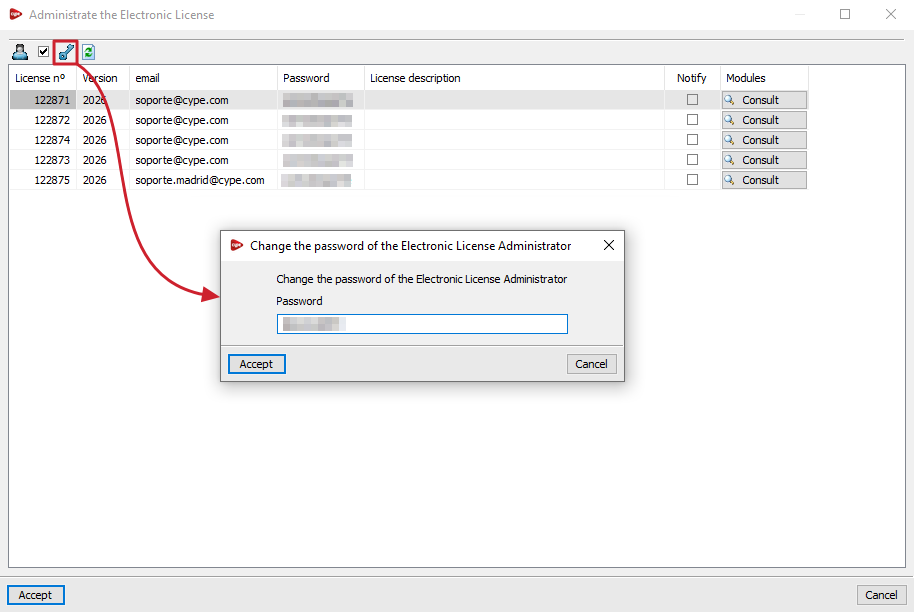
Allows you to enable or disable email notifications to the user regarding password changes made for each license. - Change the Electronic License Administrator password
Allows you to change the password for the login credentials used to manage the electronic license. - Refresh the displayed information
Refreshes the information displayed in the table if any changes have been made.