Assigning items by key codes
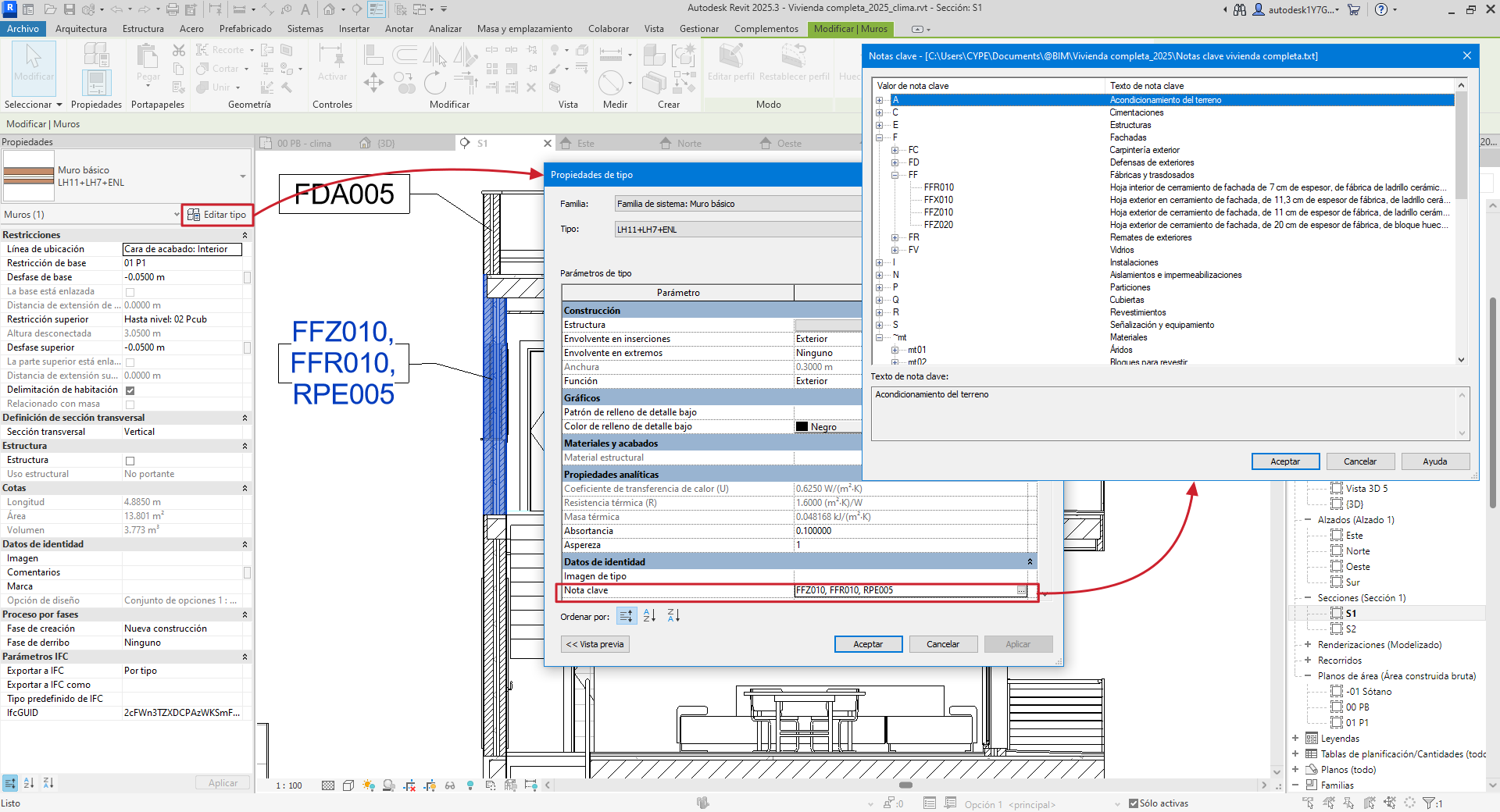
If a Revit entity, for example, a "Type", has a "Key note" assigned to it that contains the code of an item in the target Arquimedes project, and furthermore the item has a known unit of measurement defined, in this case the item is automatically assigned to the type (Revit entity) and the item automatically has the measurement.
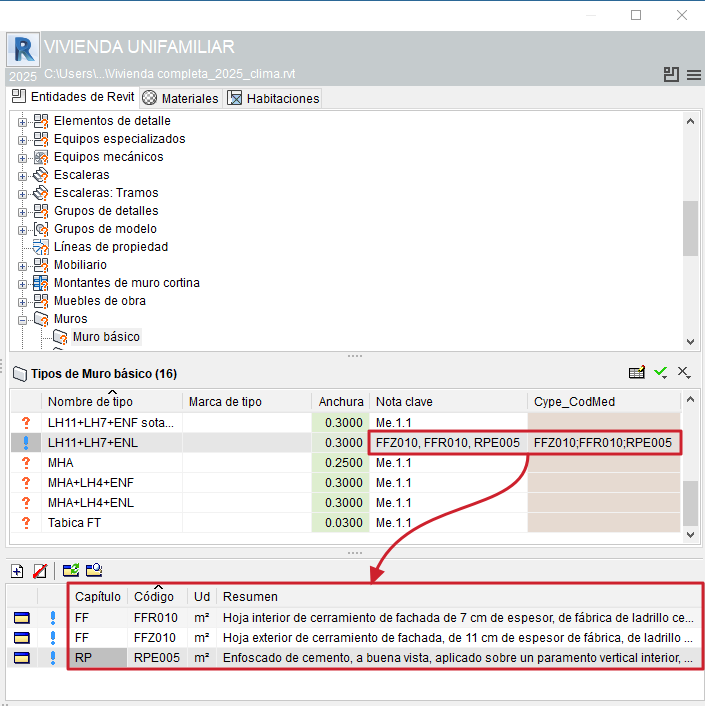
The CYPE_CodMed parameter allows you to view the item assigned for the measurement, whether it is a type, a material, a room or one of the categories without types (areas, property lines, topography, etc.).
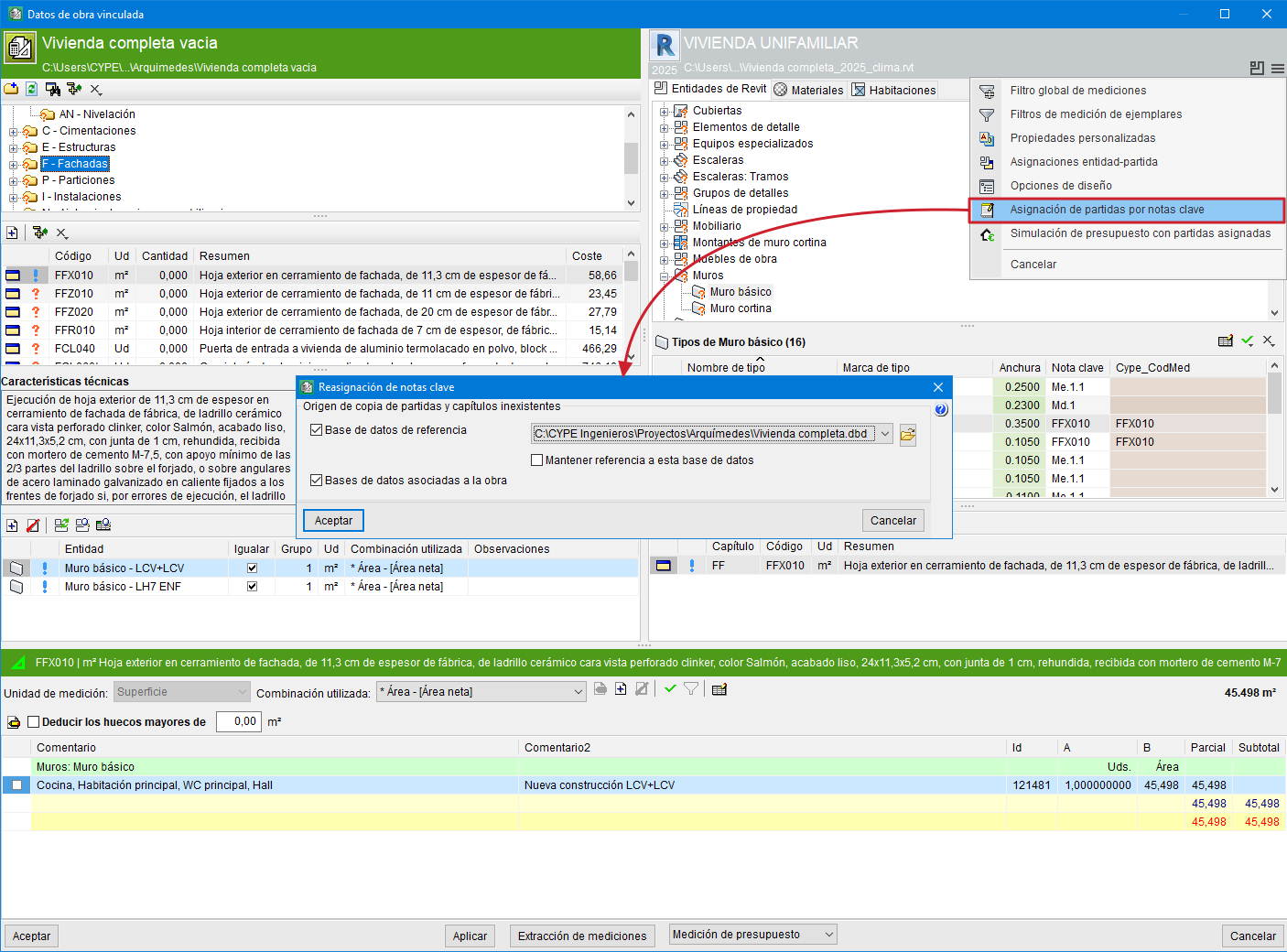
If "Key notes" with item codes are defined in the Revit model (for the purpose of assigning a Revit model type to an item), the first time the Revit model is linked to an Arquimedes project, you are prompted to specify the source for copying non-existent items and work sections. Thus, after importing the Revit model, the types that have a key note locatable in the Arquimedes project (or in the database referenced or associated with the Arquimedes project) will be assigned to the item indicated in the key note.
The "Assign items by key notes" button, accessible via the options button in the "Assign items and extract quantities" window, allows you to assign to an item a Revit model type defined in a key note (provided the linking process between the Revit model and the Arquimedes project has already been completed).
Best practice:
In Revit, you can create a template project to use as a starting point for other projects where the element types already include key notes. This way, when creating a new project, quantities can be extracted more easily and quickly.
Option to link more than one item code to the key note of a type in Revit for reading in Arquimedes
If a Revit model contains a type with more than one item code in its key note, separated by a comma (‘,’), semicolon (‘;’) or colon (‘:’), Arquimedes reads each item code and assigns it to the Cype_CodMed field (provided the item code exists in the bill of quantities linked to the Revit model in Arquimedes).