

Display states of the quantity detail and instance list
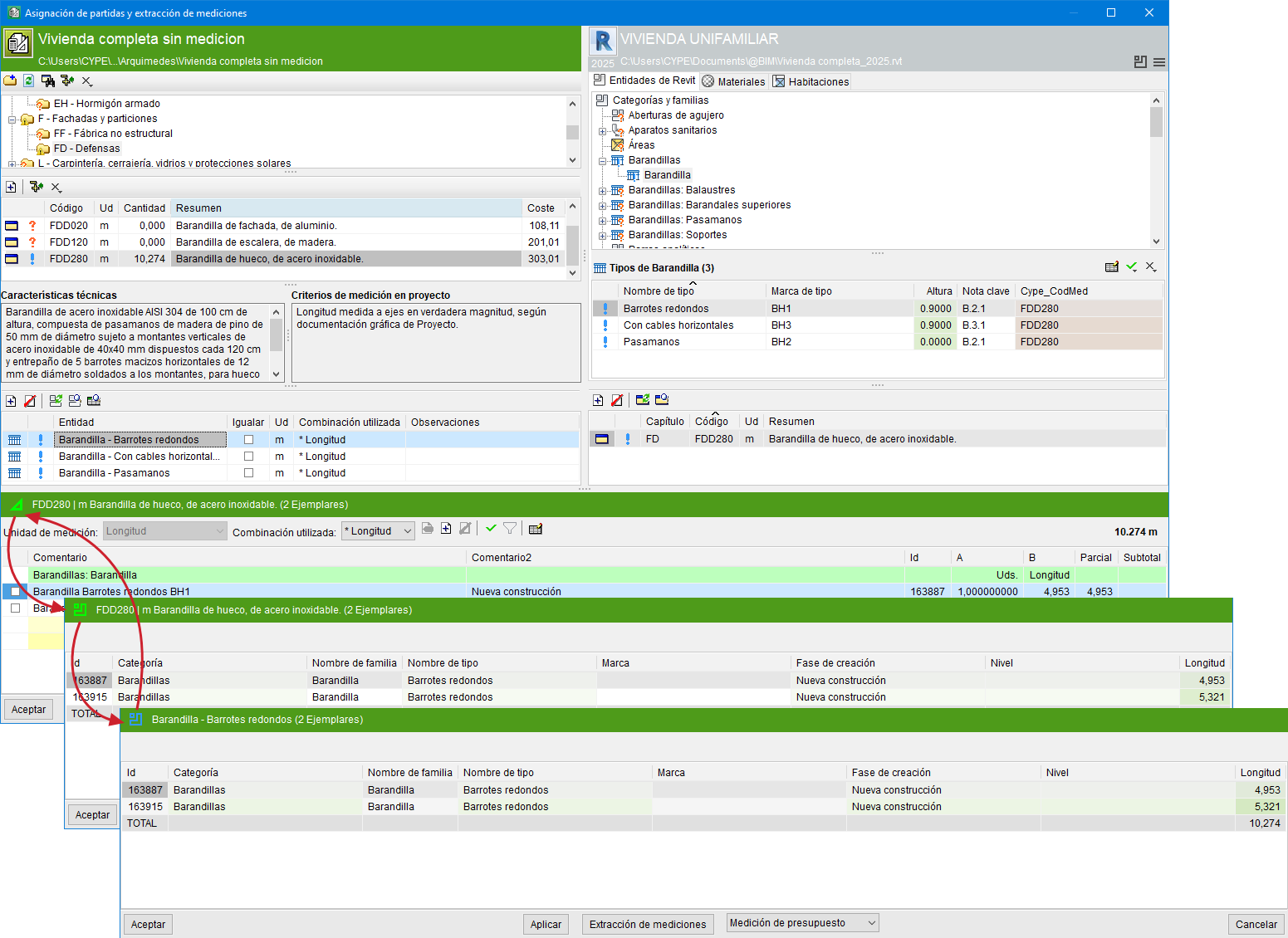
In the dialogue box "Assignment of items and extraction of quantities", when clicking on the header of the quantity detail table or on the header of the instance table, the displayed tables alternate:
- In the Arquimedes workflow (green area), three tables or display states alternate if the item is assigned to an entity:
- Quantity detail of the entity’s instances
Takes into account any filters that may be applied. - List of the entity’s instances
Possible filters are not applied. - List of instances of the entity selected in Revit entities
Another display state of the instance list.
- Quantity detail of the entity’s instances
Note:
If the item is not assigned to any entity, it will display the equivalent of state "3".
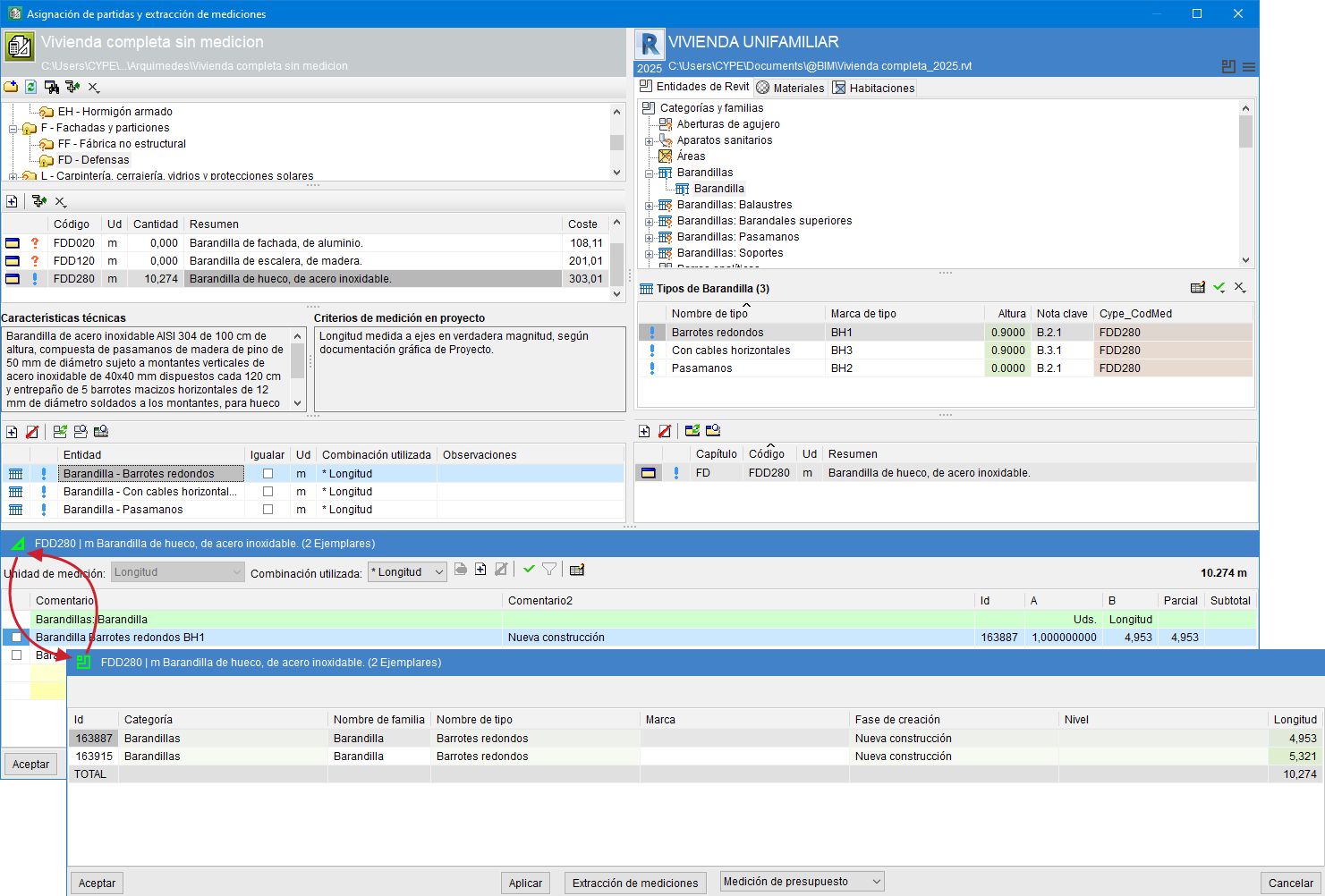
- In the Revit workflow (blue area), two states alternate if the item is assigned to an entity:
- Quantity detail of the entity’s instances
Takes into account any filters that may be applied. - List of the entity’s instances
Possible filters are not applied.
- Quantity detail of the entity’s instances
You can change states successively by clicking on the header.
Note:
If the entity is not assigned to any item, it will display the equivalent of state "2".
