Formation of comments in quantity tables
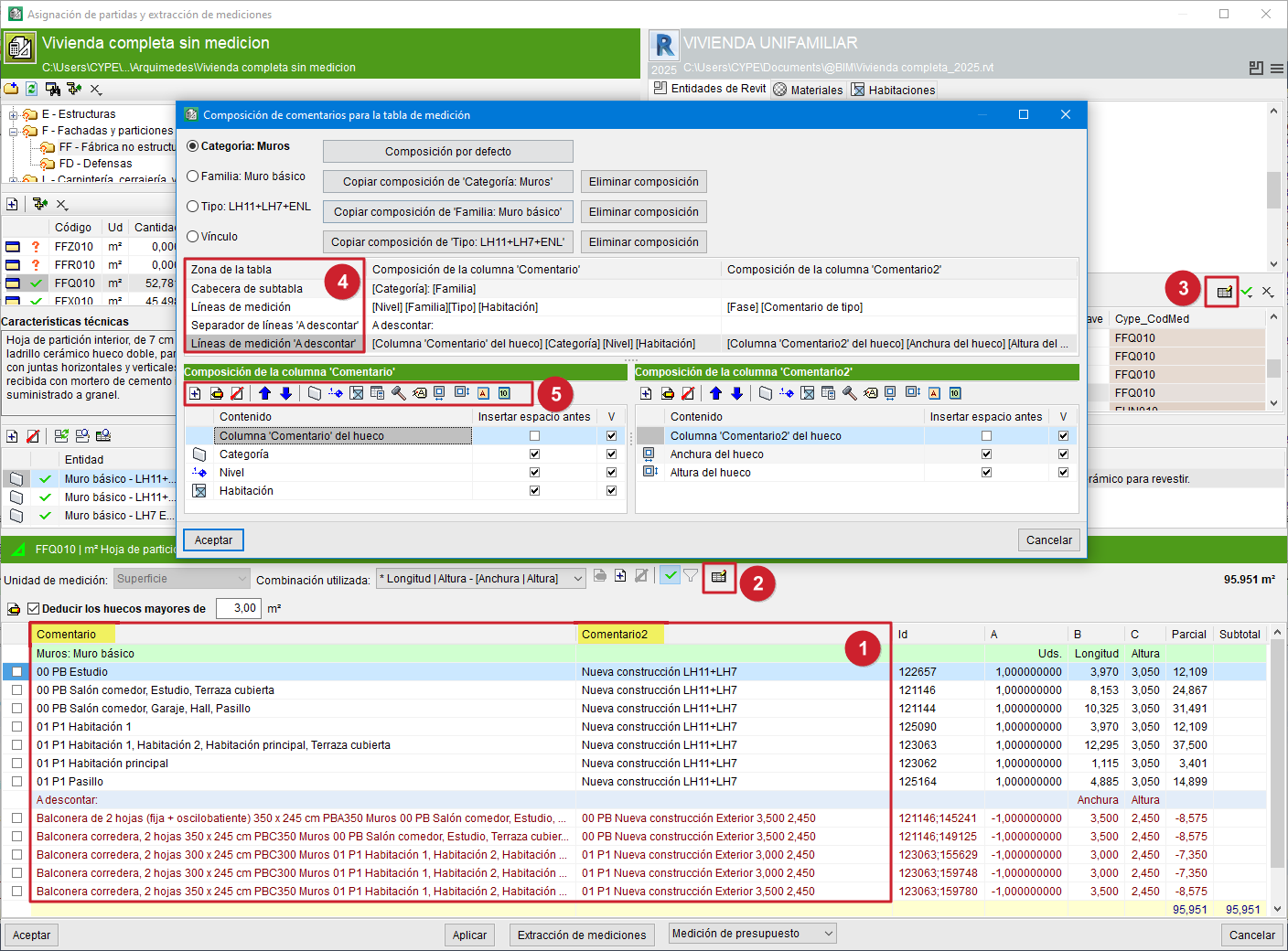
The quantity tables in Arquimedes admit two types of comments: the "Comment" and "Comment2" columns or fields (1).
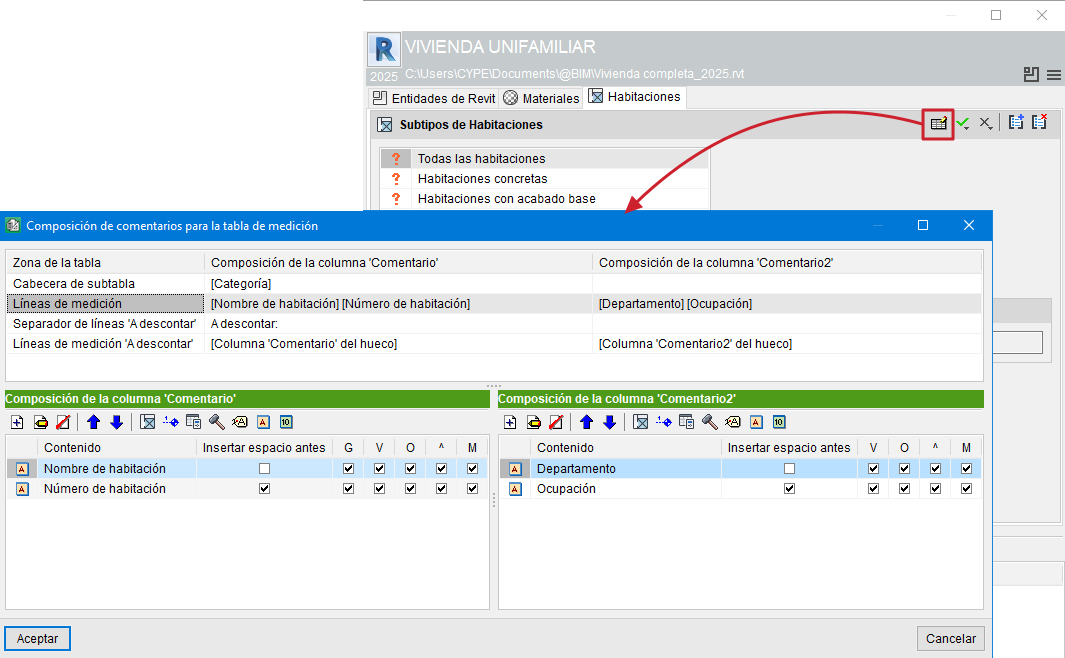
These comments can be configured using the "Edit comments" button, located both in the configuration area of the quantity detail table (2) and in the selection area for "Types", "Materials" or "Rooms" (3).
After pressing this button, the "Comment composition for the quantity table" dialogue appears. From here, the comments for the table area can be constructed (4):
- Subtable header
- Quantity lines
- ‘To deduct’ line separator
- ‘To deduct’ quantity lines
Here it is possible to view the compositions of the "Comment" and "Comment2" columns simultaneously, which allows both comments to be compared. In addition, this dialogue provides default compositions using information from the "Category", "Family" or "Type" of the instances in the quantity extraction, which facilitates the composition of comments.
From the toolbar in this dialogue (5) it is possible to "Add", "Edit" or "Delete" a comment, as well as change its order of appearance (up and down blue arrows). It is also possible to add new elements of the following types:
- Category name
- Level name
- Rooms (useful in the quantity extraction of floors or ceilings, doors, windows, furniture, sanitary ware, etc.)
- Creation phase name
- Demolition phase name
- Text label
- Alphanumeric parameter (such as key note, manufacturer, etc.)
- Numerical field (such as area, volume, etc.)
- Opening width or opening height (available only in ‘To deduct’ quantity lines)
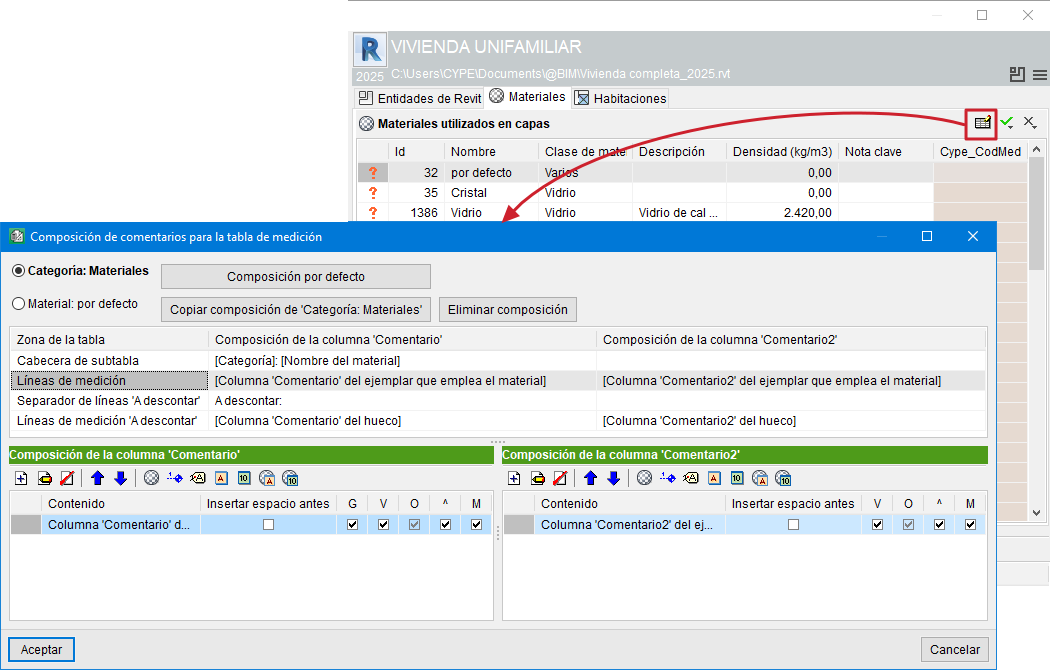
If the quantities of the item are obtained by linking a material from the "Materials" sheet, the comments can be composed using information from the material category or from the material itself.
If the assignment of items is carried out from the "Rooms" sheet, the formation of comments is simplified as shown in the third image of this section.
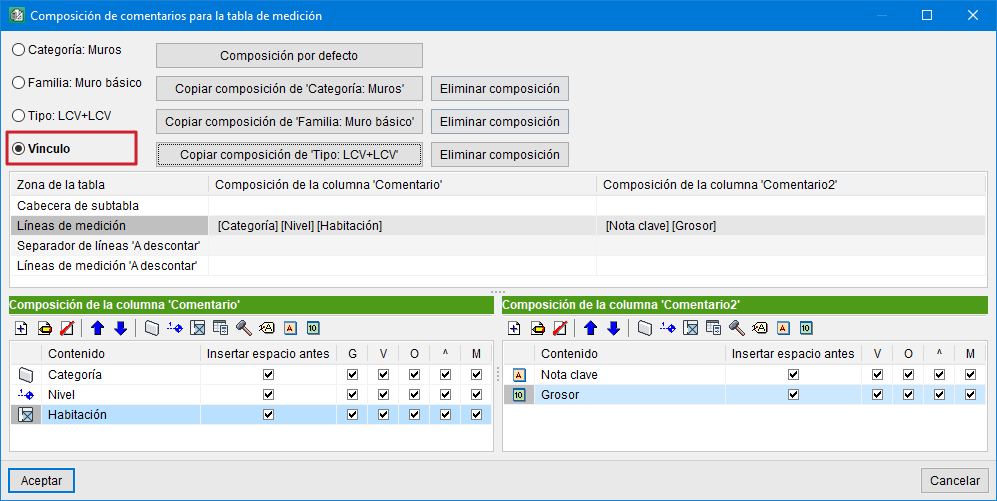
The "Link" option in the "Comment composition for the quantity table" dialogue refers to the entity–item link (the assignment between the Revit entity and the Arquímedes item). This link has a combination for extracting quantity lines and, among other things, two comment compositions (one for each comment column, "Comment" and "Comment2"). If the "Link" option is activated, it is possible to customise each of these comment compositions for that link, so that it does not affect any other link.
Entity–item links are unique. Therefore, if comments are customised for the link and the "Link" option is activated, this change affects only that specific entity–item link or assignment.