Omitting quantity for instances
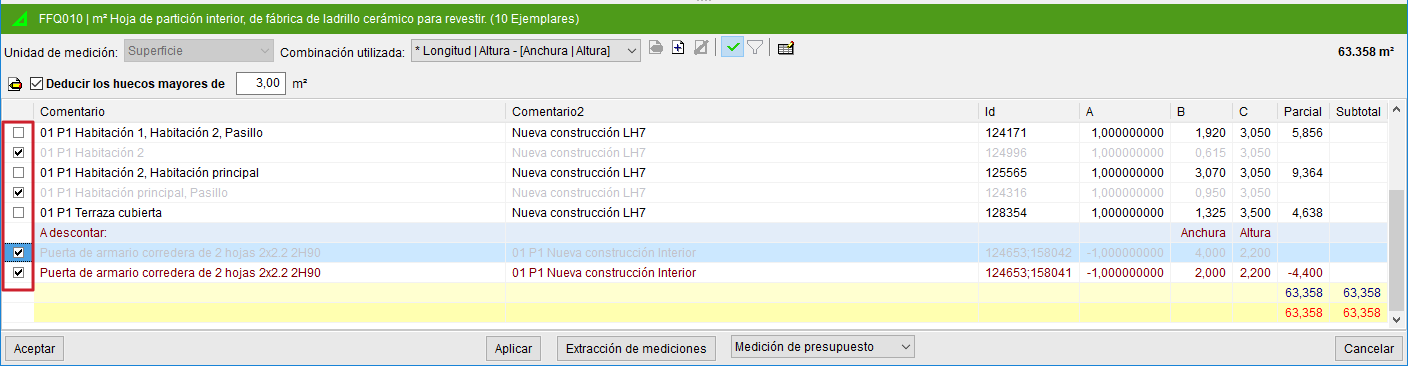
It is possible to mark the instances that you do not wish to include in the quantity for a given item. This tool complements other existing tools for filtering and defining what you want to quantify.
The option to mark instances to exclude them from the quantity becomes available once a Revit element has been linked to an item and the appropriate extraction combination has been selected or created. In the quantity detail table that is generated, you can mark the instances of each line that you do not wish to quantify using a check box located at the beginning of each quantity detail line.