Panel configuration
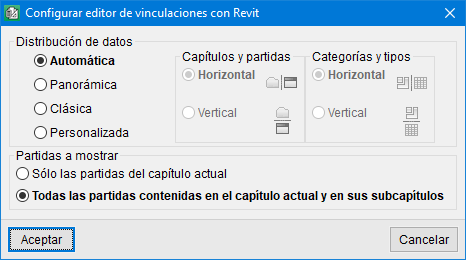
You can configure the display of the "Assignment of items and extraction of quantities" dialogue box to make it easier for the user to connect with the Revit model according to their preferences or monitor types.
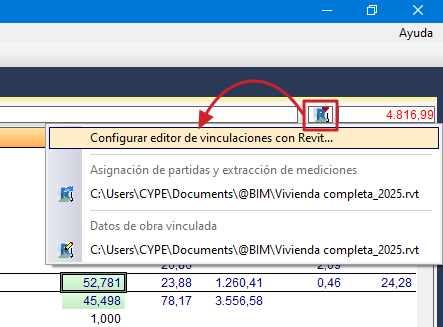
To access the configuration of the link editor with Revit, you must select the "Extraction of measurements" button located in the "Breakdown tree" window in Arquímedes and choose the option "Configure link editor with Revit".
You can choose between four display types:
- Automatic
This option is activated by default. With it, data distribution is based on the aspect ratio of the monitor being used (width × height). - Panoramic
- Classic
- Customised
The user decides how to distribute the data.