Quantity criterion for openings
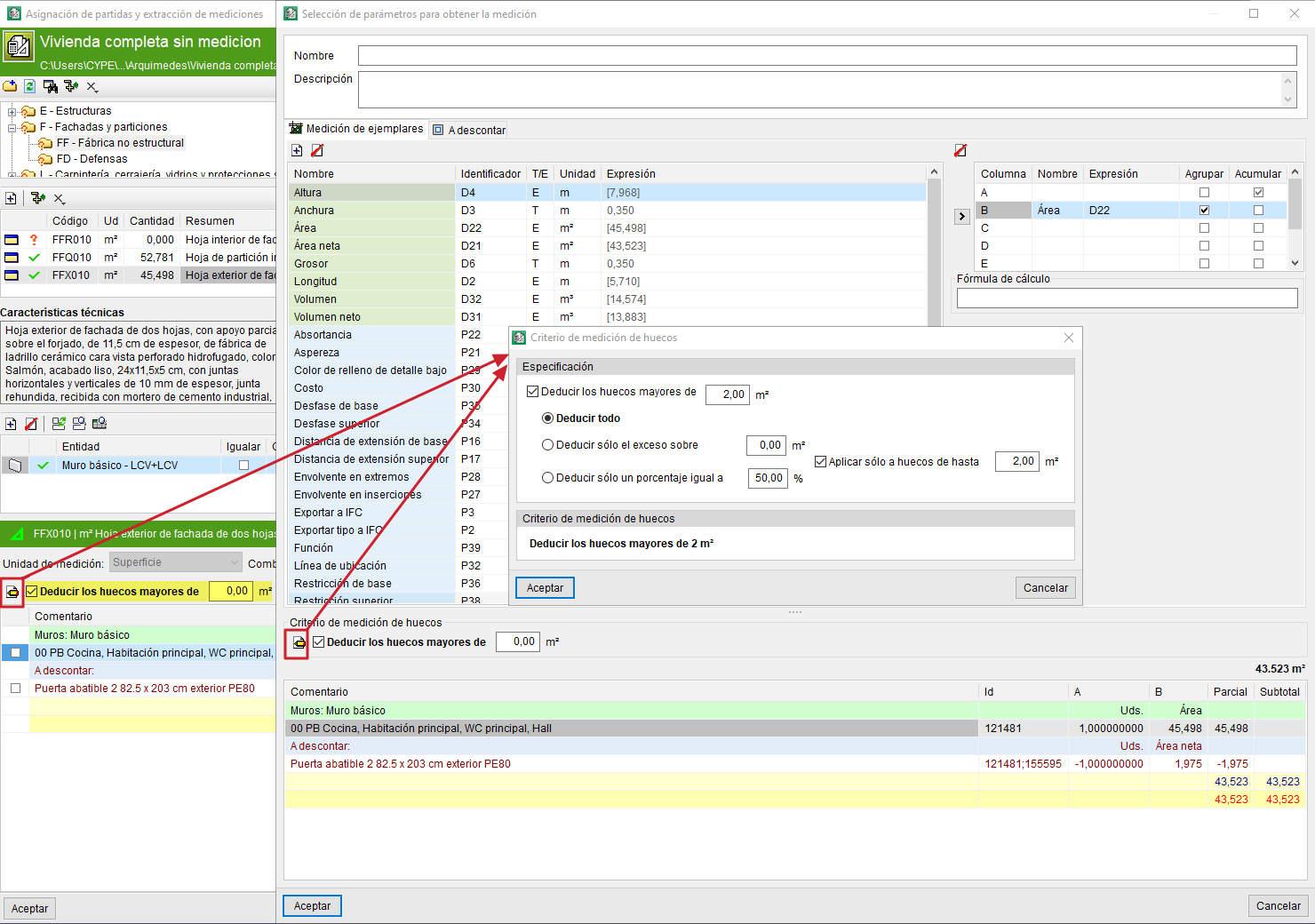
It is possible to "Deduct openings greater than" a given area from the quantity detail table using a selection box located beneath "Unit of measurement", specifying the desired area
In addition, "Quantity criterion for openings" provides access to editing the opening quantity criteria in a panel with the same name. This button is available both in the main "Assignment of items and extraction of quantities" dialogue and in the "Selection of parameters for obtaining the quantity" dialogue, and offers the following options:
- Deduct all openings greater than a given area.
- Deduct only the excess over a given area of openings.
You can also deduct only the excess over a given area between two values, and the total of openings greater than a given area. - Deduct only a given percentage of the openings.
For example, deduct only a portion (normally 50%) of the openings smaller than a given value, and deduct the full amount if they exceed that value.
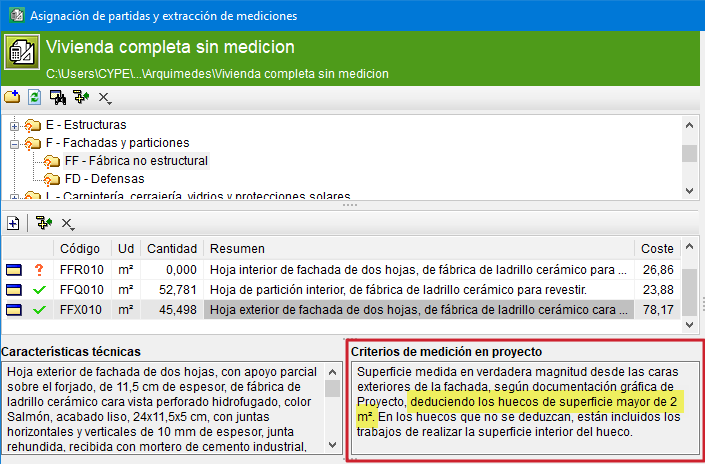
If the assigned item comes from the CYPE Cost Database, the project quantity criterion can be seen in the green section, just below the selection of the assigned item in the items section. If the area for deducting openings is indicated according to the project quantity criterion, those lines that meet the criterion will be deducted.