Show instance properties
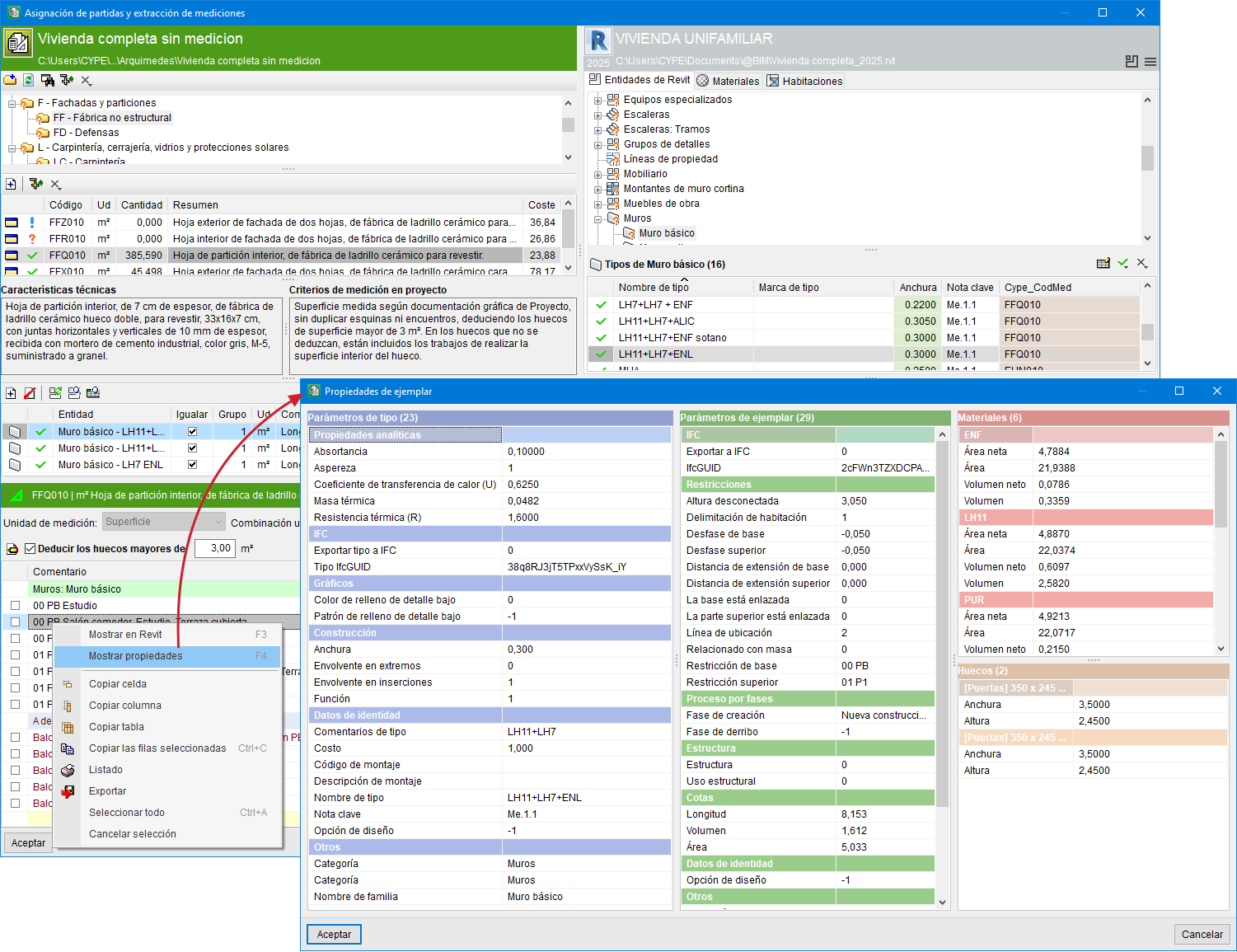
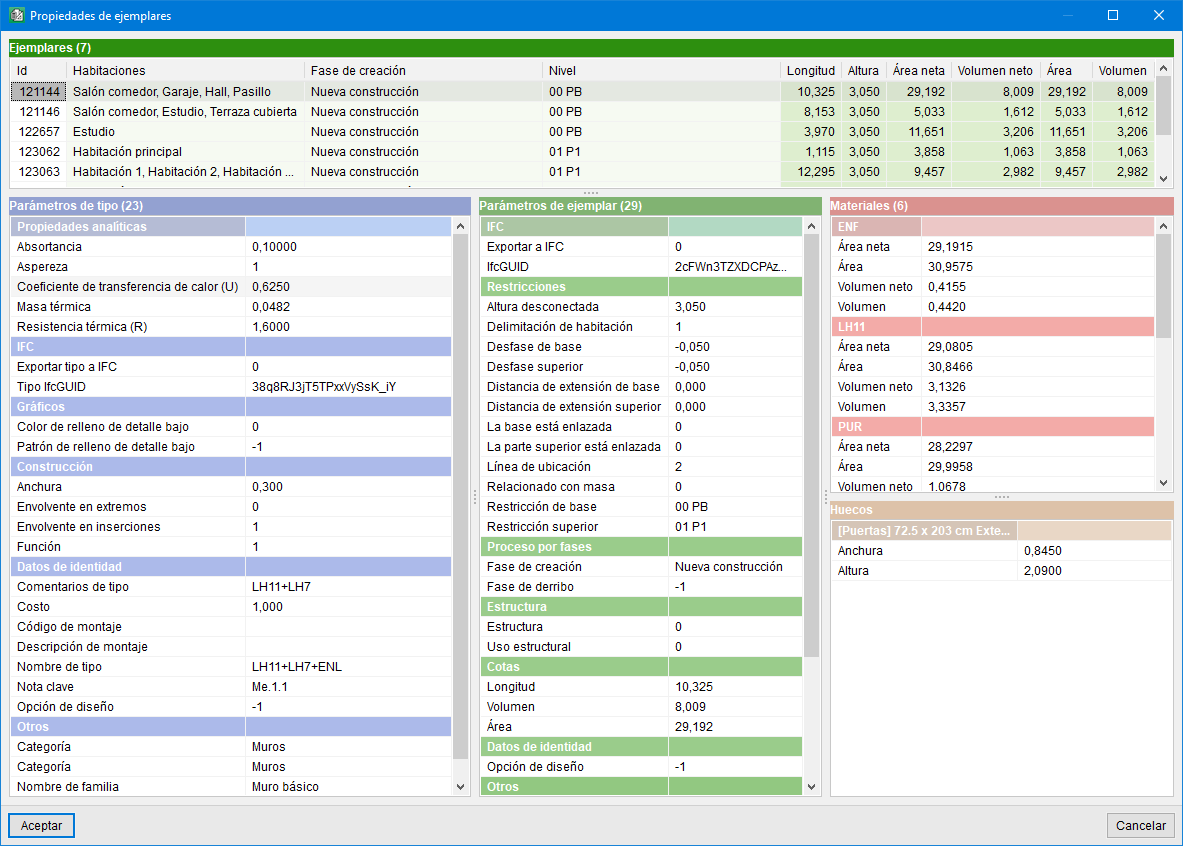
The option "Show properties" displays all the information for an instance in a specific window, making it easier to locate the information.
This option appears in a contextual menu when the right mouse button is clicked on an instance or on a type from the dialogue "Assignment of items and extraction of measurements".
In the first of the following images, the properties of the selected instance can be seen, and in the second, the properties of the instances belonging to the selected type.