Thermal and acoustic analysis in ducts
The program can carry out the thermal and/or acoustic analysis of air duct networks. To do this, follow the steps below.
Activation of thermal and acoustic analysis in ducts
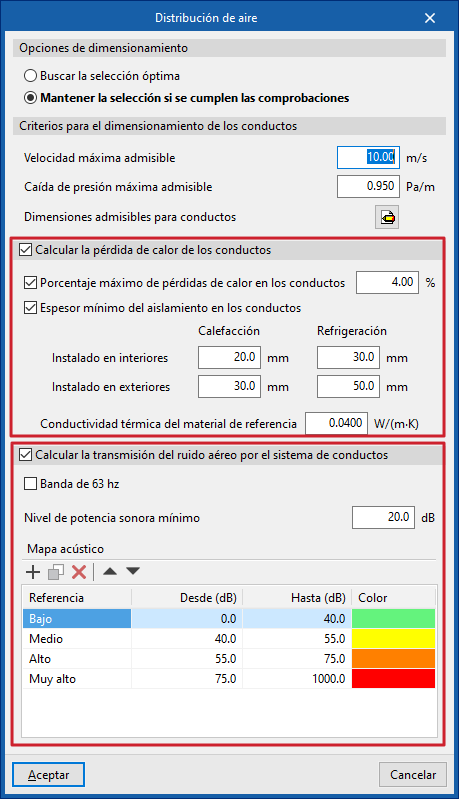
Thermal and/or acoustic analyses are activated in the "General options" of the "Project" group, in "Air distribution".
In this window, you can activate the boxes "Calculate heat loss from ducts" and/or "Calculate airborne noise transmission through the duct system".
Entering data for equipment or starting points in the duct installation
Data for equipment or starting points in the duct system can be entered in the following ways to perform thermal and/or acoustic analyses.
Entering acoustic data for generic equipment
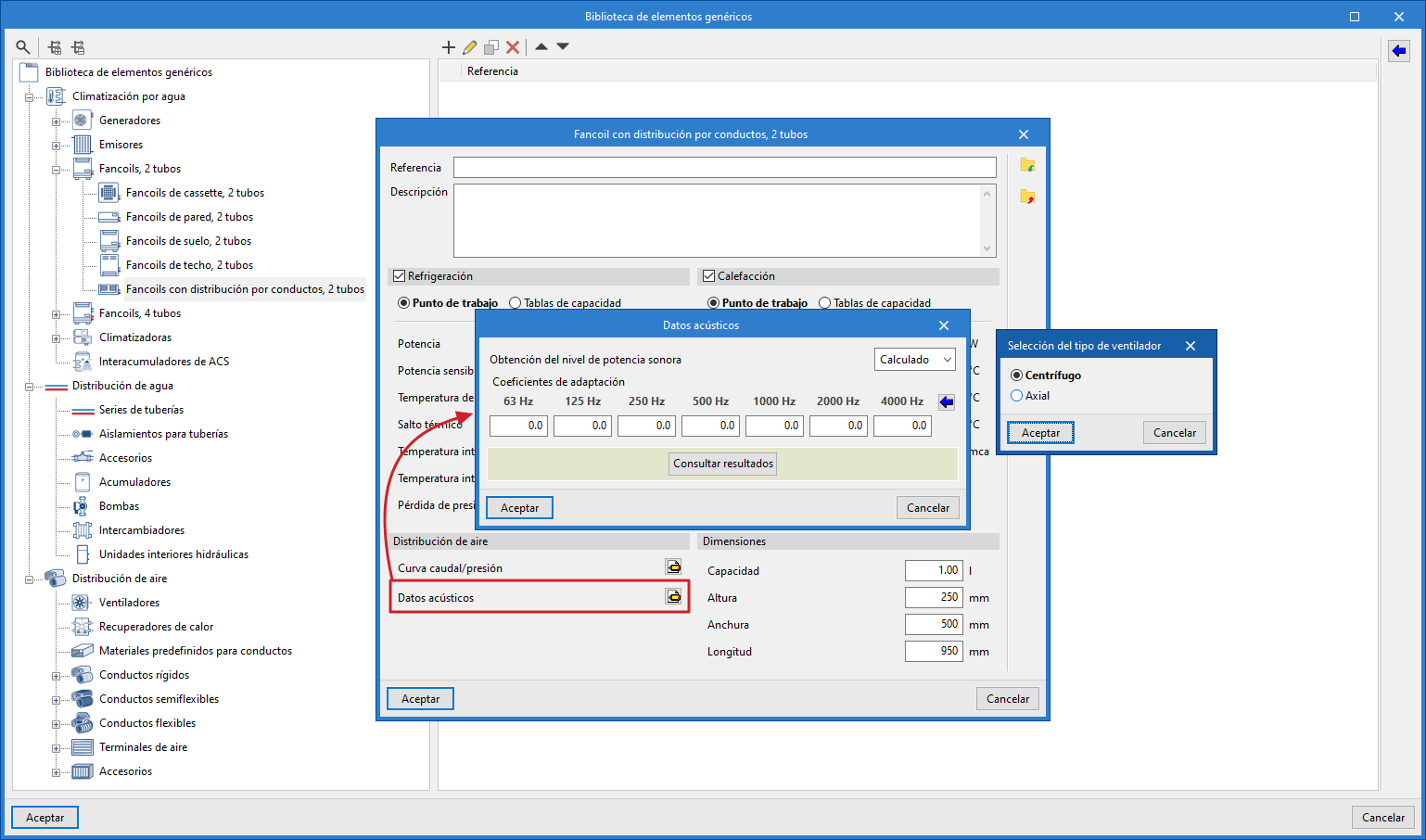
Acoustic data is entered into generic equipment by accessing its editing panel in the "Generic elements library" and then clicking on the option available next to the "Acoustic data" label (or "Acoustic data (supply)" and "Acoustic data (Return/Extraction)" in equipment with two associated networks).
This option is available for ventilation and air conditioning equipment with air distribution, such as fan coils with duct distribution, air conditioners, fans and heat recovery units.
The "Sound power level" of the equipment can be "Manual" or "Calculated":
- If "Manual" is selected, the "Sound power level (dB)" must be defined for each of the following frequencies: 63, 125, 250, 500, 1000, 2000 and 4000 hertz.
- If "Calculated" is selected, the "Adaptation coefficients" for these same frequencies are defined using the wizard on the right, which allows the necessary values to be imported by selecting the "Fan type" from "Centrifugal" or "Axial".
Entering thermal and acoustic data at the starting points of duct pre-installations
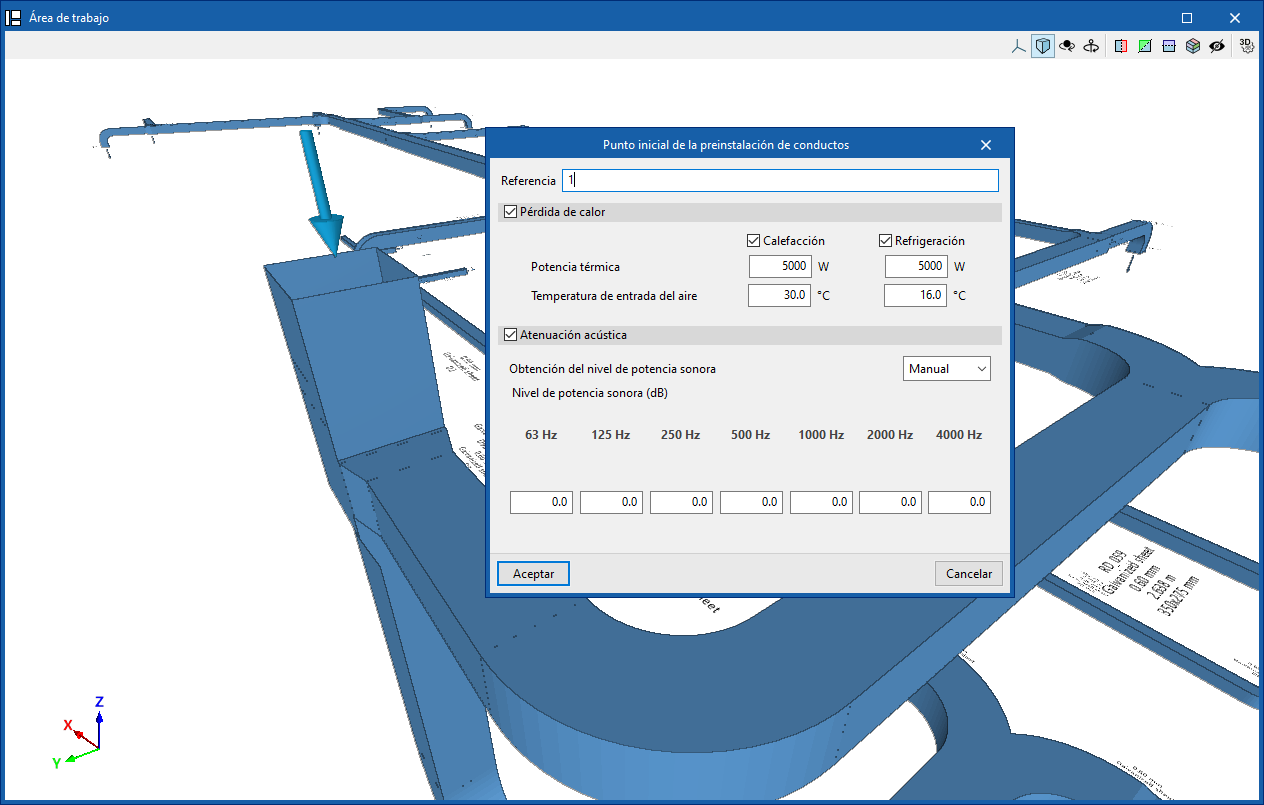
In the case of duct pre-installations without equipment installed, the "Heat loss" and "Acoustic attenuation" boxes are activated in the "Starting point of the duct pre-installation" editing window.
When the "Heat loss" option is activated, the "Thermal power" and "Air inlet temperature" are defined for "Heating" and/or "Cooling".
When the "Sound attenuation" option is activated, the "Sound power level" is defined in the same way as explained for generic library equipment.
Entering acoustic data in manufacturer equipment
Acoustic data is included alongside other technical characteristics in the equipment listed in the manufacturer catalogues of the Open BIM Database. Therefore, simply download and update the catalogue and select the desired equipment to load this data.
Consulting thermal and acoustic analysis results
If the options indicated above have been selected, the thermal and/or acoustic analysis in ducts is performed in a combined manner when the model analysis is launched, using the options in the "Analysis" group. The results obtained can then be consulted in the following ways.
Consulting results for specific elements
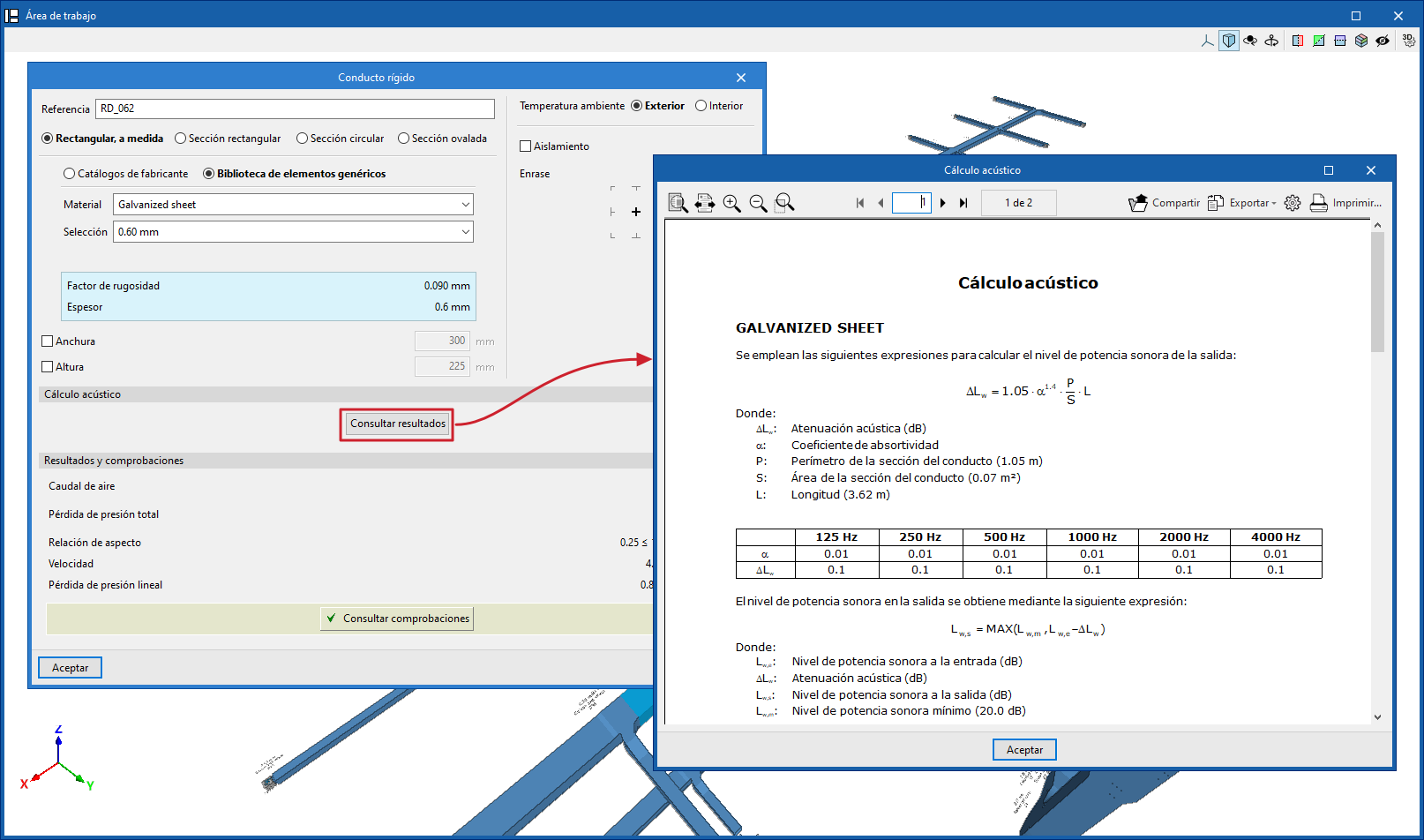
The programme allows you to consult the lists of acoustic analysis results from the editing panel for each piece of equipment or section of duct, in the "Acoustic analysis" section, by clicking on "Check results".
Graphical analysis of thermal and acoustic analysis results
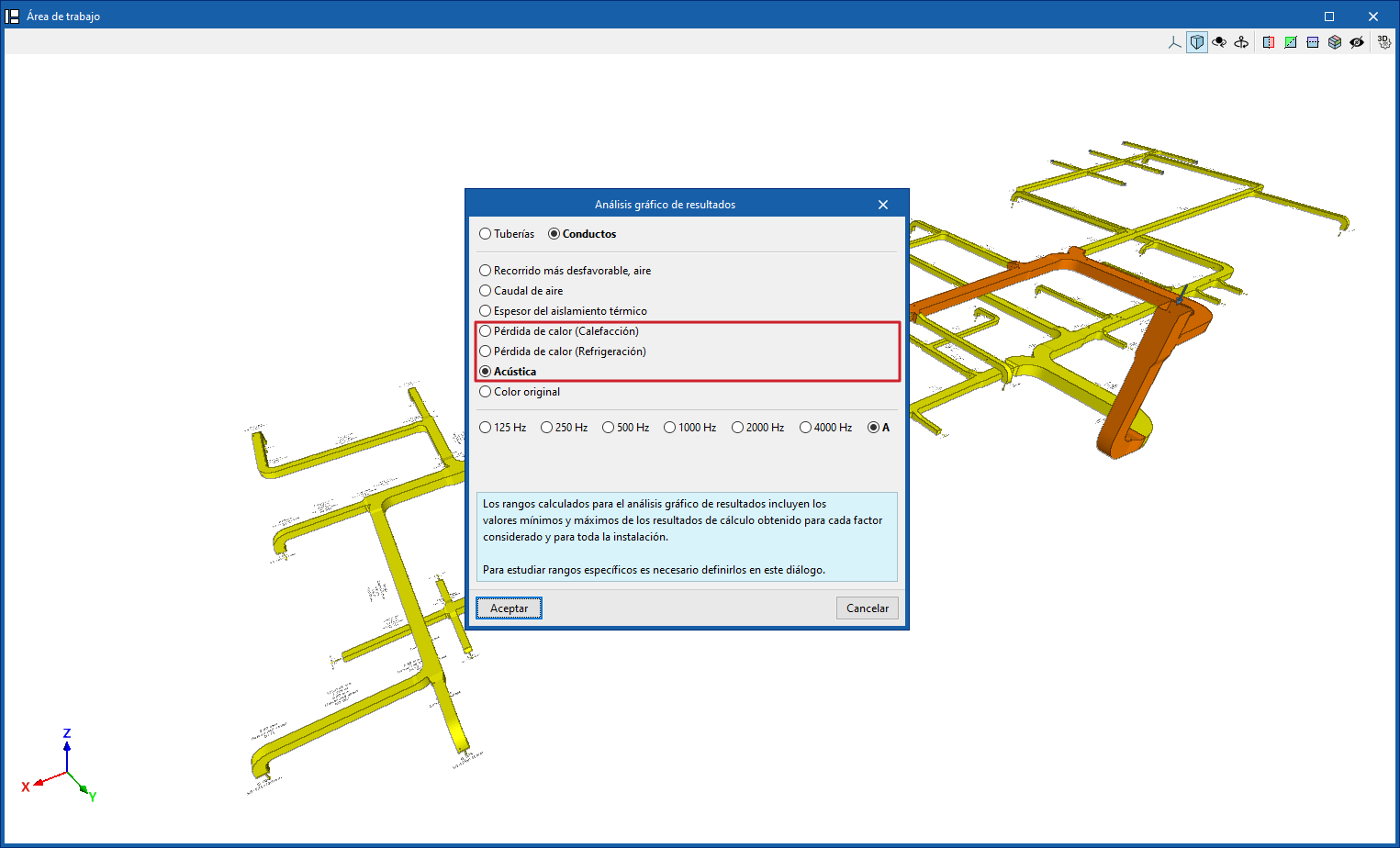
It is also possible to view the results graphically by colouring the duct sections in the model using the "Graphical analysis of results" option, selecting the "Heat loss (Heating)", "Heat loss (Cooling)" or "Acoustics" options in its settings.
"Heat loss" and "Acoustics" lists
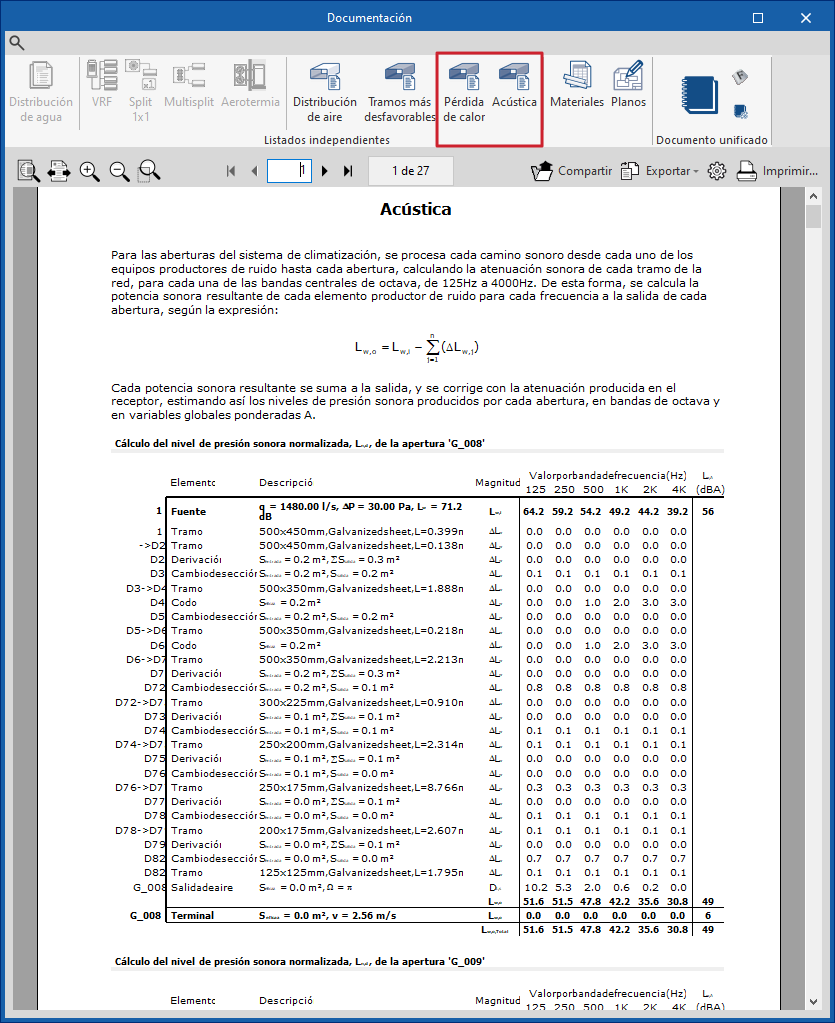
Finally, the programme offers the "Heat loss" and "Acoustics" lists from the "Documents" option in the "Results" group.