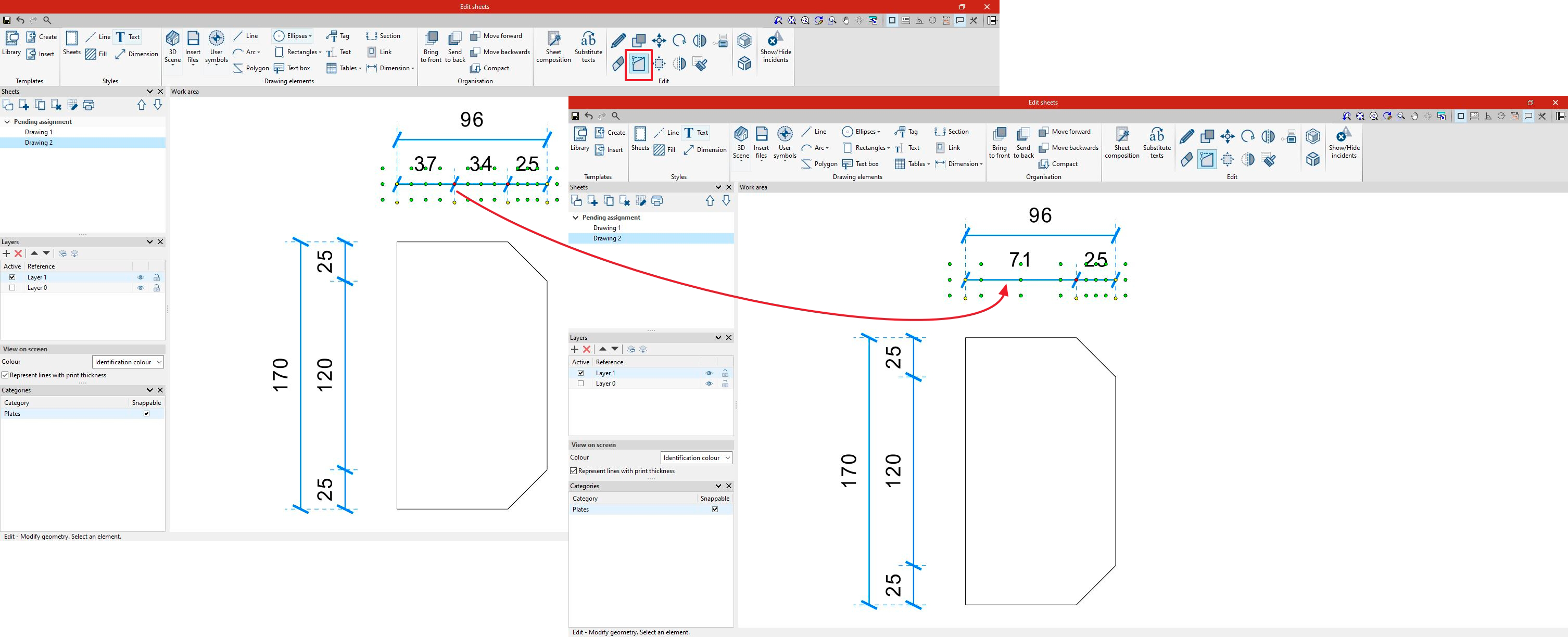
An option to delete continuous dimensions intermediate points has been implemented. When selecting the "Modify geometry" option and clicking on a continuous dimension, the dimension intermediate points will be shown in red. If an intermediate point is selected, it will disappear and the two adjacent sections will be connected.