Update history
CYPE 3D
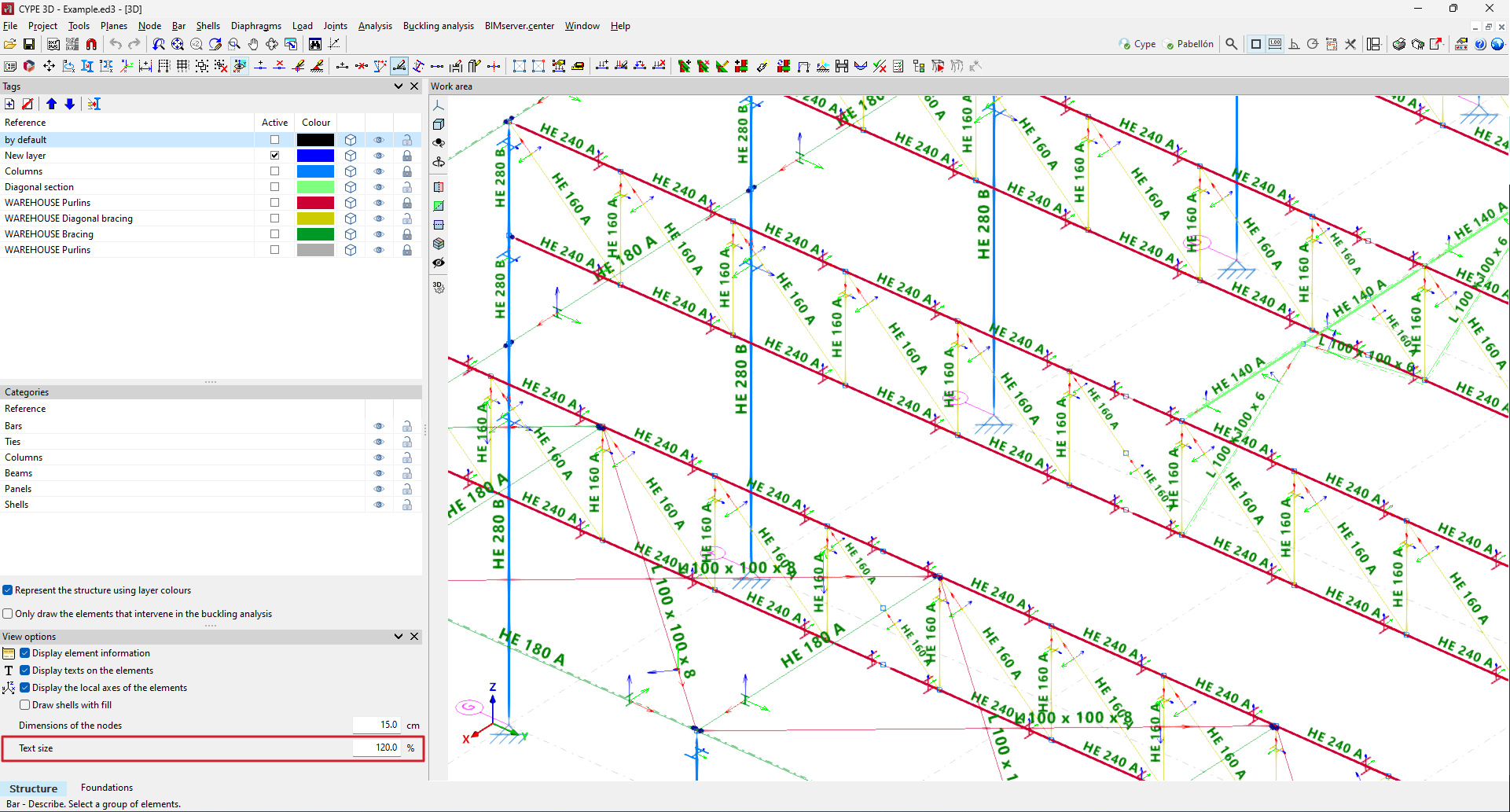
Option for editing the size of texts displayed on the screen
- Published on
- 2025.b
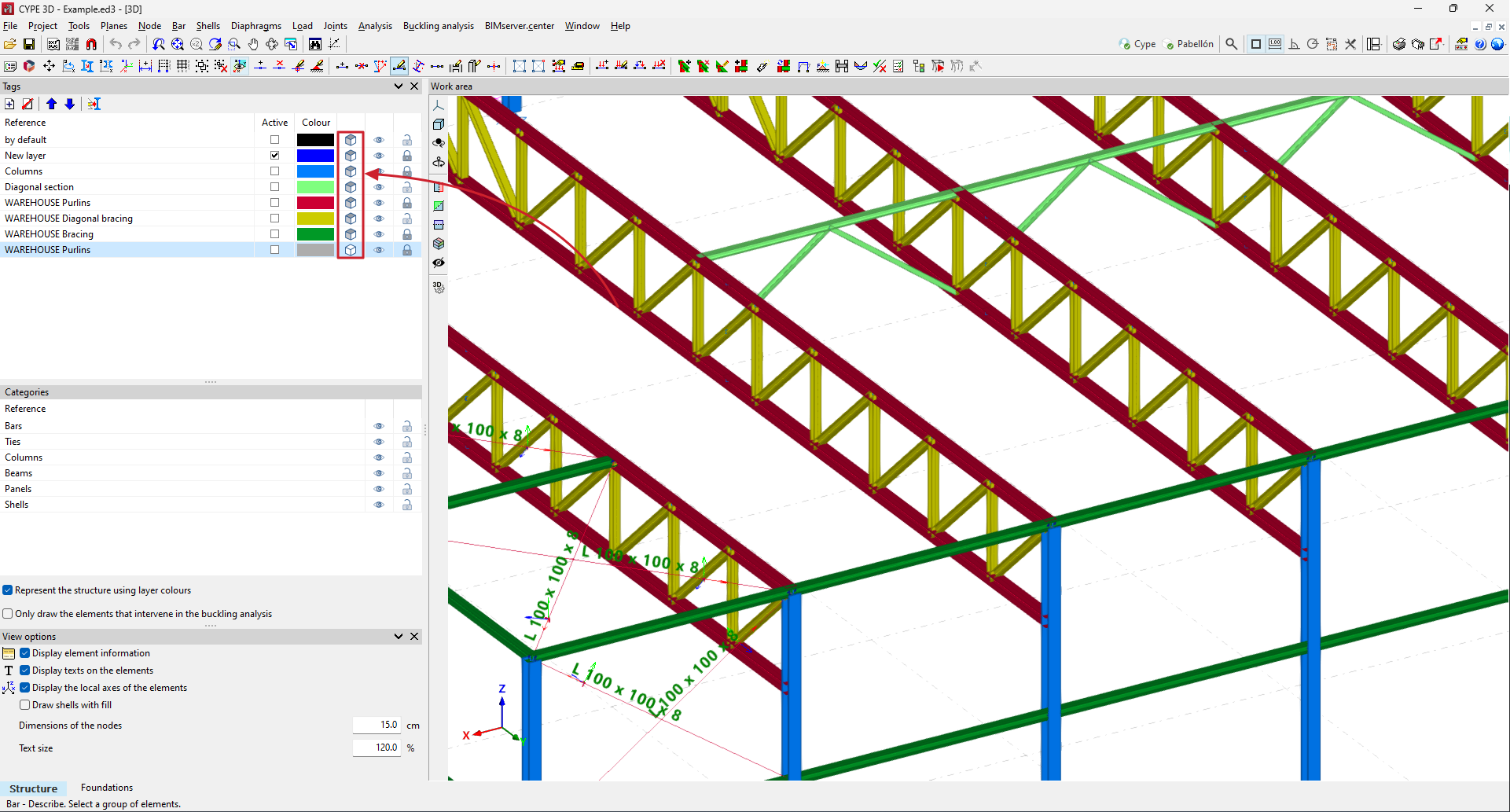
3D representation of elements
Up until now, bars were drawn schematically as one-dimensional elements and shells as two-dimensional elements.
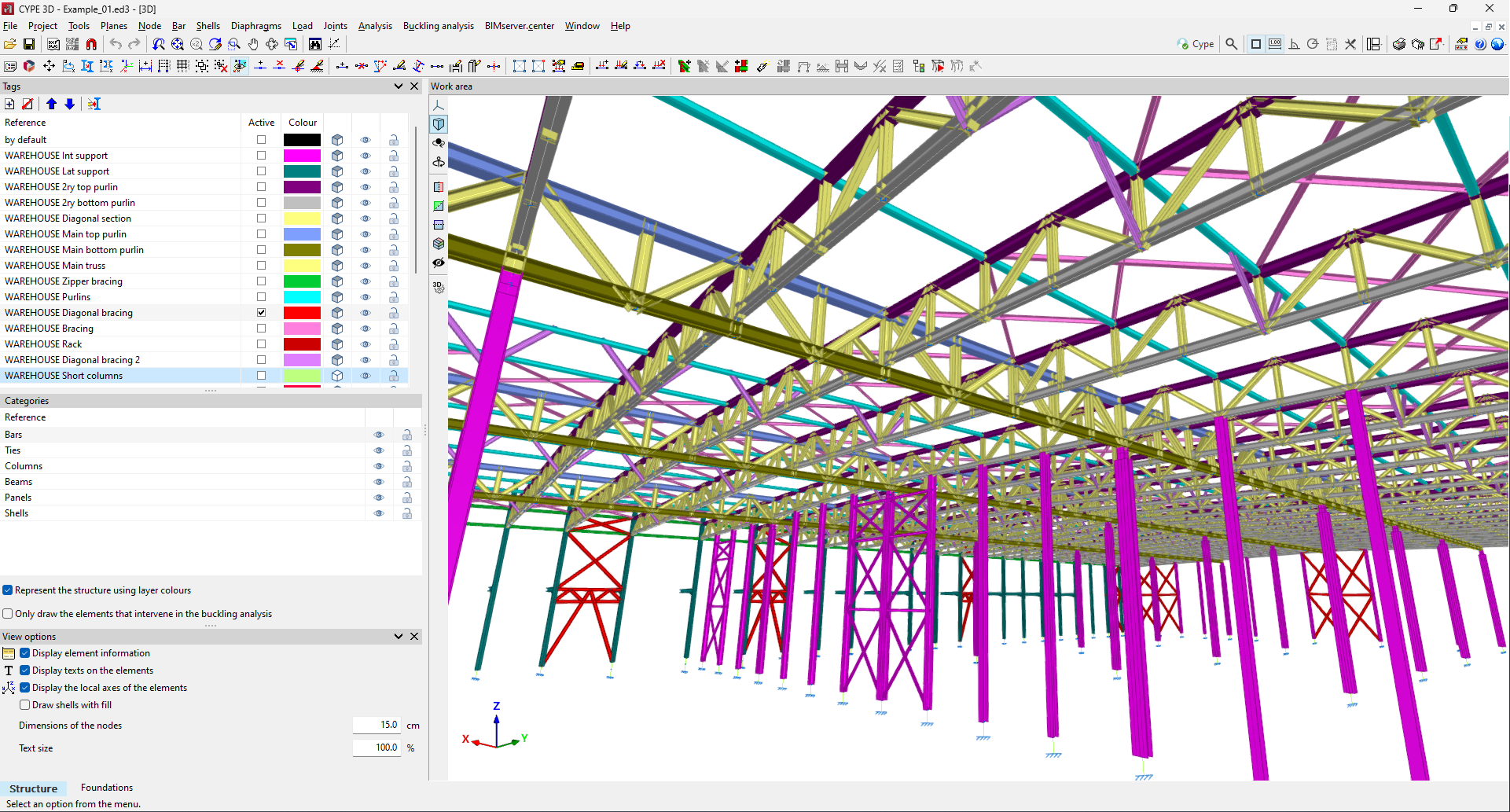
As of version 2025.b, users can choose how elements are drawn, schematically or in 3D. This selection can be made independently for each tag (in the new "Tags" dockable window from version 2025.b).
When the 3D representation is selected, the bar texts are not represented to improve the display.
- Published on
- 2025.b
Drawing preferences
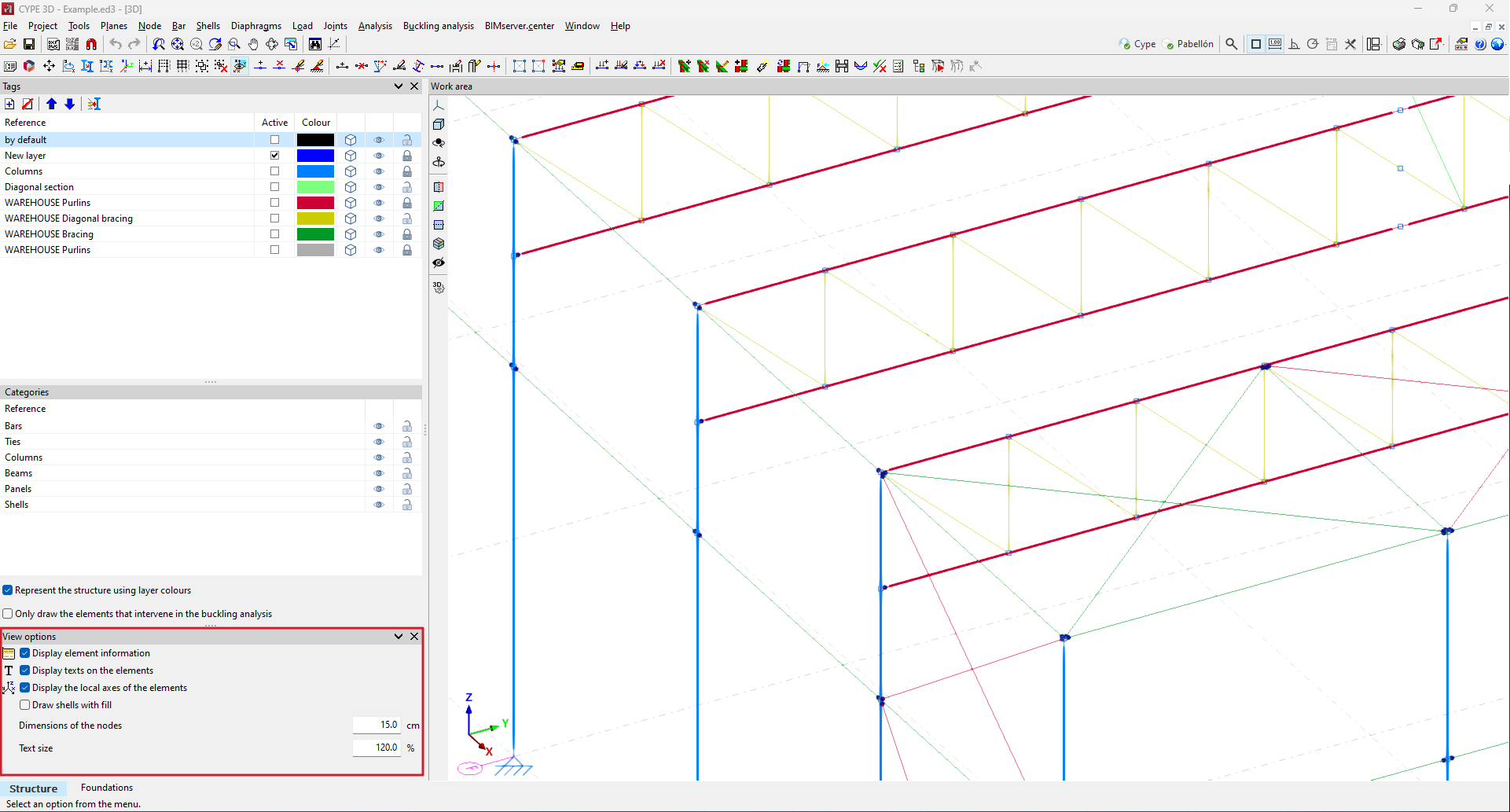
As of version 2025.b, the "Drawing preferences" window, which was located in the "Job" menu, has become a dockable window with the name "Display options".
These options, which are very common when using the program, have been placed within the program's main dialogue box to provide users with direct access to them.
- Published on
- 2025.b
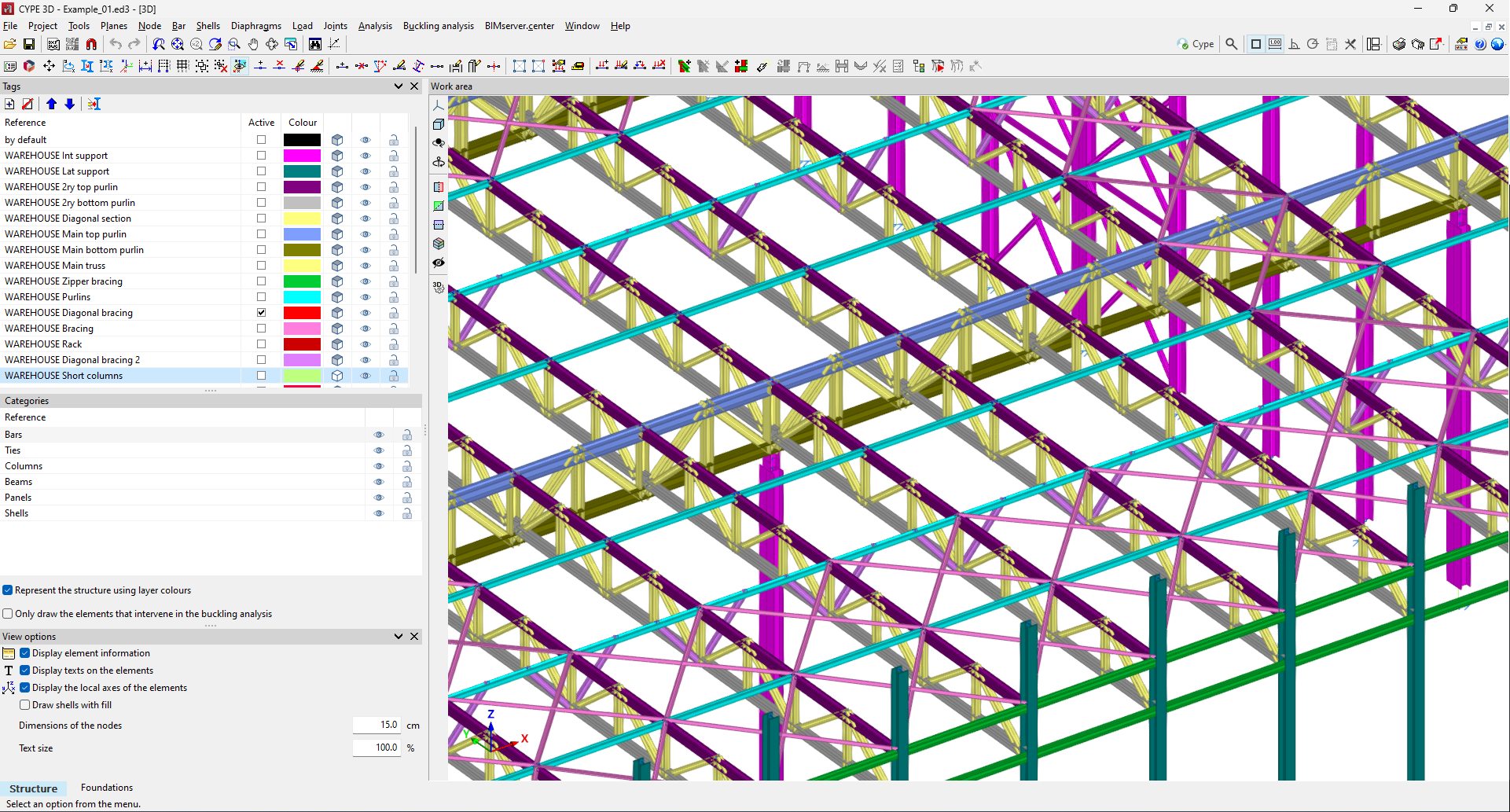
Tags. New name and functioning of the display layers
In previous versions, the program had display layers. With the "Layer management" tool, users could create layers and define their configuration, and each element could have one or more layers assigned to it.
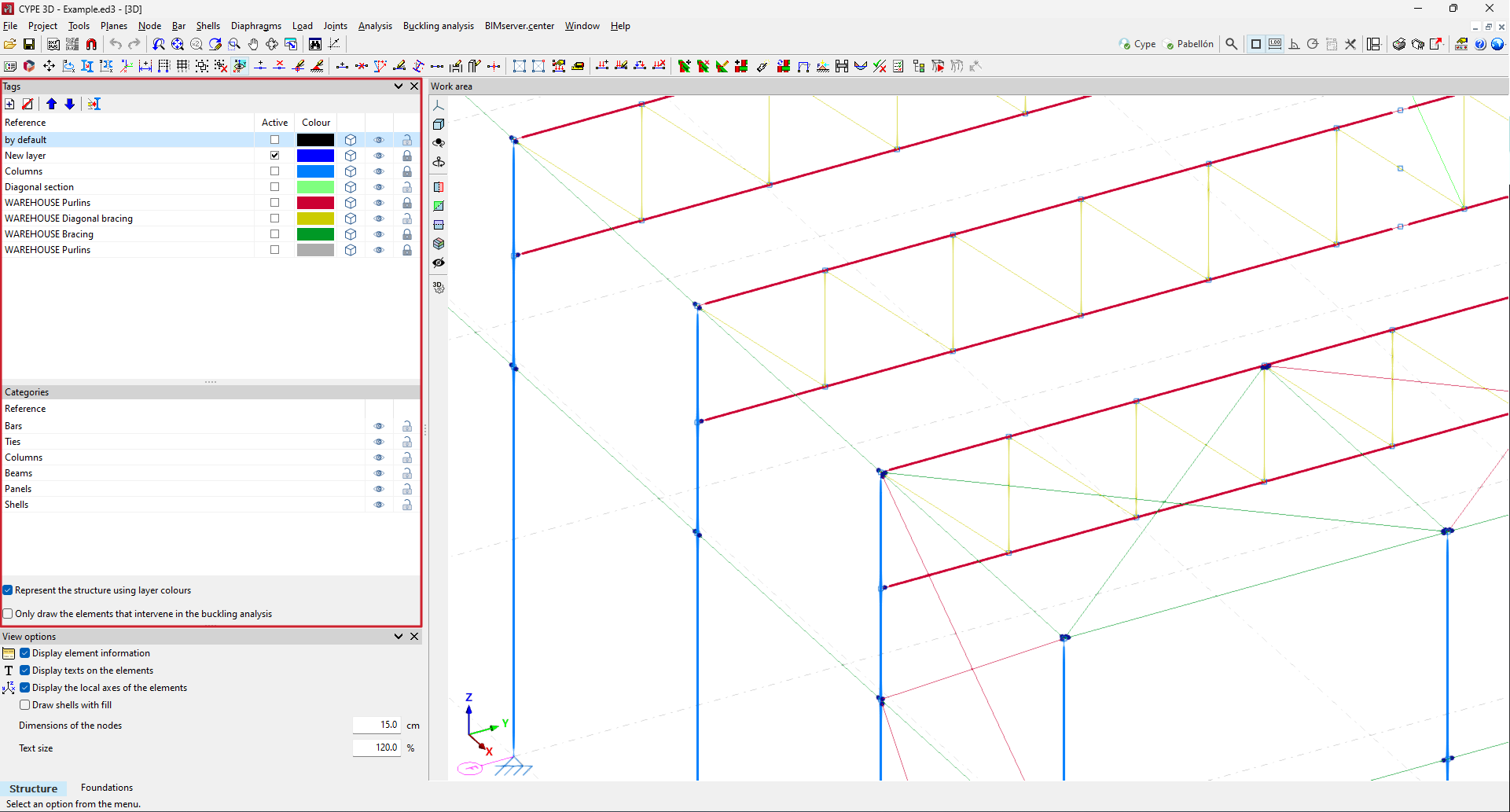
As of version 2025.b, this tool is now called "Tags" and will be one of the dockable windows that users can keep on screen (more information on the new CYPE 3D version 2025.b dockable window environment). This window is divided into several sections: the list of tags, the list of categories and other drawing options.
While defining and analysing the model, users often need to show or hide certain elements and enable or disable elements that can be snapped (for deleting, editing, etc.). This implementation gives users direct access to this tool. One of its main advantages is being able to activate/deactivate the display and/or snapping of elements according to tags or categories with a click of the mouse.
- Published on
- 2025.b
Dockable window environment
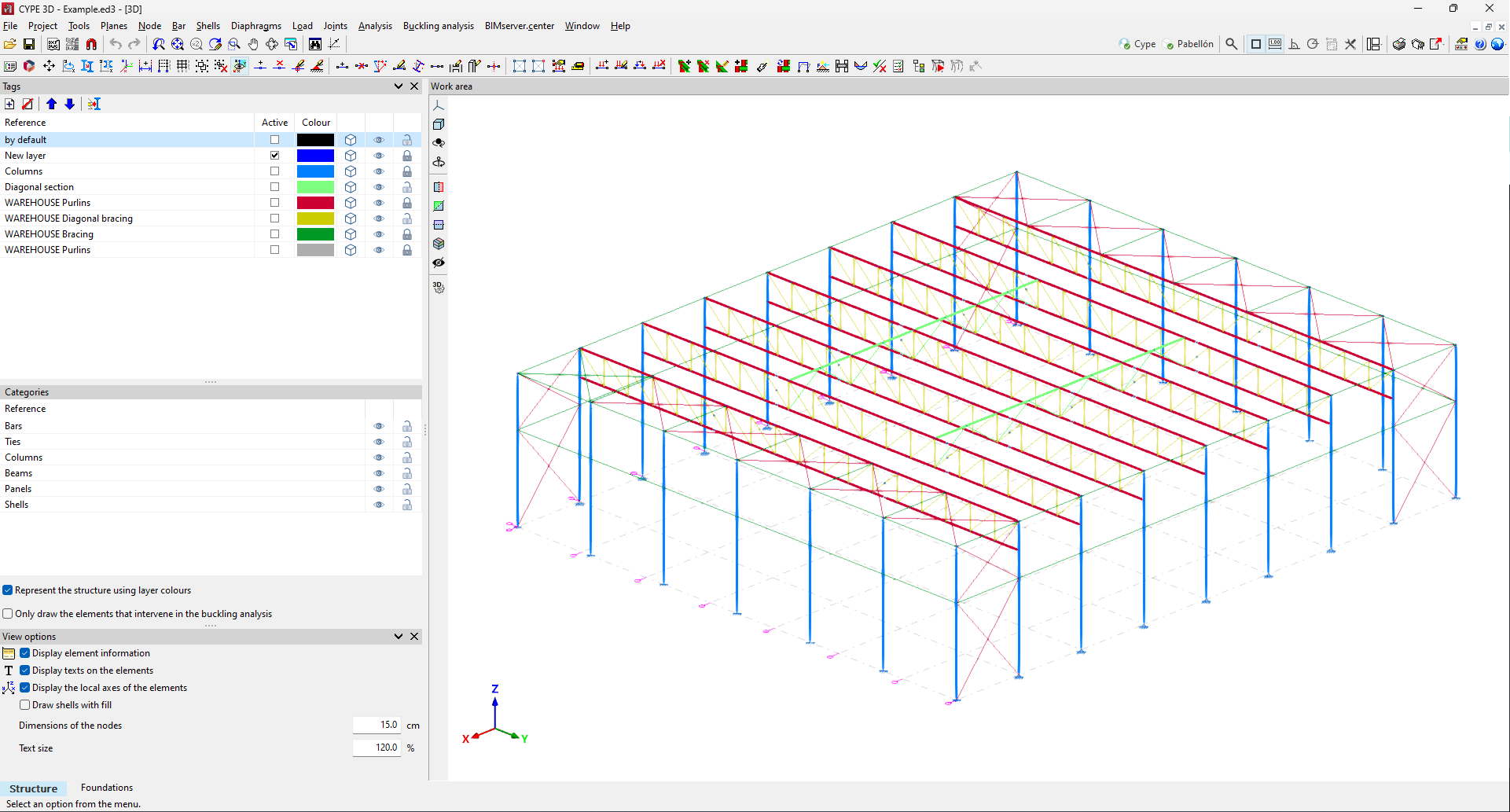
As of version 2025.b, CYPE 3D features a new dockable window system that replaces the main screen user interface. As a result, users can now customise the workspace to suit their needs.
Dockable windows can be moved and resized. They can be either floating windows, pinned to a location within the application's main dialogue box, dragged outside of it, or even moved to another monitor.
More information on Dockable windows can be found in the link to the new feature from version 2023.e.
- Published on
- 2025.b
Code implementation
CYPE 3D version 2025.b includes the implementation of codes for rolled and reinforced steel structures, and seismic loads. In the “Implementing codes and improving their enforcement” section of the new features in version 2025.b, you can consult the standards included in all CYPE programs in this version.
In CYPE 3D, the following have been included:
- Rolled and reinforced steel structures
- NTC-2023 (Mexico CDMX)
- Loads on structures. Seismic loads
- NTC-2023 (Mexico CDMX)
- NBDS-2023 (Bolivia)
- Published on
- 2025.b
Connection to BIMserver.center
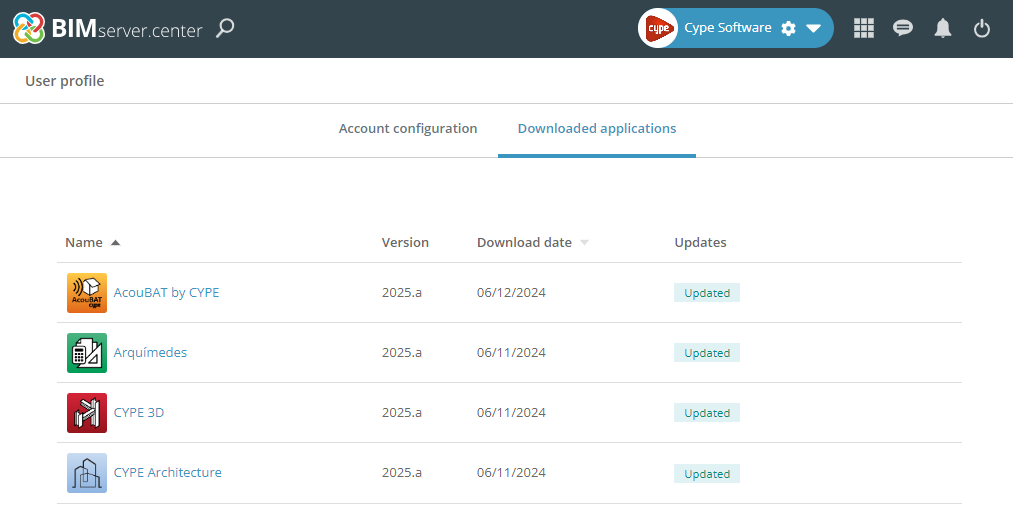
- AcouBAT by CYPE, Arquimedes, Construction details library for structures, Continuous beams, CYPE 3D, CYPE Architecture, CYPE Connect, CYPE Connect Classic, CYPE Construction Systems, CYPE Cost Estimator, CYPE Gas Supply, CYPE Sewerage, CYPE Water Supply, CYPECAD, CYPEFIRE, CYPEFIRE FDS, CYPEFIRE Hydraulic Systems, CYPEFIRE Pressure Systems, CYPEHVAC, CYPEHVAC Radiant Floor, CYPEHVAC Schematics, CYPELEC, CYPELEC Distribution, CYPELEC Electrical Mechanisms, CYPELEC MULTILINE, CYPELEC Networks, CYPELEC PV Systems, CYPEPLUMBING, CYPESOUND, CYPETEL Wireless, CYPETHERM BRIDGES, CYPETHERM EPlus, CYPETHERM HYGRO, CYPETHERM LOADS, Foundation elements, IFC Builder, Open BIM Analytical Model, Open BIM Cable Routing, Open BIM Layout, Open BIM Model Checker, Open BIM Quantities, Open BIM Site, Open BIM Switchboard, Plugin Open BIM - Revit, Portal frame generator, Punching shear verification, StruBIM Box Culverts, StruBIM Cantilever Walls, StruBIM Deep Beams, StruBIM Embedded Walls, StruBIM Shear Walls, StruBIM Steel
- Published on
- 2025.b
Changes to the applications available from the menu
The following modifications have been made to the availability of the applications from the CYPE Menu.
New:
- CYPEHVAC Schematics
- ELODIE by CYPE (Only in the CYPE Menu in French)
Deleted:
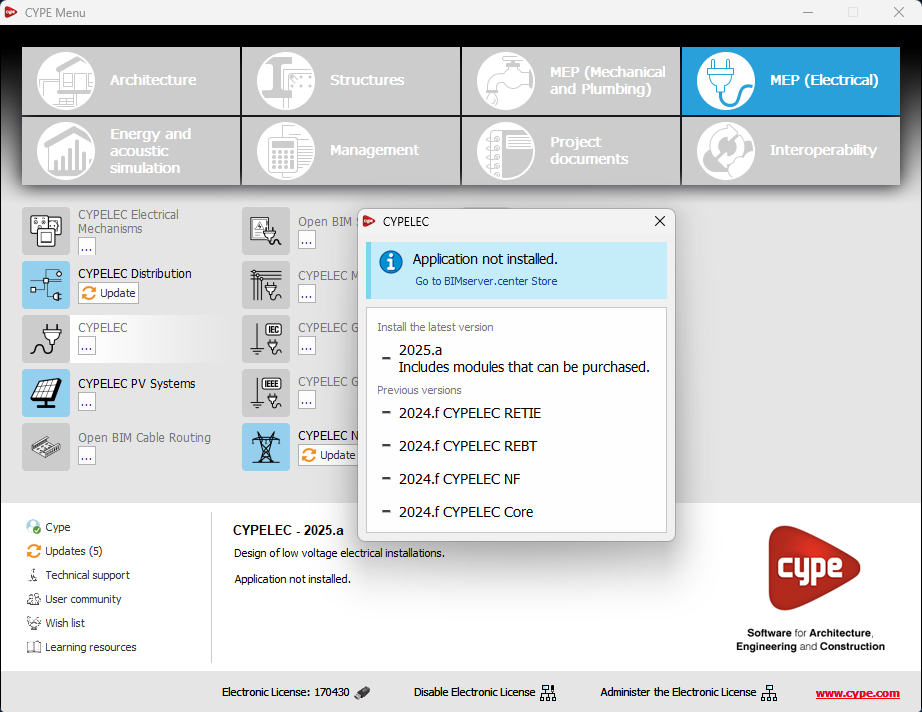
- CYPELEC Core, CYPELEC REBT, CYPELEC NF and CYPELEC RETIE. They are joined together in a single program called CYPELEC.
- CYPESOUND CTE, CYPESOUND NRA, CYPESOUND RRAE, CYPESOUND DRAPDE. They are integrated into CYPESOUND.
- CYPEURBAN. Available for download and installation from the BIMserver.center platform.
- IFC Uploader. New contributions can now be created directly from the project page on the BIMserver.center platform.
- CYPEFIRE FDS Viewer. CYPEFIRE FDS can be used to view FDS simulations.
- AcouBAT by CYPE, Arquimedes, Construction details library for structures, Continuous beams, CYPE 3D, CYPE Architecture, CYPE Connect, CYPE Connect Classic, CYPE Construction Systems, CYPE Cost Estimator, CYPE Gas Supply, CYPE Sewerage, CYPE Water Supply, CYPECAD, CYPEFIRE, CYPEFIRE FDS, CYPEFIRE Hydraulic Systems, CYPEFIRE Pressure Systems, CYPEHVAC, CYPEHVAC Radiant Floor, CYPEHVAC Schematics, CYPELEC, CYPELEC Distribution, CYPELEC Electrical Mechanisms, CYPELEC MULTILINE, CYPELEC Networks, CYPELEC PV Systems, CYPEPLUMBING, CYPESOUND, CYPETEL Wireless, CYPETHERM BRIDGES, CYPETHERM EPlus, CYPETHERM HYGRO, CYPETHERM LOADS, CYPEURBAN, Foundation elements, IFC Builder, Open BIM Analytical Model, Open BIM Cable Routing, Open BIM Layout, Open BIM Model Checker, Open BIM Quantities, Open BIM Site, Open BIM Switchboard, Plugin Open BIM - Revit, Portal frame generator, Punching shear verification, StruBIM Box Culverts, StruBIM Cantilever Walls, StruBIM Deep Beams, StruBIM Embedded Walls, StruBIM Shear Walls, StruBIM Steel
- Published on
- 2025.b
Updating all the applications
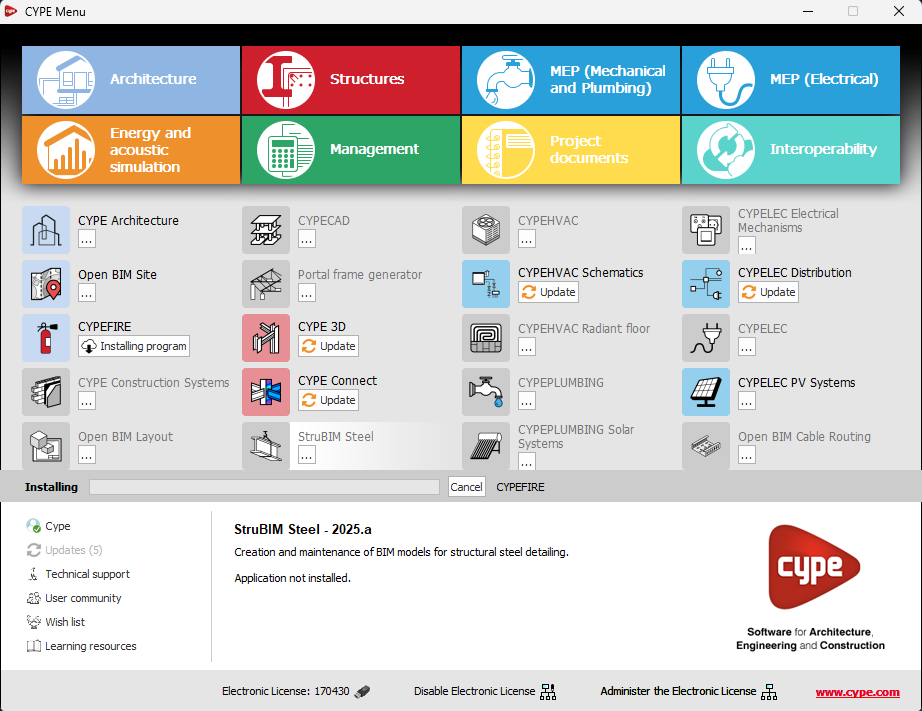
The "Updates" option has been implemented in the main CYPE Menu window. Thanks to this tool, multiple updates of installed applications can be carried out via the CYPE Menu.
When clicking on the “Updates” option, a window opens with a list of all installed applications. Select a set of them and, after clicking "Accept", the update process will start.
During this process, progress is displayed in the main CYPE Menu window indicating the current status of the update.
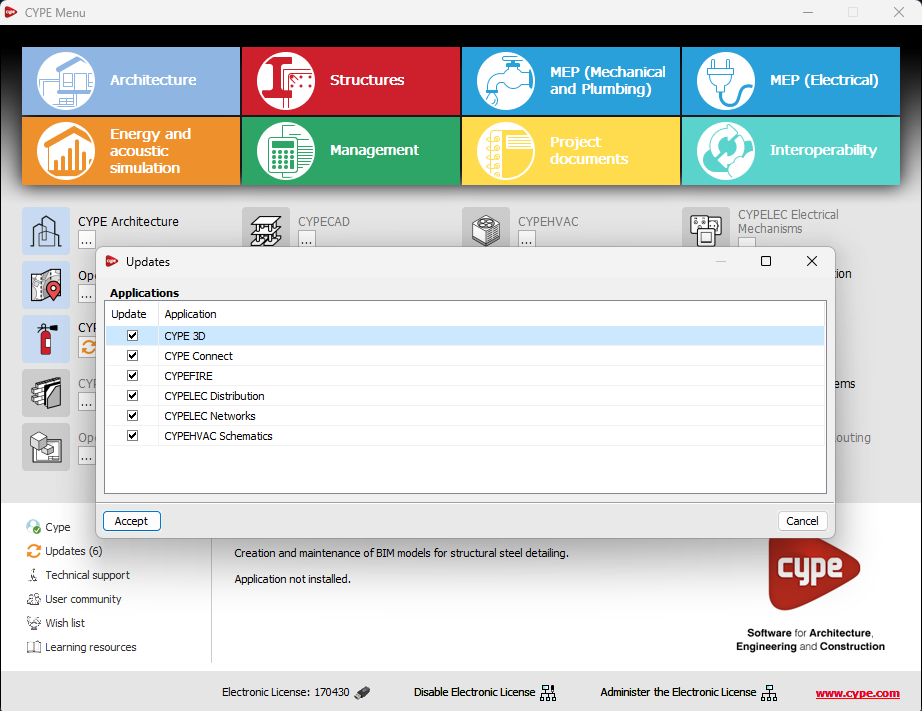
If an update is available for the CYPE Menu itself, it is shown below the list of applications to be updated. However, it is important to note that the update of the CYPE Menu is carried out on its own.
This new feature makes application maintenance easier, ensuring that the latest improvements are always available.
- AcouBAT by CYPE, Arquimedes, Construction details library for structures, Continuous beams, CYPE 3D, CYPE Architecture, CYPE Connect, CYPE Connect Classic, CYPE Construction Systems, CYPE Cost Estimator, CYPE Gas Supply, CYPE Sewerage, CYPE Water Supply, CYPECAD, CYPEFIRE, CYPEFIRE FDS, CYPEFIRE Hydraulic Systems, CYPEFIRE Pressure Systems, CYPEHVAC, CYPEHVAC Radiant Floor, CYPEHVAC Schematics, CYPELEC, CYPELEC Distribution, CYPELEC Electrical Mechanisms, CYPELEC MULTILINE, CYPELEC Networks, CYPELEC PV Systems, CYPEPLUMBING, CYPESOUND, CYPETEL Wireless, CYPETHERM BRIDGES, CYPETHERM EPlus, CYPETHERM HYGRO, CYPETHERM LOADS, Foundation elements, IFC Builder, Open BIM Analytical Model, Open BIM Cable Routing, Open BIM Layout, Open BIM Model Checker, Open BIM Quantities, Open BIM Site, Open BIM Switchboard, Plugin Open BIM - Revit, Portal frame generator, Punching shear verification, StruBIM Box Culverts, StruBIM Cantilever Walls, StruBIM Deep Beams, StruBIM Embedded Walls, StruBIM Shear Walls, StruBIM Steel
- Published on
- 2025.b
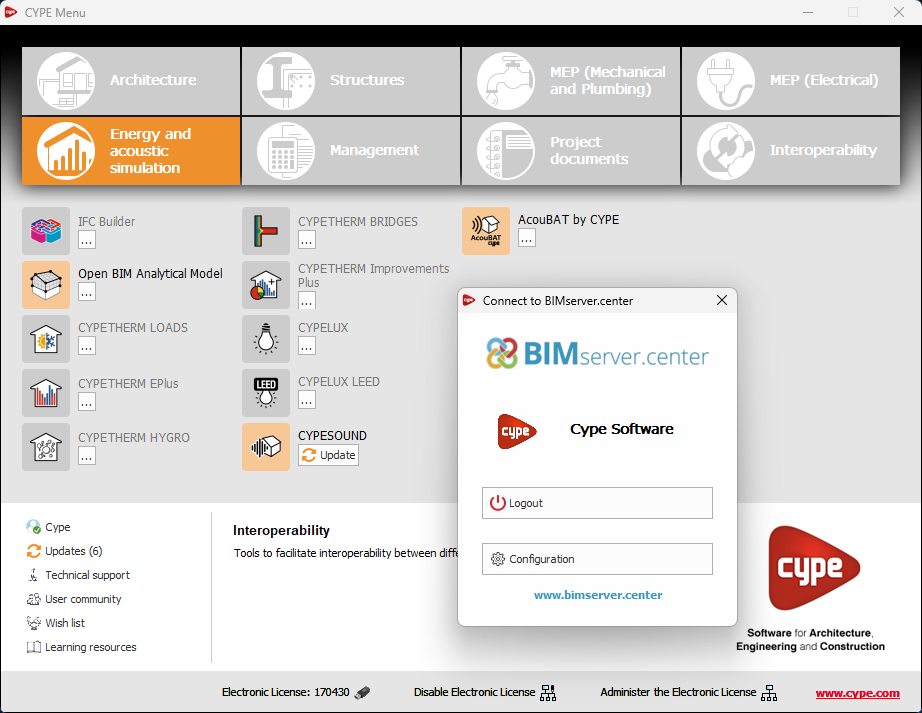
Link to the project owner's public profile on BIMserver.center
Now, from the BIMserver.center project information window (displayed by clicking on the project name visible in the top right bar of the application), the owner's public profile page can be accessed on the BIMserver.center platform via the link inserted in the text representing the owner's name.
- AcouBAT by CYPE, Arquimedes, CYPE 3D, CYPE Architecture, CYPE Connect, CYPE Connect Classic, CYPE Construction Systems, CYPE Cost Estimator, CYPE Gas Supply, CYPE Sewerage, CYPECAD, CYPEFIRE, CYPEFIRE Hydraulic Systems, CYPEFIRE Pressure Systems, CYPEHVAC Radiant Floor, CYPEHVAC Schematics, CYPELEC, CYPELEC Distribution, CYPELEC Electrical Mechanisms, CYPELEC MULTILINE, CYPELEC Networks, CYPELEC PV Systems, CYPELUX, CYPEPLUMBING, CYPESOUND, CYPETEL Wireless, CYPETHERM EPlus, CYPETHERM LOADS, CYPEURBAN, IFC Builder, Open BIM Analytical Model, Open BIM Layout, Open BIM Model Checker, Open BIM Quantities, Open BIM Site, Open BIM Switchboard, Plugin Open BIM - Revit, Portal frame generator, StruBIM Box Culverts, StruBIM Cantilever Walls, StruBIM Deep Beams, StruBIM Embedded Walls, StruBIM Shear Walls, StruBIM Steel
- Published on
- 2025.a
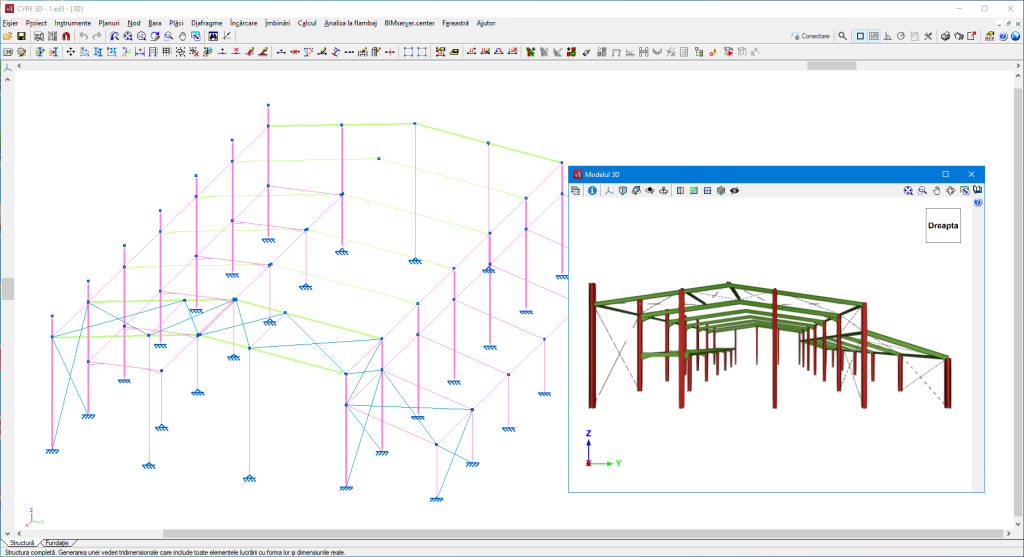
Installation in Romanian
- Published on
- 2025.a
Selecting intumescent paints by manufacturer
In version 2025.a, intumescent paints from manufacturers' catalogues have been incorporated.
Under "General data > Fire resistance", when selecting "Check fire resistance" for steel sections, the type of protective coating can also be selected.
By selecting "Intumescent paint" the available catalogues can be used.
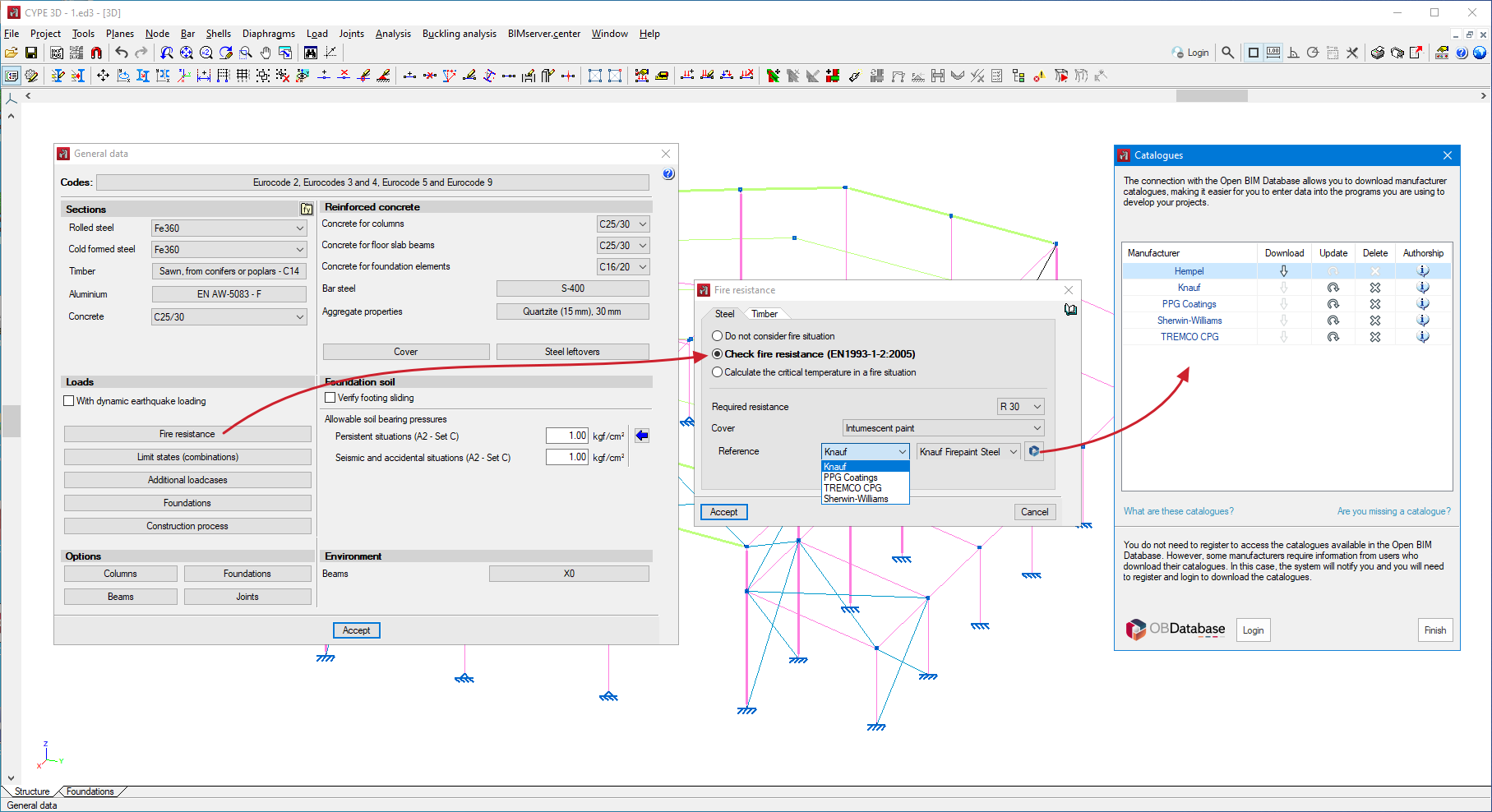
The thickness of intumescent paint required for the protection of each bar is obtained from the selected catalogue, based on the estimated critical temperature, the shape factor, the number of exposed sides and the type of structural element (column or beam).
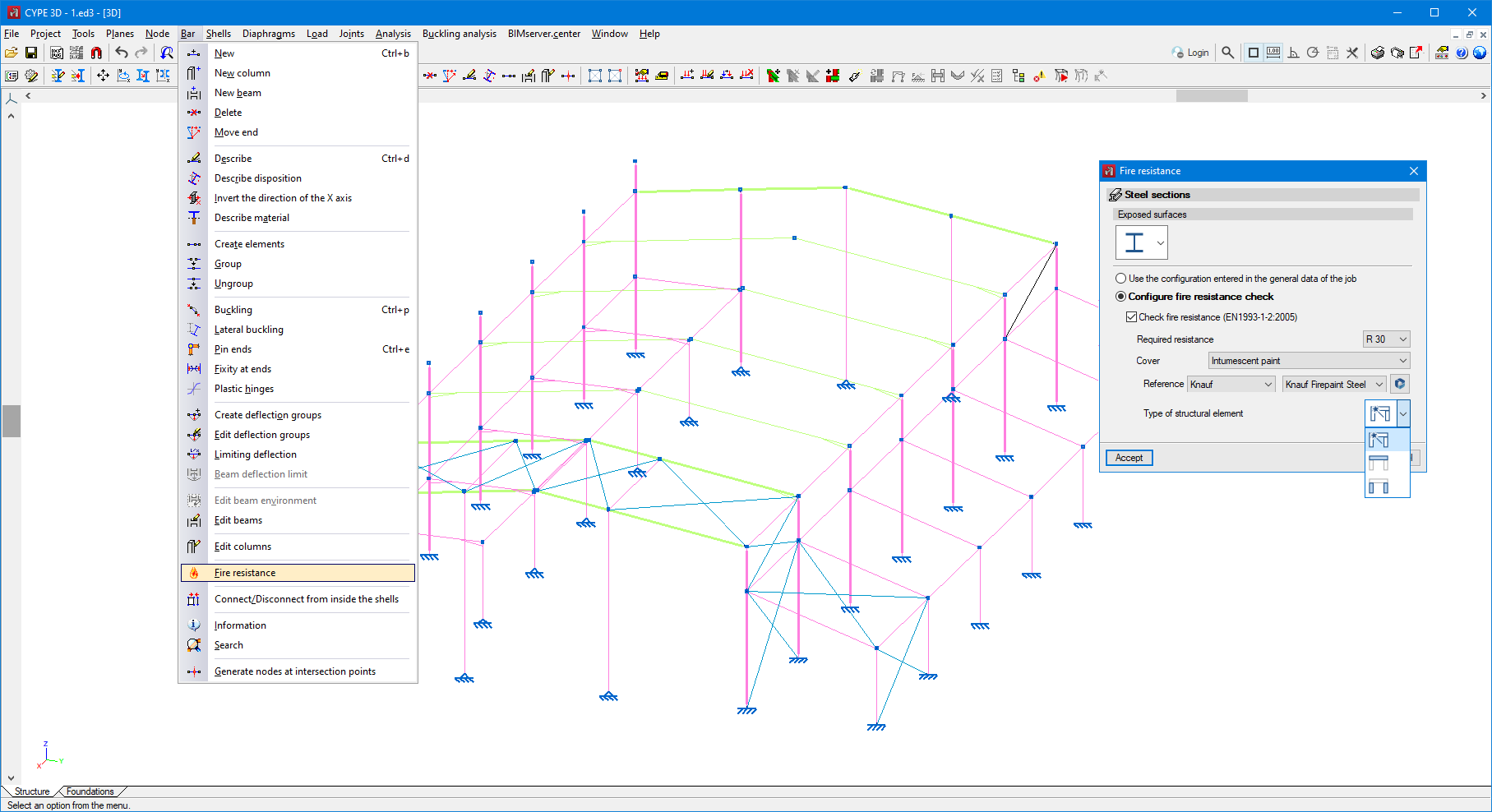
From the "Bar" menu, under "Fire resistance" it is possible to assign the type of structural element, either a column or a beam, to each bar. By default, the program assigns the first option, which automatically determines whether it is a column or a beam, depending on the angle formed by the bar with the horizontal plane.
- Published on
- 2025.a