

CYPETHERM EPlus provides detailed results on the energy consumption and economic cost of the different project alternatives, comparing them with each other and with the reference situation.


Calculating the thermal transmittance of window and door frames
As of version 2025.d, a new tool has been incorporated to automatically calculate the area of the nodes that make up the carpentry according to the number of leaves it is made up of.
This improvement will make it possible to obtain the thermal transmittance of the window and door frames in a simpler way, optimising their integration into the building's energy model.
The feature is available exclusively for manufactured carpentry, both for interior and exterior windows.

Renewed connection to the Open BIM Database
In version 2025.d, the "Catalogue management" option has been added to the toolbar, where the catalogues of the manufacturers of building elements, air-conditioning systems and DHW systems available in the Open BIM Database can be downloaded.
With this new management of manufacturer products, the number of manufacturers and products available for program analysis has been expanded.

Changes to the user interface
In addition to the updated interface needed for the integration of IFC Builder in this version 2025.d, the following changes have been made:
- New look and features of the "Building" tab
Work can be carried out on the 3D model of the building, so that elements can be selected on it, without having to locate them on the diagram in the tree.
The work on the building definition tree has also been improved by creating a more dynamic system of libraries. Although the library system of the building elements has been modified and the new types are not compatible with previous versions of the program, it is possible to import types created with previous versions of the program.

- New location and features of the "Drawings" tab
The position of the "Drawings" tab in the program has been changed. Additionally, it is now possible to create and edit the drawings of the thermal envelope with a wider range of tools and possibilities.

Integrating IFC Builder
Just like in CYPERTHERM LOADS, the full capabilities of IFC Builder have been integrated into the programs with the EnergyPlus™ analysis engine (CYPETHERM EPlus) in version 2025.d.
Now, when a new job is created with the program, there are two options for defining the thermal model: the first one consists of generating the thermal model from the creation of the 3D model of the building in the program itself, and the second one consists of importing the thermal model from the project.
- Creation of the 3D model
When this option is selected, the "3D Model" tab is enabled at the bottom left, leaving the application with the "3D Model" and "Energy simulation" tabs. This new tab, "3D Model", represents the total integration of IFC Builder in the program, and allows the creation of a geometric model with the simplified definition or by construction system of the different building elements, as it incorporates the Open BIM Construction Systems database.
In addition, the analytical geometric model required in the "Energy simulation" tab is generated from this tab. - Importing the thermal model from the project
If this option is selected when creating the job and linking it to the project, the operation of the program is equivalent to that of previous versions, i.e. the thermal model is imported from the project and the user cannot interact with the geometry of the model. In fact, the program does not show the "3D Model" tab and the users can only work on the imported thermal model.
By selecting this option, models from IFC Builder and Open BIM Analytical Model can still be read.

It should be noted that once the desired option for defining the thermal model of the building has been selected, it will not be possible to change this selection when updating the BIM model.
A job must be created with the new option selected to change this.

Checking permissions when sharing a contribution in the BIMserver.center project
As of version 2025.d, when clicking the "Share" option of the apps (before starting the generation of the contribution files), a check is made to ensure that the user is part of the BIMserver.center project team. If the user does not have the appropriate permissions, a warning message is displayed. This prevents the generation of unnecessary files when the user does not have editing rights.

BIMserver.center new features window
As of version 2025.d, the "Project selection" window in the apps connected to BIMserver.center incorporates a new notification system to inform users about the latest new features on the platform.
This space displays relevant messages about new features, enhancements and recommendations related to BIMserver.center. In addition, direct links to documents, tutorials and additional resources will be included to facilitate the adoption of these new features.

Links to the CYPE website in the apps help menu
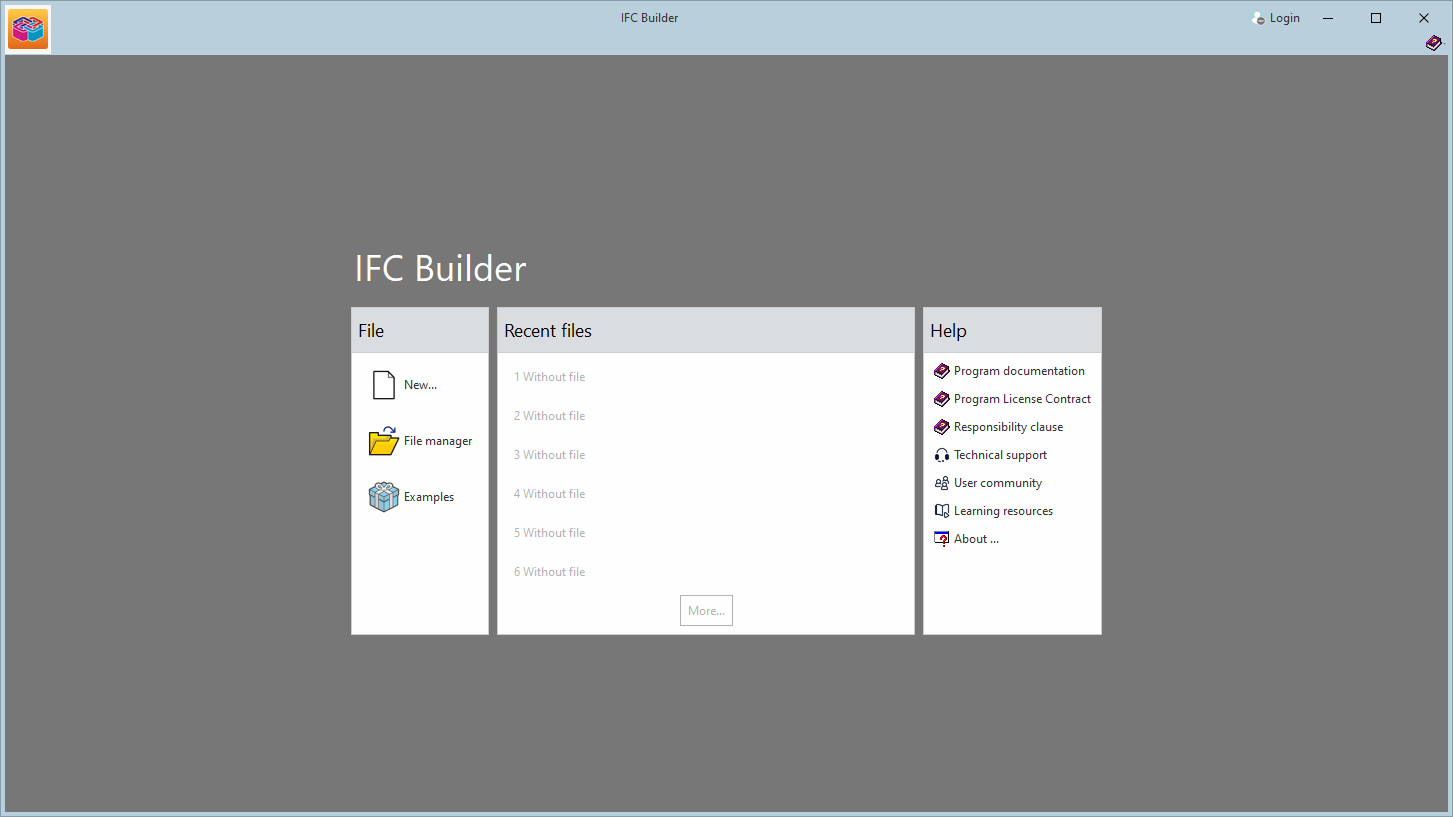
In version 2025.c, new options have been added to the "Help" menu of all CYPE apps, providing direct links to key resources on the CYPE website. These options make it easier to access to useful information and Technical Support, improving the overall experience of using the program.
The new options are the following:
- Technical support: This link provides information on the different ways of contacting the CYPE Technical Support team to clarify any queries, obtain customised assistance and solve any problem related to the apps.
- User community: This option provides access to the CYPE user community, where users can share experiences, ask questions and discuss solutions with other professionals using the same tools. This community encourages the exchange of knowledge and best practices, helping to make the most of the program's features.
- Learning resources: This link leads to a collection of learning resources, such as tutorials, manuals, videos and articles, designed to help you understand and use CYPE apps more efficiently. These materials are designed for all levels of experience, from beginners to advanced users, and are an excellent source of information to expand skills and technical knowledge.
These new additions make it easier to access information and provide the necessary support to improve the users' experience with the apps and to encourage professional development.
