Add work sections to the bill of quantities
The work sections of a bill of quantities are used to organise and group items to make them easier to manage.
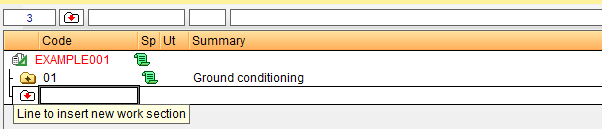
To add a new "Work Section", go to the "Code" column in the "Cost breakdown structure", next to the work section insertion icon, labelled "Line to insert new work section". From there, you can manually type in the alphanumeric code and press "Enter", then fill in the work section title in the "Summary" column. You will see that the folder turns yellow with a "+" symbol inside it.
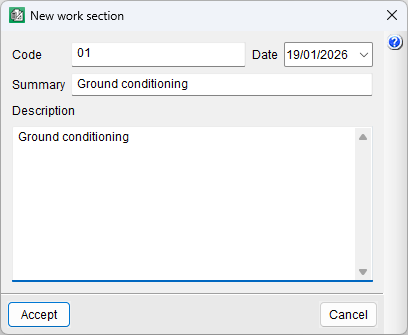
Another way to create a new "Work section" is to double-click the work section insertion icon, which will open the "New work section" dialog box where you can enter its code, summary, description and even the date. This dialog box can also be opened by hovering over the "Code" column and pressing "Enter" on the keyboard.
| Note: |
|---|
| For example, the first work section could be assigned the code "01" and the heading "Ground conditioning"; the second, the code "02" and the heading "Foundations"; and so on, resulting in a list of work sections that allows the bill of quantities items to be organised in a well-structured manner |
| More information: |
|---|
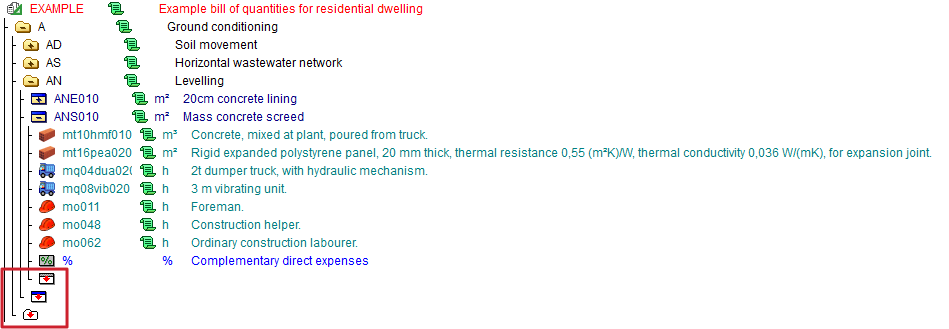
| The insertion line can be a work section (white box with a red downward-pointing arrow), a line item (white rectangle with a blue band and a red downward-pointing arrow) or an auxiliary or unit price (white rectangle with a grey band and a red downward-pointing arrow). |
Add work sections between two existing ones
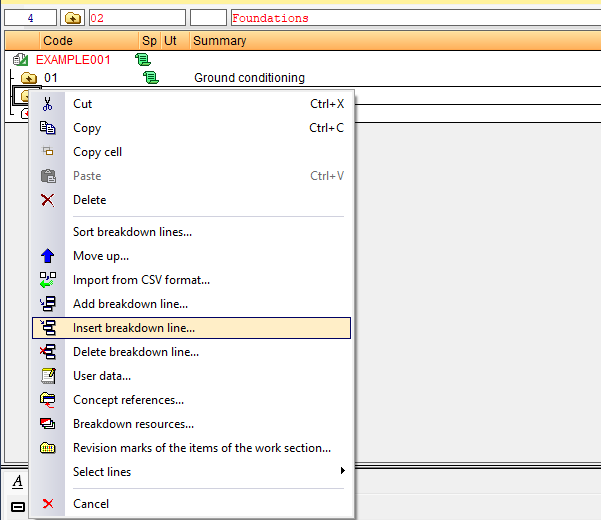
To add a new "Work section" between two existing ones, select a work section and click on the "Insert breakdown line..." option, which appears when you right-click or via the "Tree" menu. The new work section will be added to the top line of the selected work section.
Another way to do this is to add the work section at the end and move it using the "Cut" and "Paste" options.
| Best practice: |
|---|
| You can also drag and drop to move a work section, or hover over the work section you wish to move and use the "Move up" and "Move down" options that appear when you right-click. |