

Adjusting the bill of quantities
Sometimes, a global bill of quantity adjustment is necessary, for example, in the case of a grant-funded project, where the bill of quantities must align with the amount allocated by the authorities due to previously set budgetary allocations.
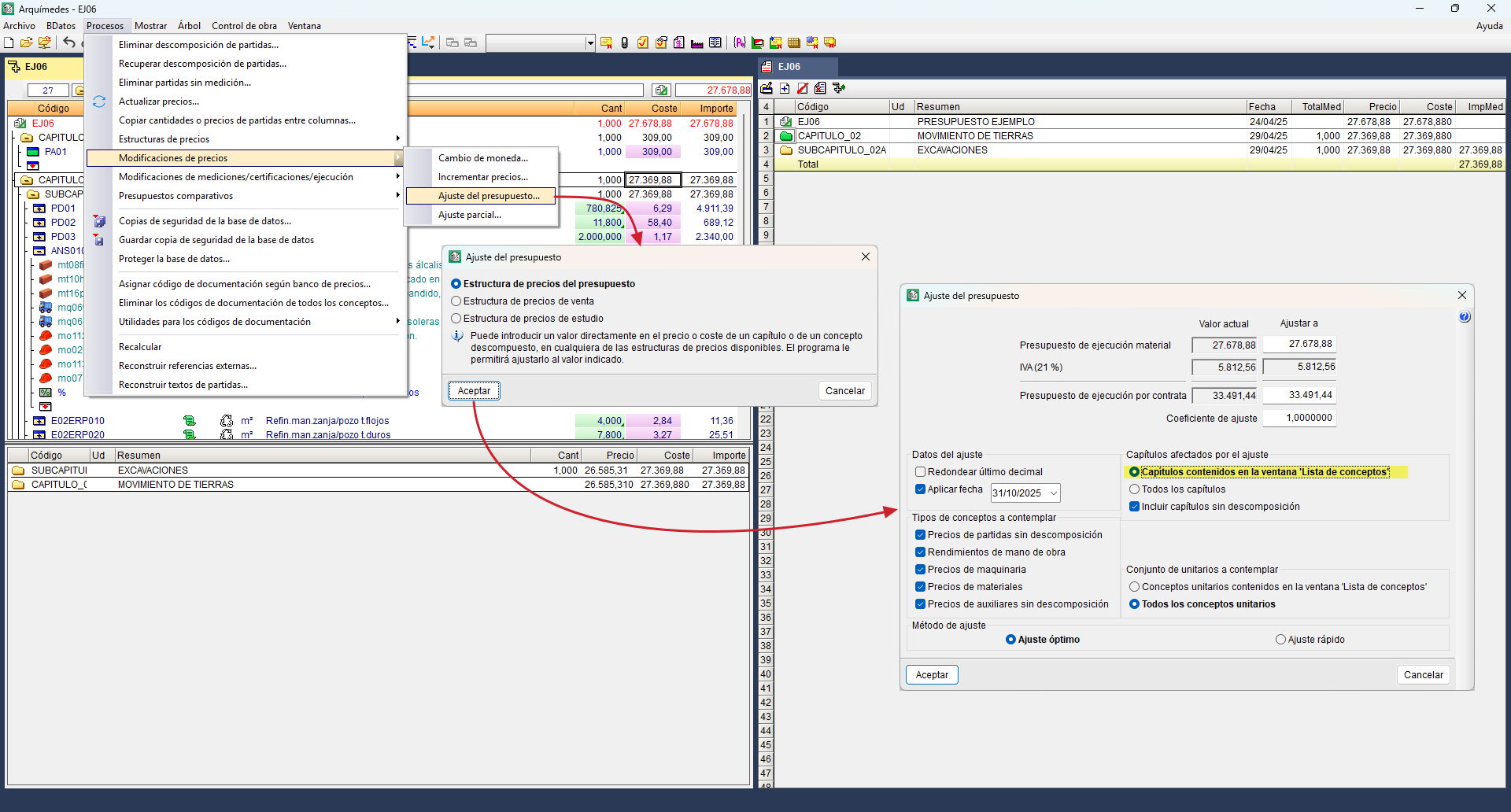
In this case, use the "Budget adjustment" tool in the "Processes", "Price changes" menu.
In the dialog box that appears, you must select the price structure to which the adjustment applies: the bill of quantities, the sale or the study.
After this, another dialog box opens for the overall bill of quantities adjustment. The adjustment can be made to the Material execution budget or to the Execution budget per contract, by setting a new amount in "Adjust to" or in the adjustment coefficient. Furthermore, it can be done selectively, taking into account the work sections in the "Concept list" window, or non-selectively, taking all work sections into account. You can also check the option to round to the nearest decimal place, or to apply the date of the modification. Furthermore, you can select the item types in the breakdown that are to be altered to achieve the price adjustment. Finally, you can choose between the optimal or quick adjustment method.
Select work sections from the "Concept list" window
Before using the "Budget adjustment" tool, you must filter by "Work sections" in the "Concept list" window via the "List" menu. Folders will be green if they are top-level, and yellow if they are second-level.
Leave only the work sections you wish to edit and delete the rest.
- To delete a work section or sub work section, simply hover over its folder and press "Delete" (or "Del") on the keyboard or the "Remove from list" button.
- You can select multiple work sections by pressing the F8 key after hovering over their folder, or select all using F9 and then deselect any of them using F8.
Once you have selected the work sections, without closing the "Concept list" window, return to the "Tree" window via the "Window" menu, and you can then run the "Budget adjustment" tool.
