Calculating soft costs
Arquimedes includes a feature to help determine soft costs. These are costs associated with the project that cannot be directly allocated to any specific item. To use this feature, the bill of quantities must be fully completed.
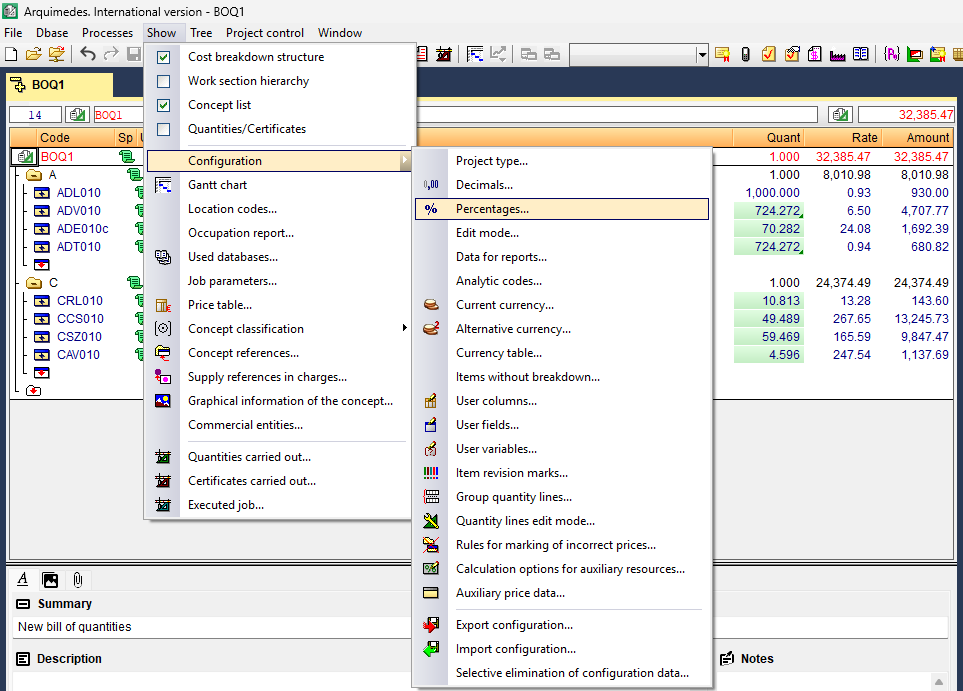
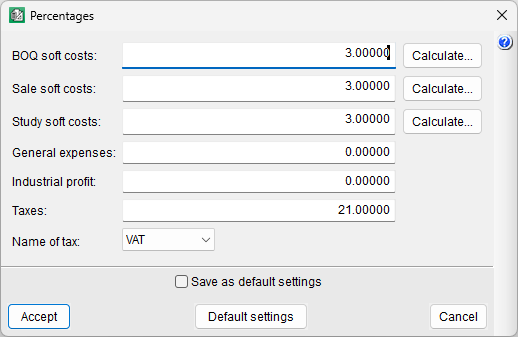
The option is "Percentages" and can be found in the "Show" menu, under "Settings". When you select it, a dialog box will appear with a list of predefined percentages.
- You can enter the percentage of soft costs directly if this has been calculated separately or if you already have this figure.
- Soft costs can also be added individually using the "Calculate" button located next to the soft costs in the bill of quantities.
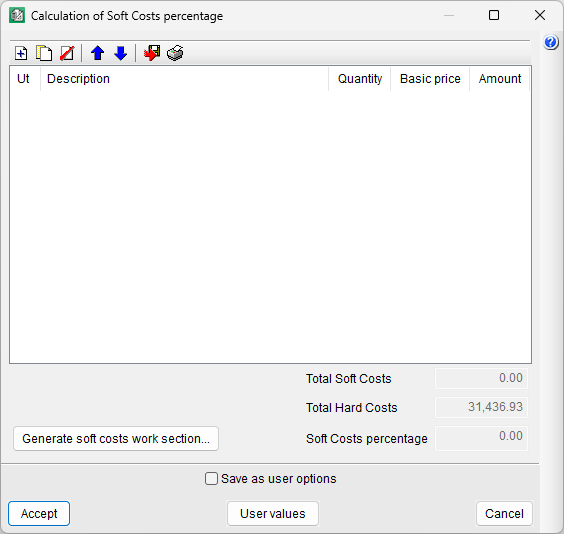
- This button will open a new dialog box where you can add the various indirect concepts from scratch (using the "Add" button), entering their quantity and resource. You can also create them using the list of the most common indirect concepts that appears when you click the "User values" button at the bottom of the dialog box. If you use this list, you must delete the concepts that are not relevant to the project (using the "Delete" button).
- You can select the "Generate soft costs work section" option, but this is not common practice. You can view the breakdown via the "Percentages" option, either to review or to edit it. If you choose to generate the work section, a dialog box will appear asking you to enter the work section's "Code".
- You can also export the table's contents in CSV format, save them to a file or print them.
- This button will open a new dialog box where you can add the various indirect concepts from scratch (using the "Add" button), entering their quantity and resource. You can also create them using the list of the most common indirect concepts that appears when you click the "User values" button at the bottom of the dialog box. If you use this list, you must delete the concepts that are not relevant to the project (using the "Delete" button).
| Note: |
|---|
| In the "Cost breakdown structure", the "Cost" column includes both hard costs and soft costs, provided that the latter are defined as a percentage in the "Percentages" option. In contrast, the "Price" column contains only the hard cost. |