Creating a new bill of quantities
There are several ways to create a bill of quantities in Arquimedes. You can import one from a file in FIEBDC-3 format or CSV format, or create a new one from scratch.
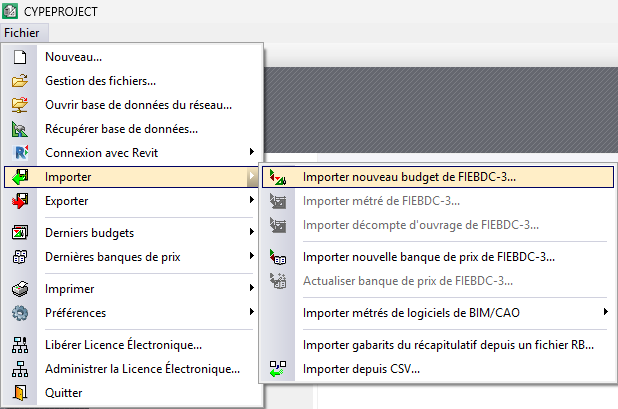
Import new bill of quantities from FIEBDC-3
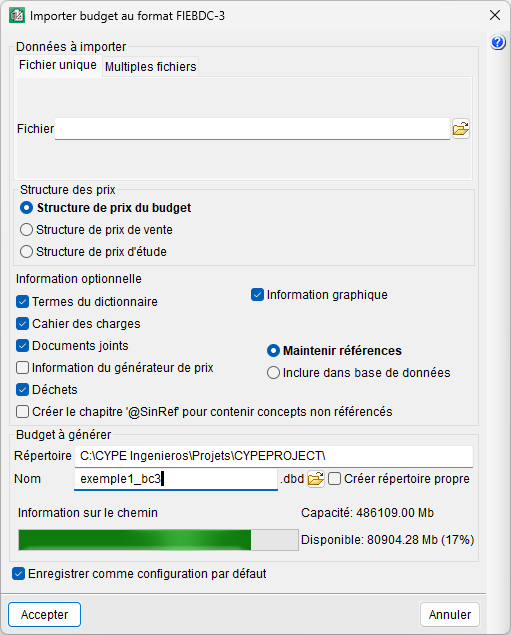
This option is located in the "Import" section of the "File" menu. The dialogue box that opens offers two possibilities: that the budget consists of a single .bc3 file (tab "Single file") or multiple files (tab "Multiple files"). To import, select the location of the file or files and indicate the structure (bill of quantities, sale or study) that will receive the prices. Optionally, you can import other additional information, such as dictionary terms, specifications and graphics associated with concepts.
| Best practice: |
|---|
| It is advisable to tick the "Create own directory" box to organise the different bills of quantities installed on your computer better. |
When you close the import dialogue box, the budget in Arquimedes will appear in the "Breakdown tree" window with the price structure that has been assigned.