Creating a new database
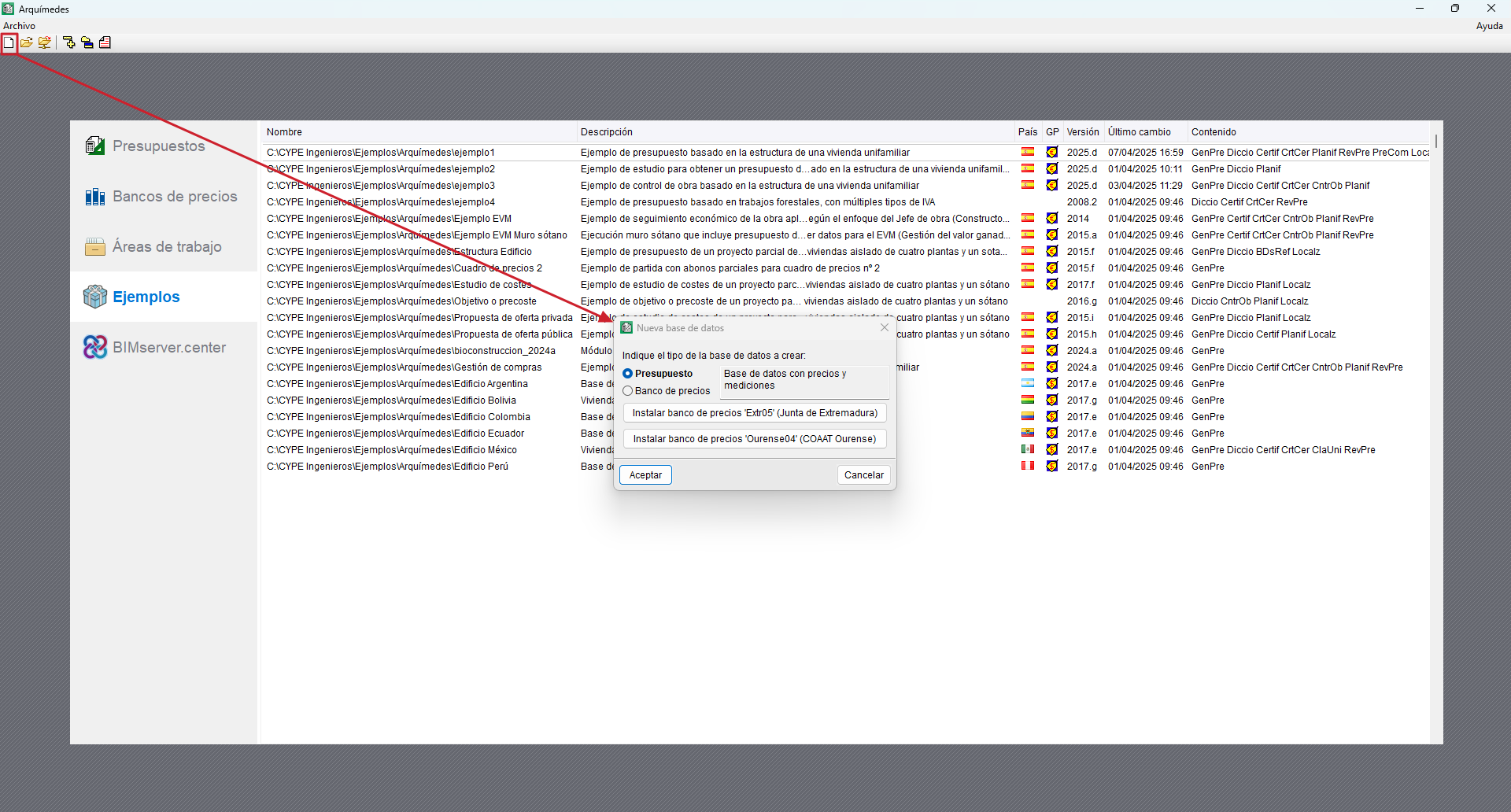
When you start Arquimedes, a presentation window appears where you can select the budget, cost database, work area or job you wish to open. This presentation window appears if no database was open the last time the program was closed.
To create a new database, click on the "New database" icon on the top toolbar. Once selected, you will need to indicate the type of database to be created (bill of quantities or cost database).
You can also open one of the examples included in the program from the "Examples" section of the presentation window.