Entering quantities into the bill of quantities
Once the items have been added to the structure of work sections and sub work sections, you can start entering quantities.
You can either type the total quantity directly into the "Quantity" column or specify the quantity in detail in a quantity table. You can also take quantities from a drawing file in DXF or DWG format.
The different methods of quantity entry are shown below.
Quantities without details
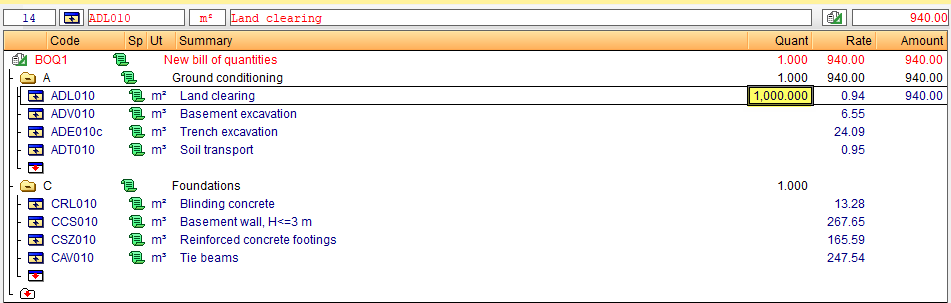
The quantity is entered manually, without a breakdown, in the "Qty" column on the line of the item to be measured. This option is usually used when no comment is required or when the item is an unjustified item. Type in the desired numerical value directly and press "Enter". The program automatically multiplies this by the item price and calculates the totals for each level.
If you wish to change the quantity, simply type in a new quantity.
| Note: |
|---|
| The columns used to enter quantities are "Quant" (quantity in the bill of quantities), "SalesQuant" (quantity in the sales price structure), "StudyQuant" (quantity in the study price structure), "ExecQuant" or "PartialExecQuant" (execution quantity) and "OrigCertQuant" or "PartCertQuant" (certificate quantity). |