Import new bill of quantities from BIMserver
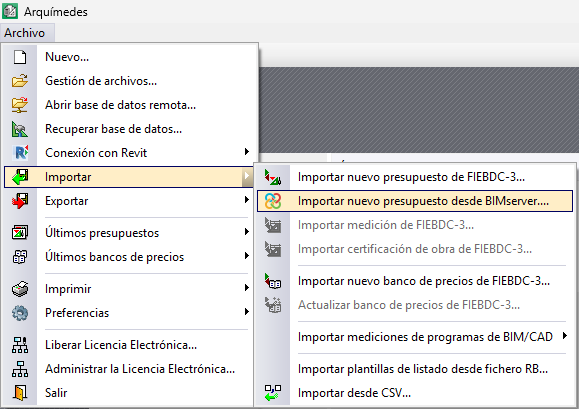
This option is located in the "Import" section of the "File" menu. It allows users to import and consolidate several BC3 files from a BIMserver.center project into a single bill of quantities.
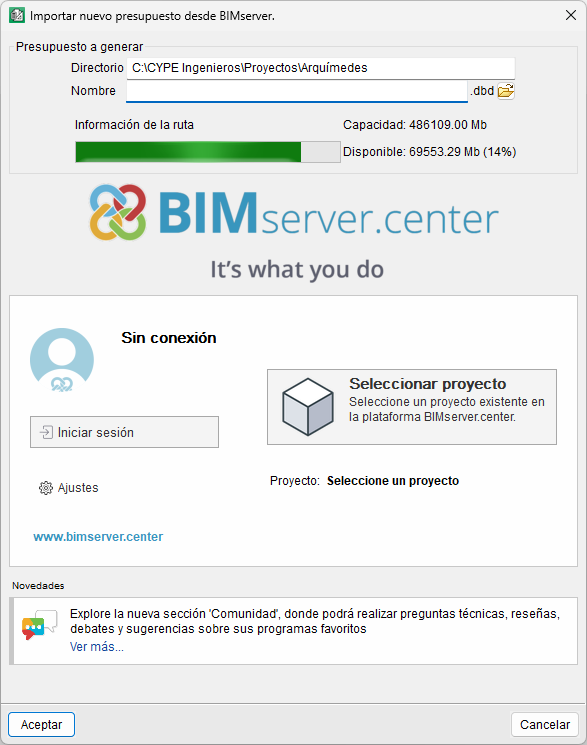
In the dialogue box that appears, you must select the directory where the bill of quantities will be generated, as well as its name. Next, you will need to log in with your BIMserver.center account and select an existing project on the platform. Then, you must select one or more contributions from the project, from which Arquimedes will automatically import all the BC3s it finds in those contributions.
| Note: |
|---|
| From "Settings", you can change the directory of files stored in the local cache. |
When you close the import dialogue box, the consolidated bill of quantities will appear in the "Cost breakdown structure" window in Arquimedes.