Increasing prices
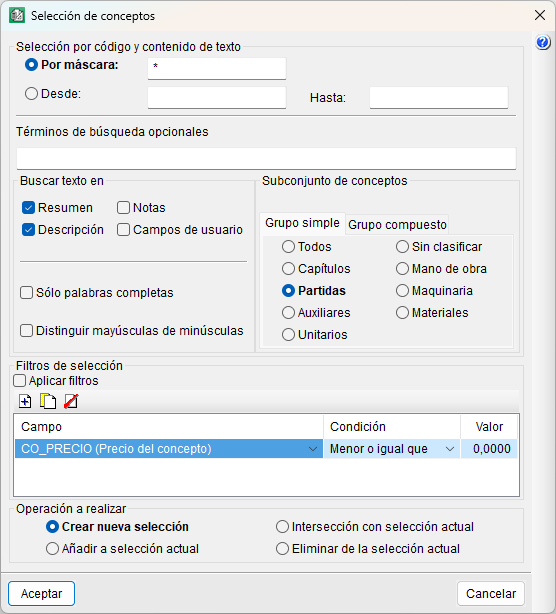
You can increase or decrease the prices of items by a specific percentage using the "Increase prices" tool in the "Processes", "Price changes" menu. This tool allows you to update all prices or selected items via the "Concept list" window; for example, to account for an increase or decrease resulting from the Consumer Price Index (CPI), a pay rise or a change in material costs.
In the dialog box that appears when you select the "Increase prices" tool, select the price structure to which the adjustment is to be applied: the bill of quantities, the sale or the study. Next, in the second dialog box, select the set of prices to be increased, the type of resources, the date and the percentage by which to increase them.
Selecting concepts
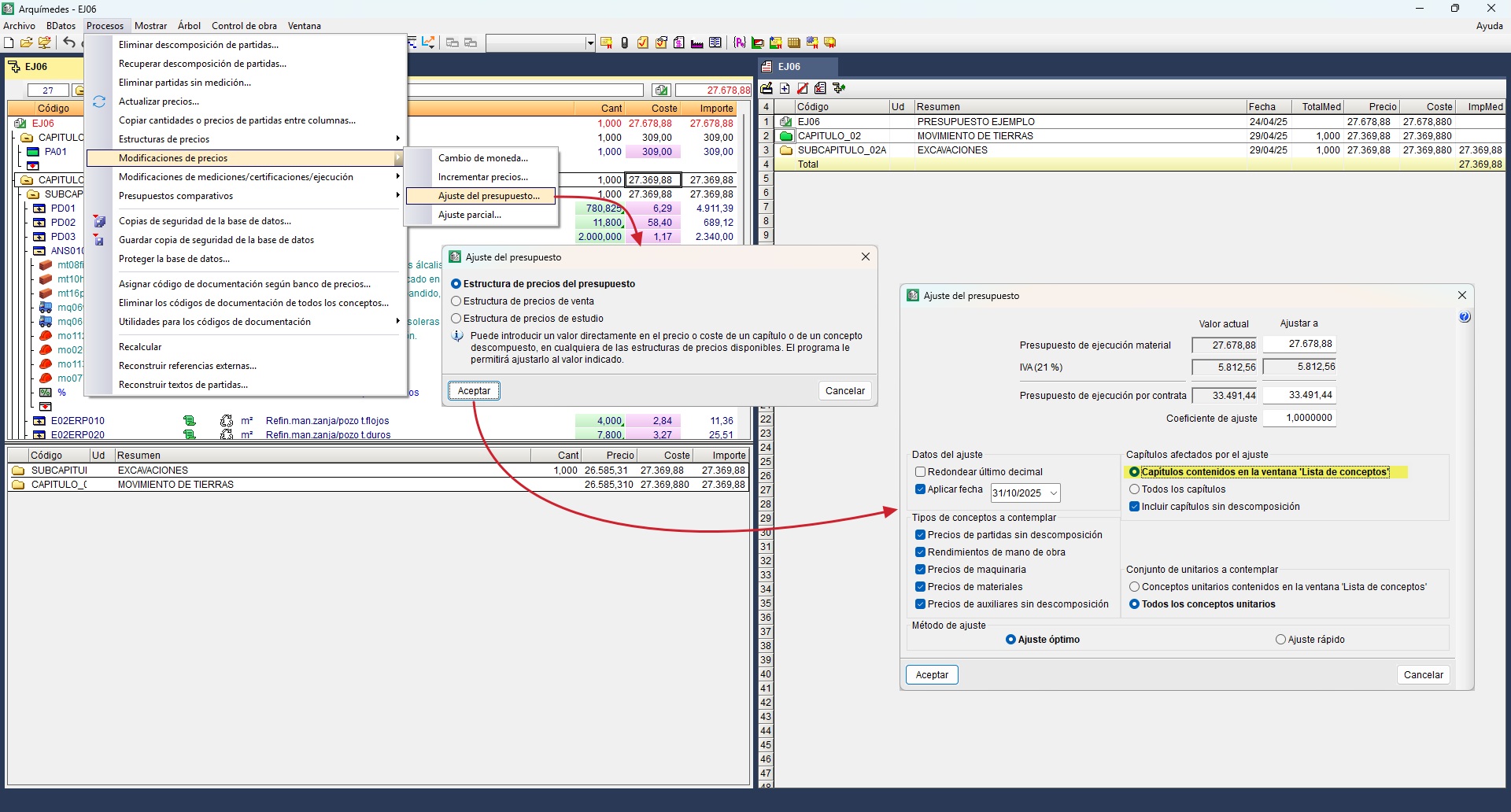
Concepts can be selected in the "Concept list" window using the options in the "List" menu, the "Resources" menu, or the "Concept selection" dialog box found in the same menu.
To make parameterised selections, there are three configuration columns available: "Field", "Condition" and "Value". The basic fields available, in their project price mode, are as follows:
- CO_PRICE (Concept price)
- CO_SALE_PRICE (Sale basic price)
- CO_STUDY_PRICE (Study basic price)
- CO_PRICE_REF (Price component in units of reference currency)
- CO_PRICE_CURR (Price component in units of currency)
- CO_TOTALQUANT (Total used quantity in the BOQ)
- CO_SALE_TOTAL_QUANT (Total used quantity in the contract price)
- CO_STUDY_TOTAL_QUANT (Total used quantity in the study budget)
- CO_TOTALQUANTAMNT (Total amount considered in the bill of quantities)
- CO_TOTALAMNT_SALE (Total used quantity in the contract price)
- CO_TOTALAMNT_STUDY (Total amount considered in the study budget)
For each of these search fields, you must select a condition from the drop-down menu (less than, less than or equal to, etc.) to specify what condition must be met. The final step to apply the filter is to enter the reference numerical value.
| Best practice: |
|---|
| In the code selection field, you must leave the asterisk symbol (*) that appears by default in the input field, and the text field empty. The asterisk allows you to select any item code that meets the conditions specified in the rest of the dialog box. You must also tick the "Apply filters" box. |