Printing view content
You can easily print the information displayed in the workspace of the "Cost breakdown structure" or "List of concepts" windows, using the column layout visible on screen, without needing to create or modify an existing report template.
This can be accessed from the "Tree" or "List" menus via the "Print view contents" option, or by right-clicking on the relevant tab.
The dialog box offers different settings depending on the active view:
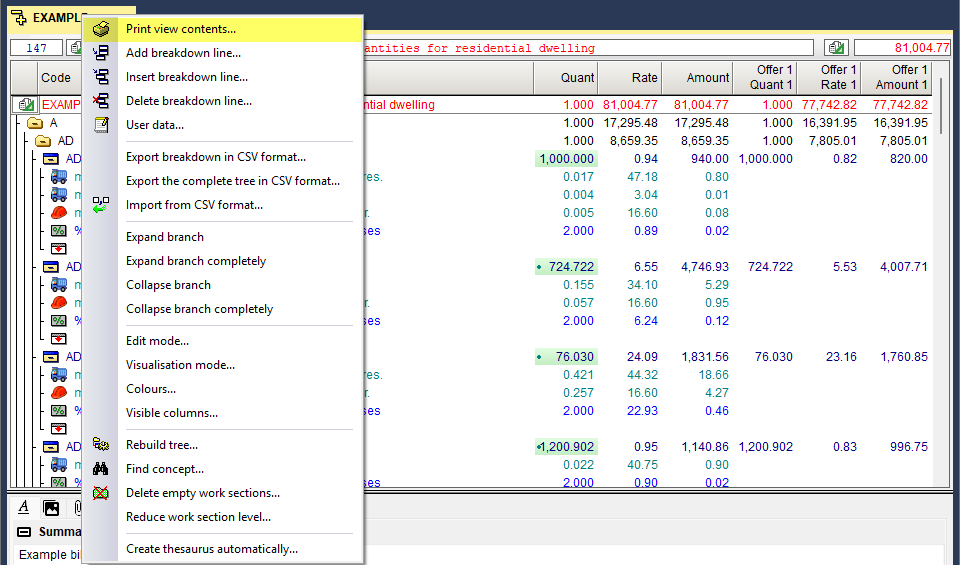
- From "Cost breakdown structure"
This allows you to specify the level of detail to be printed: only top-level work sections, all work sections, all work sections with their items, or all work sections with their items and unit concepts. You can also include the root work section’s content and the concept type symbol.
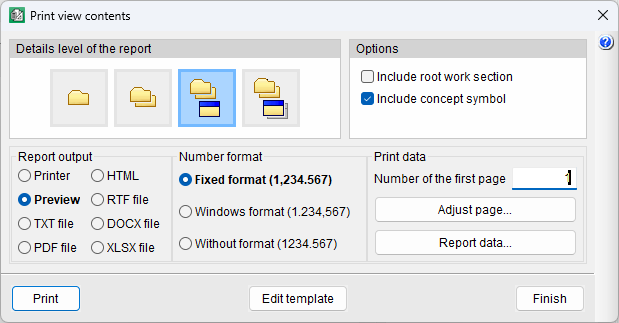
- From "List of concepts"
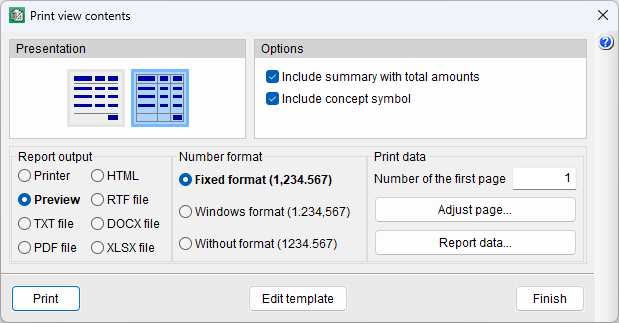
Allows you to print with or without column dividers, include a summary with a totals row, and display the concept type symbol.
The program automatically generates a report template based on the current view, which can be modified to suit the user's preferences.