Quantities in FIEBDC-3 format
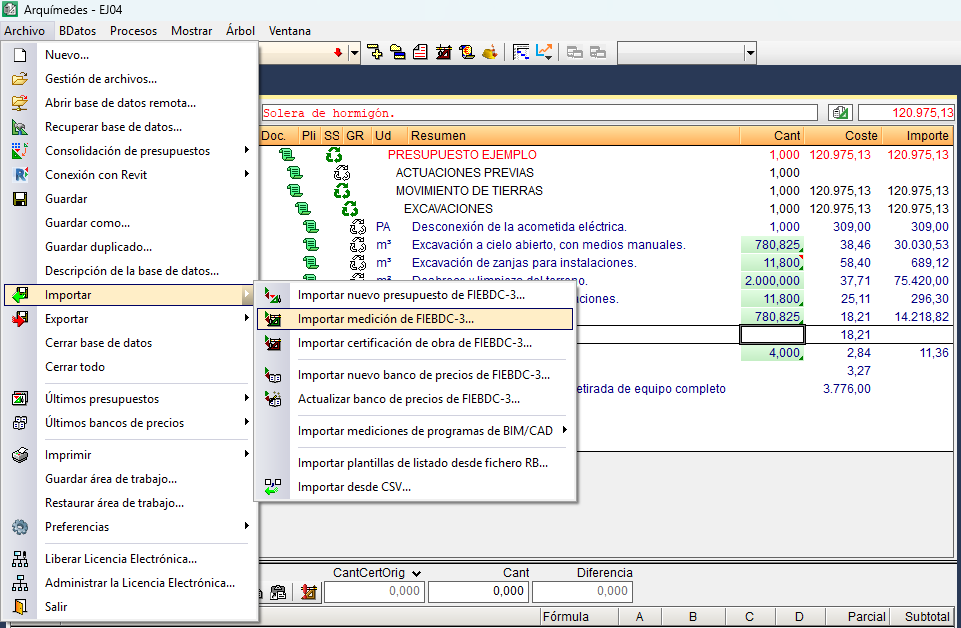
You can import a quantity contained in one or more .bc3 files into the current bill of quantities using the "Import FIEBDC-3 quantity" option in the "Import" section of the "File" menu.
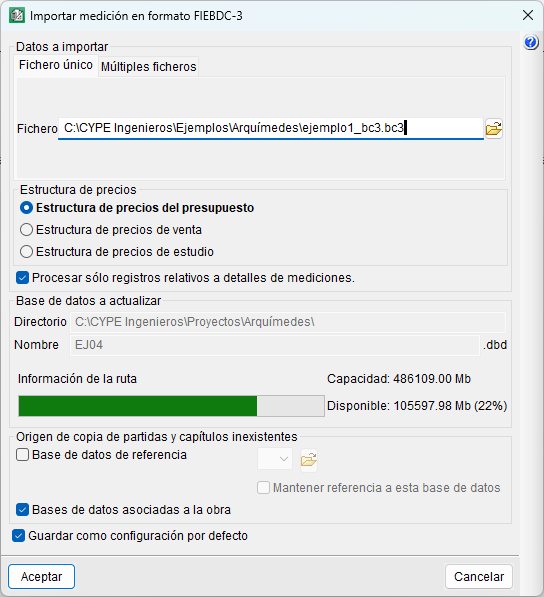
In the dialog box that opens, there are two options: the quantity can consist of a single .bc3 file (the "Single file" tab) or multiple files (the "Multiple files" tab). The import process begins by selecting the location of the file or files, and you must specify the structure (bill of quantities, sales or study) to which the prices will be assigned. Optionally, you can include only records relating to quantity details.
When you close the import dialog, the quantity will appear in the "Cost breakdown structure" window with the price structure that has been assigned. Furthermore, if there are any new items, they will be added to the existing bill of quantities.
| Note: |
|---|
| Before using this option, the target bill of quantities must be active and not write-protected. |