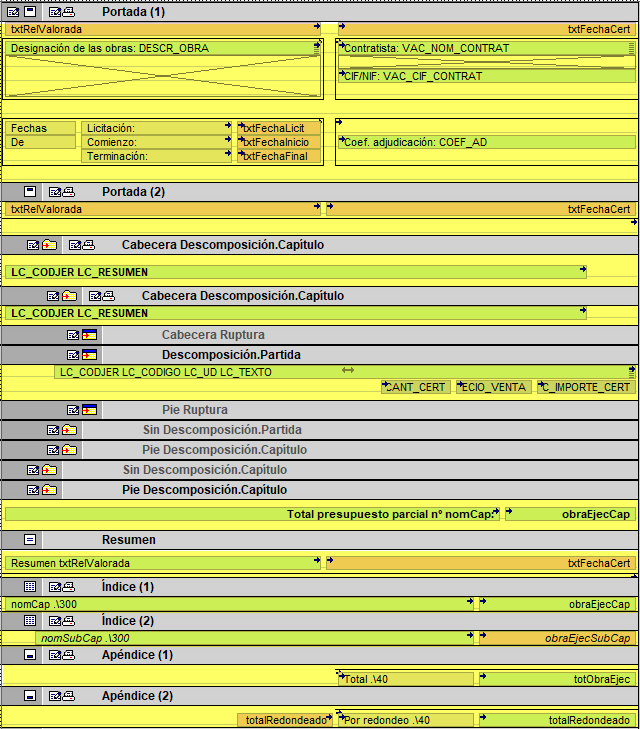
Template structure
A report template has four types of sections, each of which in turn comprises a specific number of fields, which in turn contain rows and objects (graphical and alphanumeric) that enable the information in a report to be printed.
Sections
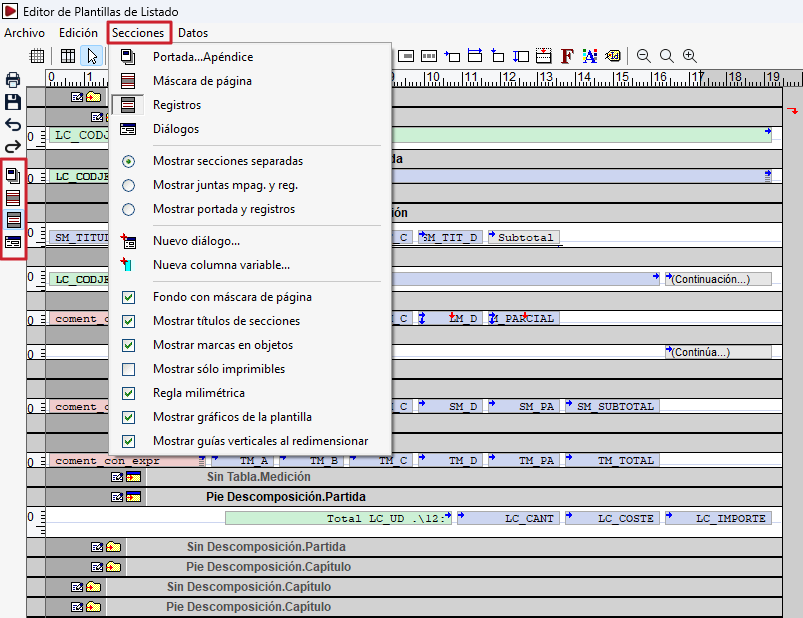
A template is organised into four types of sections:
- Cover page…Appendix, which combines the opening section of the report (front page) and the closing section (summary, table of contents and appendix). A template may only contain one section of this type, and it is even possible to omit it altogether.
- Page mask, where the page headers and footers are defined. A template can only contain one section of this type.
- Records, which contain the main body of the report and display data from the record templates. Several sections of this type can be defined within a template. The number of fields that each of these sections may contain is not fixed, although each section may only belong to one of the established types, which, broadly speaking, could be defined as header, body and footer.
- Dialog boxes, which allow the user to create their own data request dialog boxes to include in a list. These dialog boxes are, in fact, windows which may contain a window title, text, and a blank space in which to enter numbers or text (variables).
Record sections can be hierarchical and recursive. Alternative sections can also be added to display different blocks of information at the same level.
Zones
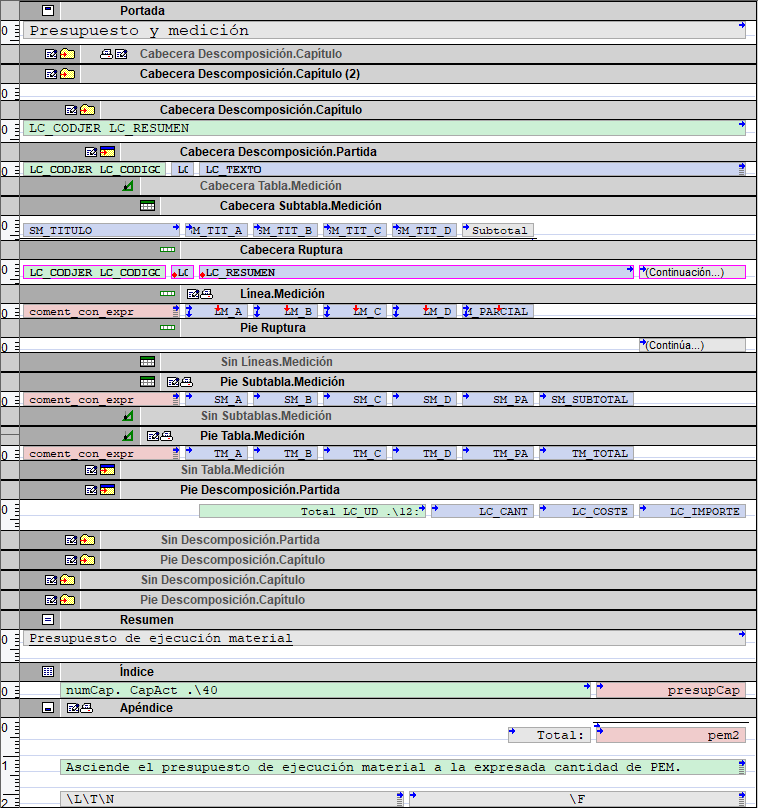
Each section is divided into zones with specific functions:
- Cover page
This is printed at the start of the list. It can be printed as a full page (as a title page) or only as much as the specified details allow, for example, to serve as a header on the first page. - External mask
This consists of the top header and the bottom footer. It is commonly used for general information, such as the list title, the name of the database or the current page number. The top header can be combined with the cover page so that the cover page appears on the first page of the report instead of the top header itself. - Internal mask
This consists of the lower header and the upper footer. It also allows graphic elements to be positioned across both areas, for example, to create continuous vertical lines separating columns. - Break header
This is printed when records continue on a new page, except on the first page. - Record
Printed once for each instance of the associated record template. - Footer Break
It is printed after the register sections and can be used to display a summary, initials or other concluding information. - Summary
This is printed after the records sections and can be used to display a summary, initials or other concluding information. - Index
Generate an index by calling the procedureindex()from any of the script lines in the template. To obtain a different result on each call, you must include at least one alphanumeric object associated with a variable whose value varies between two calls. - Appendix
This appears at the end of the report and can be used to include information following the table of contents, such as prefaces, a summary or a note.
Zones can be configured to:
- Be printed or not
- Cause page breaks
- Be adjusted vertically
- Be split when they reach the end of a page
- Execute scripts before and after they are printed
- Copied, pasted and swapped
- Have alternative variants
| More information: |
|---|
| For further information on the layout of headers and footers, please refer to "Printing headers and footers". |
Title bar
By default, each section and zone of the template is displayed in the editor with a title bar acting as a header. Various elements may appear in this bar:
- Dash symbols, which indicate the presence of dashes associated with the zone. The symbols corresponding to the dashes "When loading record", "Before printing zone" and "After printing zone" may appear.
- Icons for this section, which indicate the registration model used and the associated options.
- Bar title, consisting of the name of the area and, in the record sections, the corresponding record template.

Lines and items
Any area where text is to be printed must contain at least one line. A line, or text baseline – represented in the template editor by a grey horizontal line – provides the necessary framework for containing objects. There are two basic types of objects:
- Alphanumeric objects, which are:
- Exact text, for fixed texts.
- Variables – whether template or stored – to display the value of a variable.
- Registration fields for printing information from the database.
- Strings of alphanumeric characters, combining text, variables and fields within a single expression.
- Graphical objects, including:
- Perpendicular lines
- Rectangles
- Circles or ellipses
- Drawings
- Charts
The editor can be used to move, redesign, select, copy, align and delete objects. It also supports multi-line objects and different scrolling or scaling behaviours to adapt the template to the content and the paper size.