Report templates
These are sets of data that determine how information should be presented when printing specific data from a database, whether it be a bill of quantities or a cost database.
Arquimedes provides a set of report templates that are installed by default in the directory: C:\Users\USER\AppData\Roaming\CYPE Ingenieros\VERSION\arquimedes\pl (where USER corresponds to the user account logged in to Windows and VERSION to the program version). User-created templates, meanwhile, are saved by default in: C:\Users\USER\AppData\Roaming\CYPE Ingenieros\VERSION\Arquimedes\pl_usr
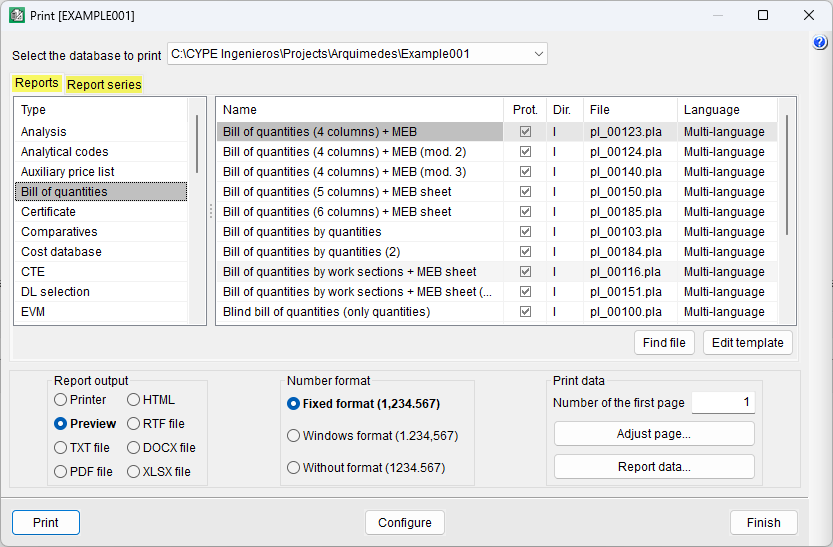
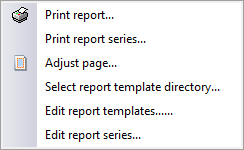
These templates can be accessed via the "Print report" or "Print series of reports" options, located in the "Print" section of the "File" menu, as well as via the "Print current database" button on the program’s main bar.
| Note: |
|---|
| When you click the "Print current database" button, the program opens the print dialog box for the active item (for example, a quantity, a document or a specification sheet) and automatically displays the reports associated with that type of information. |
The templates are organised into two tabs: "Reports" and "Reports series".
The following types are included under "Reports":
- Quantities
- Bill of quantities
- Specifications
- Cost database
- Summary
- Certificate
- Comparatives
- References
- Analytical codes
"Report series" are a sequence of grouped reports (grouped templates) that allow you to print a set of reports in a single operation.
| More information: |
|---|
| The following link lists the report and report series templates available by default in the Arquimedes installation. |