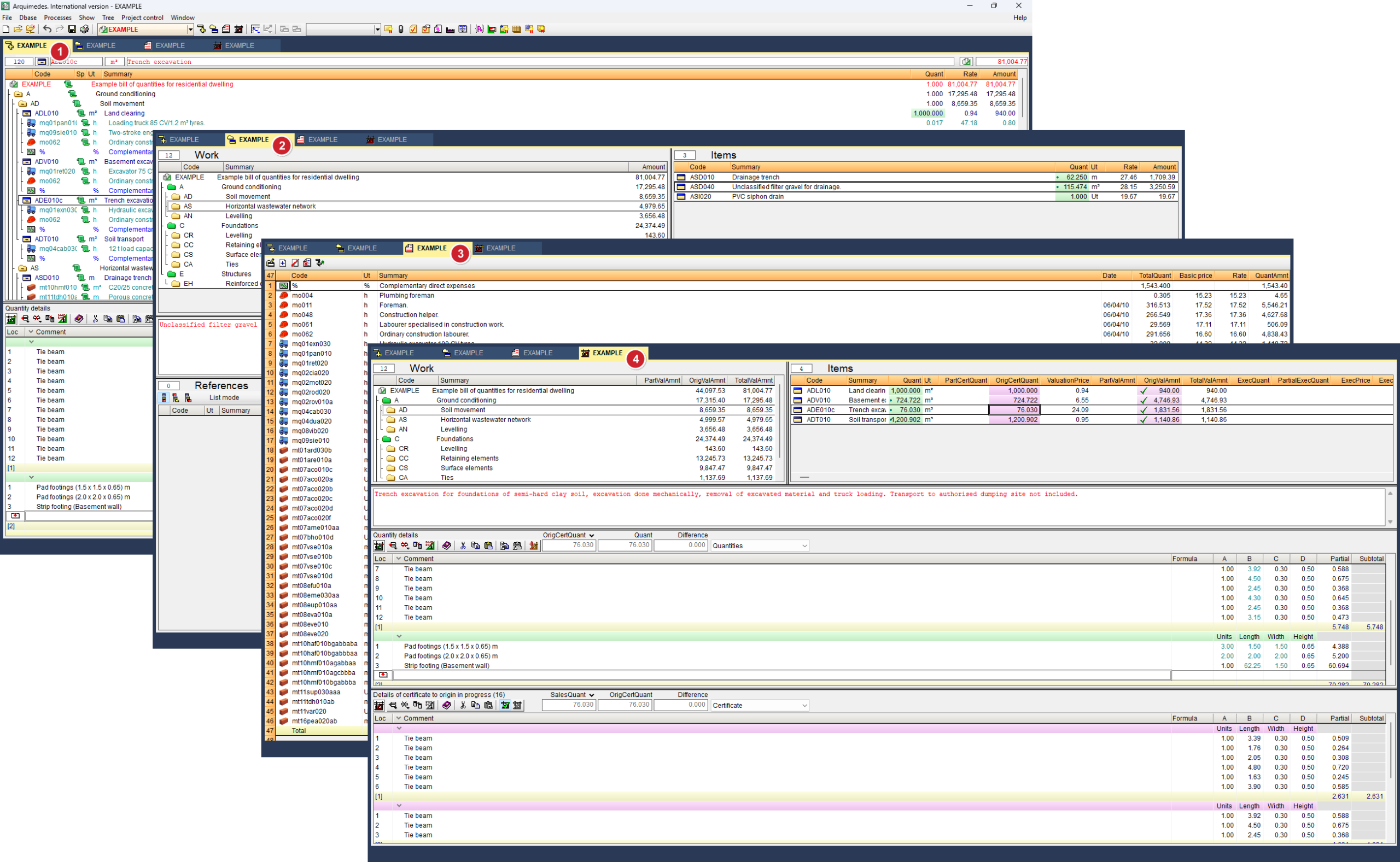
Work environment
Arquimedes has an interface that varies depending on the database created (bill of quantities or cost database) and what you want to do. The interface is divided into two main parts:
- A top menu and toolbar.
This contains a multitude of functions for managing the budget or price database, configuring its parameters and viewing the different windows. The menu bar always displays the following sections: "File", "Databases", "Processes", "Display", "Window" and "Help". Depending on the window that is active, it will display another additional menu called "Tree", "Hierarchy", "Report" or "Certificates". The "Job Control" menu only appears if the corresponding module is available (see the section "Licences and related modules"). - A work environment that occupies most of the screen.
You can view the different windows of the bill of quantities or cost database, which are organised into tabs below the toolbar. In the order in which their icons appear in the central area of the toolbar and within the "Show" menu, they appear as follows:- Breakdown tree
This is the default window when opening or creating a bill of quantities or cost database. It is subdivided into two parts:- The upper area shows a tree structure organised into chapters, subchapters, sections and items, with a series of user-configurable columns to display the data.
- And the lower area, which changes depending on which column in the upper area we are in; and from which it is possible to create a measurement table with breakdowns and comments.
- Work section hierarchy
This window is used to view the information in the database in a structured manner and at a glance. The information is subdivided into five boxes, two upper ones labelled "Work sections" and "Prices", two lower ones labelled "References" and "Breakdown", separated by a central one containing the description of the concept. - List of items
This window provides selective information for analysing and optimising the bill of quantities. Initially, it does not display any data. You must filter one of the following from the "List" menu: "Work sections", "Breakdown", "Unit prices", "Parametric", "Concept selection" and "Other concepts". - Quantities/Certificates
This window is mainly used to keep track of construction certificates. It cannot be activated for a cost database, only for estimates.
- Breakdown tree