Units
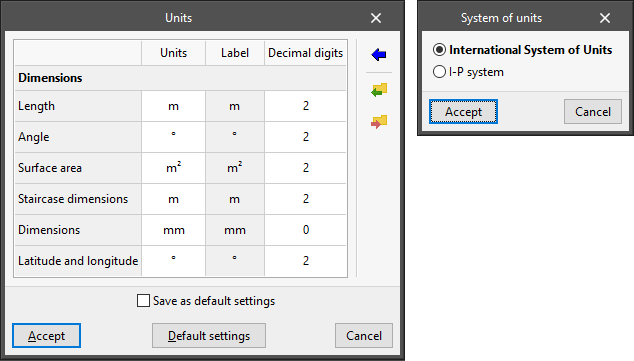
This is used to configure the project's system of units. The quantities available in the table depend on the program being used.
- "Units" column
Selects the unit of measurement for each of the magnitudes. - "Label" column
Displays the label identifying the selected unit. - "Decimal digits" column
Modifies the number of decimal places used to measure each magnitude in the selected unit. - Import one of the predefined systems of units
Using this option available on the right-hand side, the units from one of the following predefined systems can be imported automatically:- International System of Units
Imports the units from the International System of units. - I-P System
Imports the units from the I-P (Inch-Pound) or imperial system.
- International System of Units
- Import/Export
Using these options, the defined system of units can be imported and exported to files on disk.
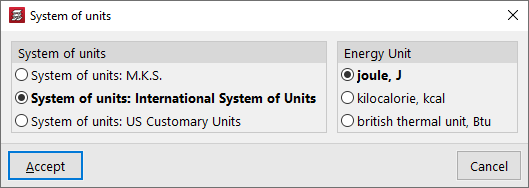
In some programs, such as CYPECAD, the panel only allows you to select the "System of units" from the following options:
- The "M.K.S." system (metre, kilogram and second)
- The "International System of Units"
- The "Imperial units" system.
If you choose the International System, you can select whether the "Energy unit" is the joule, the kilocalorie or the British thermal unit. The program will then use the derived units: for example, it will express power in watts if you have chosen joules as the energy unit, or in kilocalories per hour if you have chosen kilocalories as the energy unit.