Assigning beam reinforcement
The option that allows you to assign or copy the reinforcement of one beam to others is located in the "Beams" group of the top toolbar, within the "Reinforcement" tab (under the "Structure" tab).

Assign reinforcement
To assign the reinforcement of one beam to others, after clicking on the option, you must first select the beam from which you wish to extract the information in the workspace.
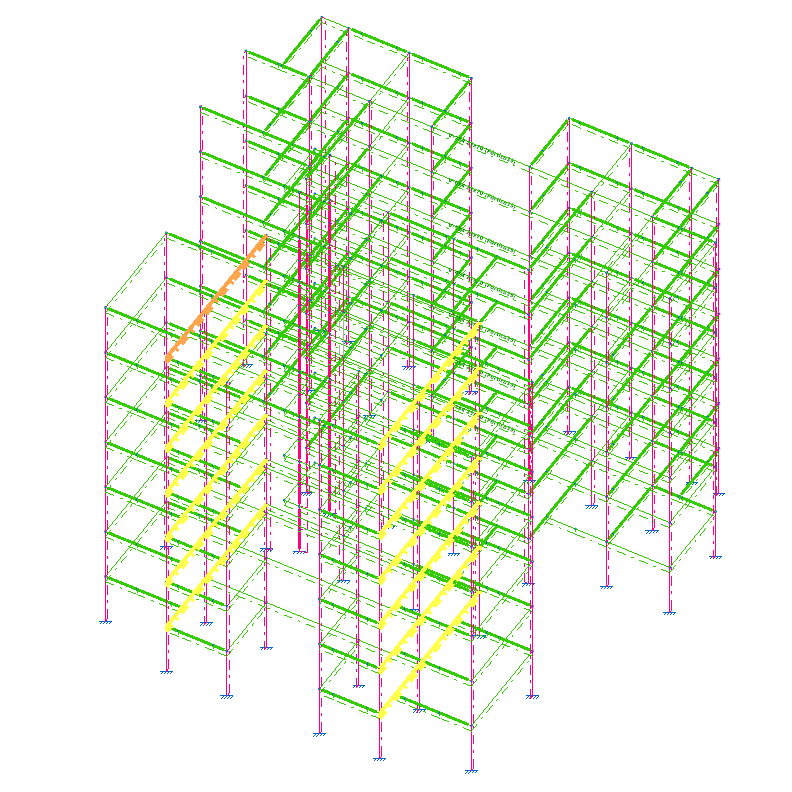
At this point, the selected beam is highlighted in orange, and the compatible beams to which its reinforcement can be assigned are highlighted in yellow. You can select these beams one by one or select several by drawing a selection area. When you do so, they will be highlighted in orange.
To exit the option, right-click the mouse.