Beam tags
The "Beam tags" option, located in the "Reports" section of the top toolbar on the "Project" tab, allows you to generate a list of beam tags.

Beam tags are reinforcement diagrams for each span of the concrete beams, enabling them to be identified after they have been manufactured in the workshop, thereby facilitating their subsequent installation on site.
For this option to be available, concrete beams must have been added to the model and designed using the relevant options in the "Geometry" and "Analysis" tabs.
Beam tag settings
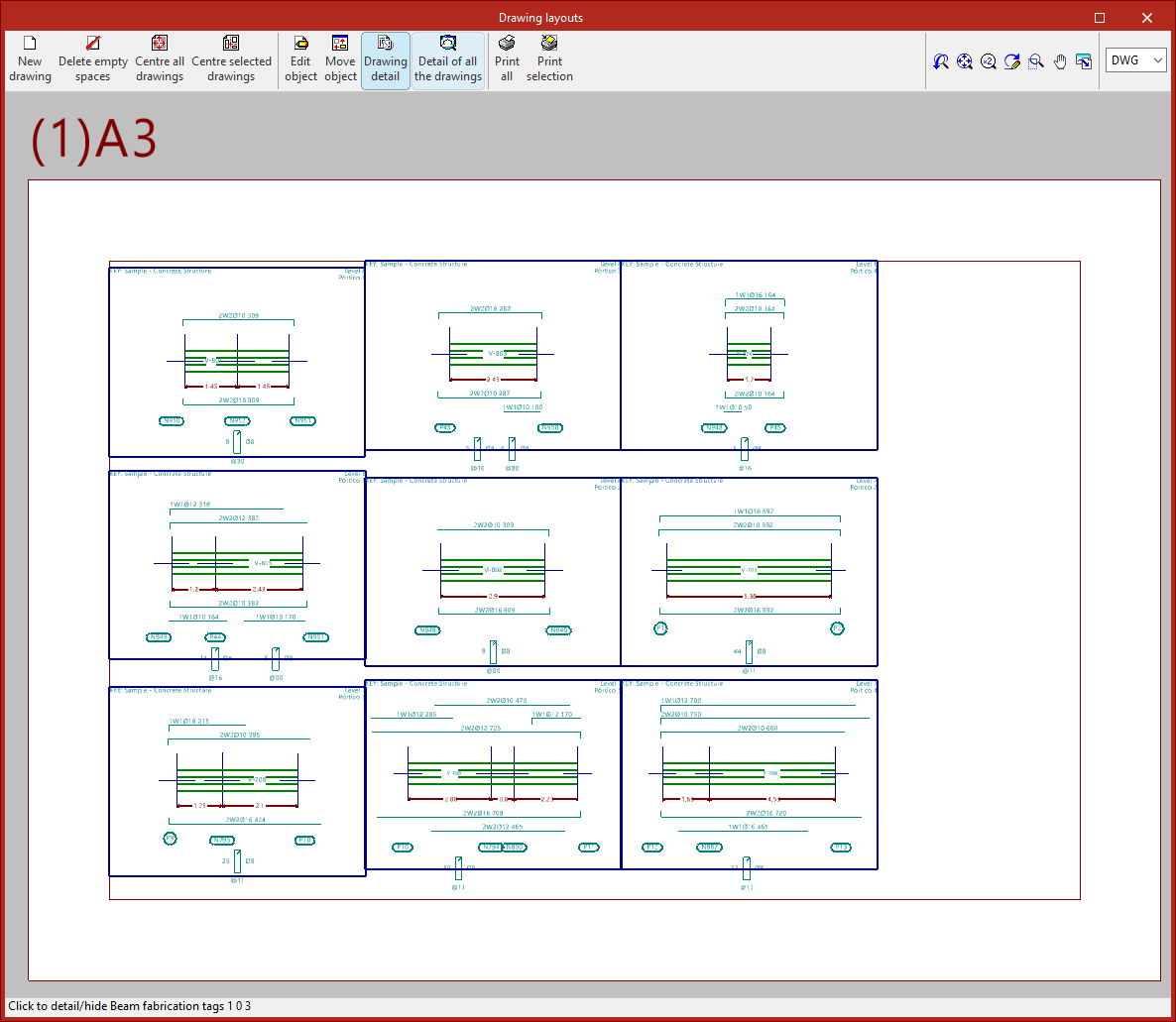
When you click on the option, the "Fabrication tag list" window opens, where you can configure it.
Here, after selecting one of the "Peripherals" available from the drop-down menu, you can choose whether the report should be generated "By groups" or "By floor". You can also set the "Scale" for the label and enter the "Header" text.
The "Longitudinal reinforcement" section allows you to configure its definition, enabling you to enter the description and length of the reinforcement, as well as the length of the first layer of positive reinforcement.
As for the "Spans", they can be defined as "To axes", "To internal faces" or "To external faces". The "Length of negative reinforcement with bends" can be "Total", "From face" or "From centres".
The options below allow you to adjust the border size by setting the X and Y widths and the margin. You can also adjust the "Text and pen thickness".
Drawing layouts for beam tags
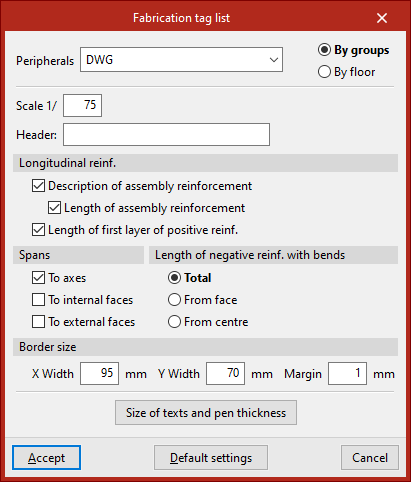
After clicking "Accept", the "Drawing layouts" window opens, where the program displays a list of beam labels organised into plans of specific formats.
Each tag shows a section of each portal and the detailing diagram for its components, in accordance with the defined configuration.
This document can be edited and printed using the options at the top, just like all other drawings produced by the program.