

Defining bracing pairs for buckling analysis
Bracing pairs for buckling analysis are defined using the following option, which is available in the "Bars" section of the top toolbar, within the "Properties" tab (under the "Structure" tab).

Pairs
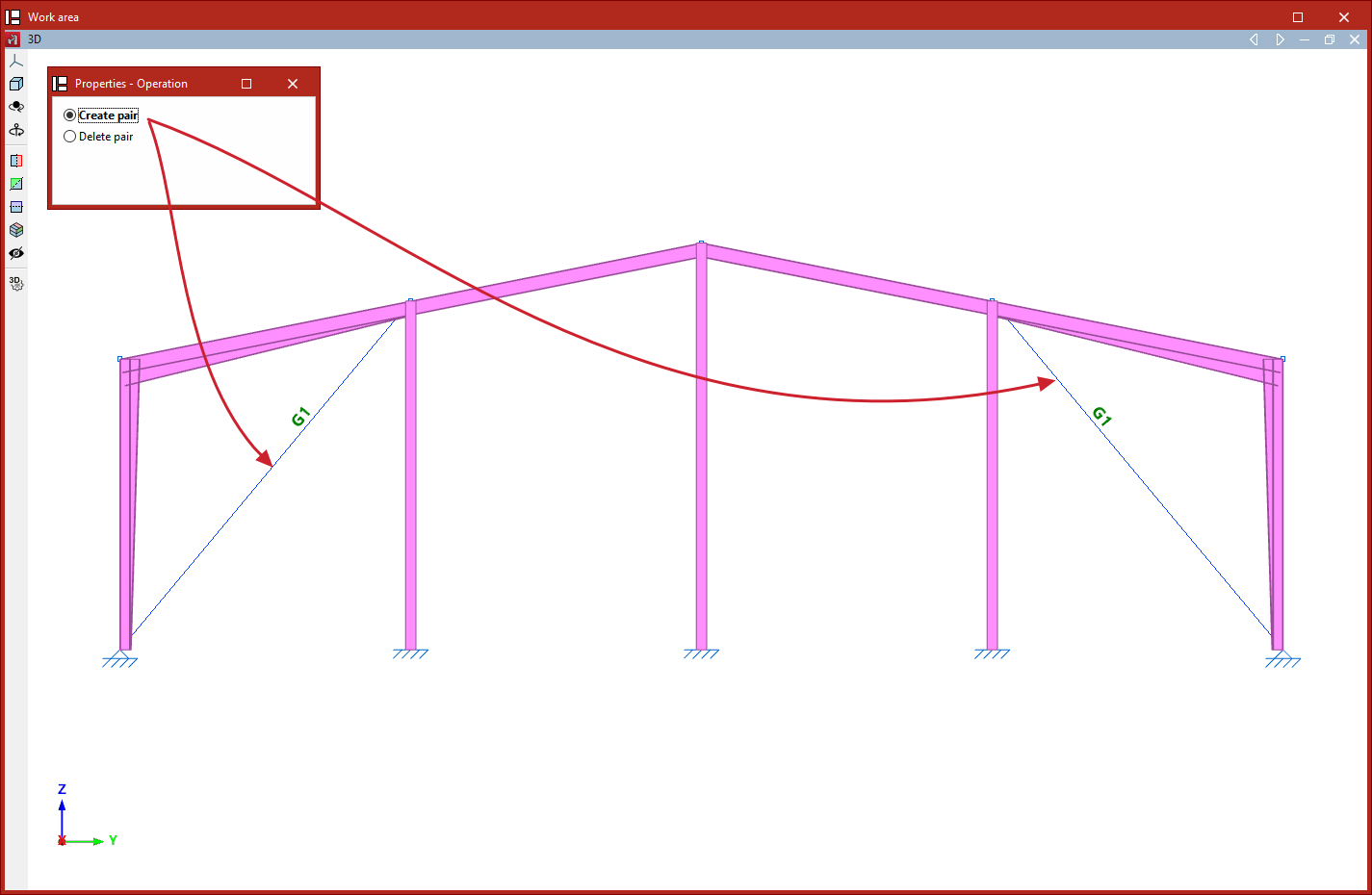
The "Pairs" option allows you to define pairs of bracing elements that are not located within the same braced frame, so that they can be taken into account in the buckling analysis.
To do this, after clicking on the option, select "Create pair" in the "Properties - Operation" window. Next, select the two elements in the model defined with "Only tension" behaviour (defined in the "Behaviour" drop-down menu in the "Describe" window, accessible when creating each element or when editing them via the "Section" option on the "Geometry" tab) that form the bracing pair.
The program will indicate the presence of each bracing pair with an identifying label on the beams.
You can also select "Delete pair" in the "Properties - Operation" window to remove the definition of a bracing pair. In this case, simply click on either element of the pair to delete it.
In the analysis, if both elements of a bracing pair are subjected to compression under the same load case, they will be treated as such in the buckling analysis, with their axial stiffness reduced by half, in a similar way to how the software automatically handles elements with "tension-only" behaviour that are located within the same braced frame.
| Note: |
|---|
| Linear buckling analysis is performed for each loadcase by removing non-linear elements that do not contribute to the analysis and converting those that do into equivalent linear elements. In this process, when two elements with "tension-only" behaviour form a braced frame, and both elements are in compression under the same loadcase, the program transforms the behaviour of these elements to linear and reduces their axial stiffness by half. By default, in situations where a frame is braced by two non-intersecting elements, and both are in compression under the same load case, the program removes them before performing the buckling analysis; consequently, the results of this analysis are obtained without taking them into account. |
