Designing, checking and obtaining the report and detailing of each connection
The tools for designing, checking, and obtaining the complete report of the connection and the detailing of each connection individually are available at the top of the editing window.
This window is accessible by clicking the "Edit" button on each group of connections, within the top toolbar of the "Connections" tab (under the "Structure" section).
These tools are explained below.
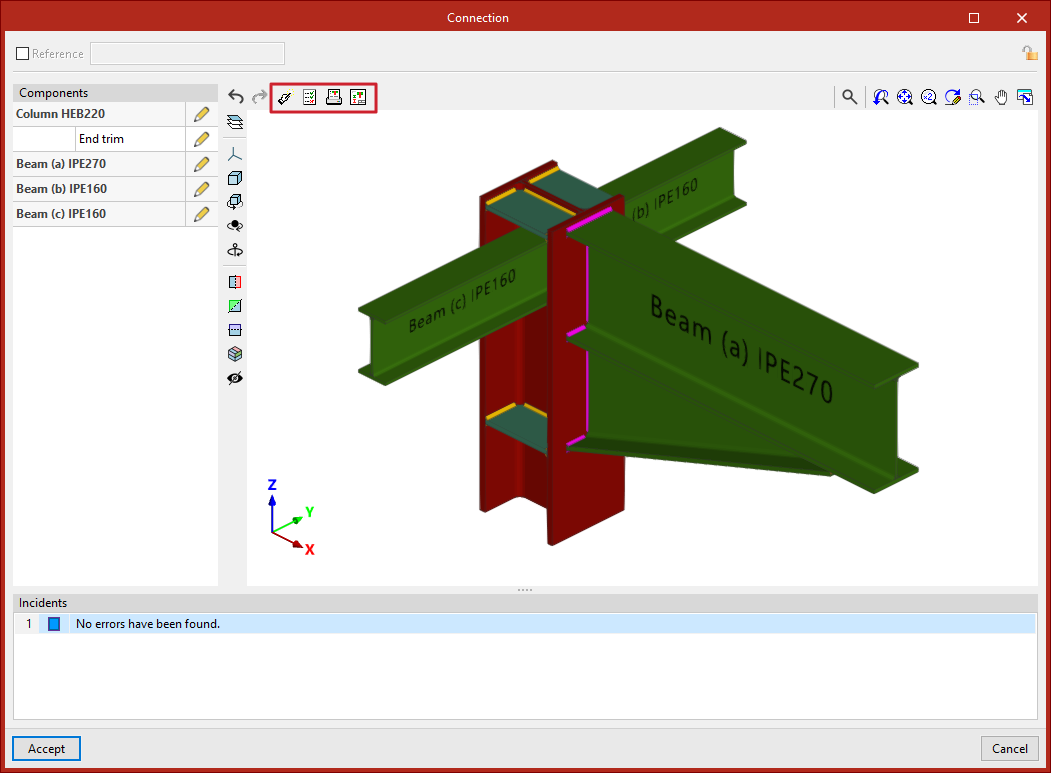
Design
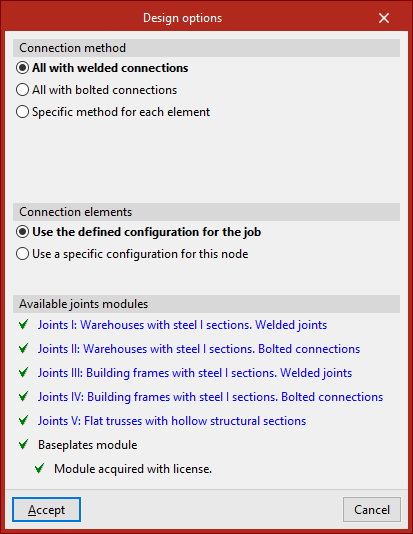
Using the "Design" option, the program automatically generates the necessary components in each part to comply with the relevant standards.
To define the "Connection method", you can choose between "All with welded connections", "All with bolted connections", or set a "Specific method for each element".
Regarding the "Connection elements", you can opt to "Use the defined configuration for the job" or "Use a specific configuration for this node".
In the latter case, by clicking "Options", you can define parameters related to bolts, stiffeners and baseplates.
Further down, the program displays the "Available joints modules" depending on the license. Each module can be reviewed by clicking the corresponding links.
After clicking "Accept", the program asks whether you wish to view the full report of the code checks performed on all elements of the connection.
Code checks
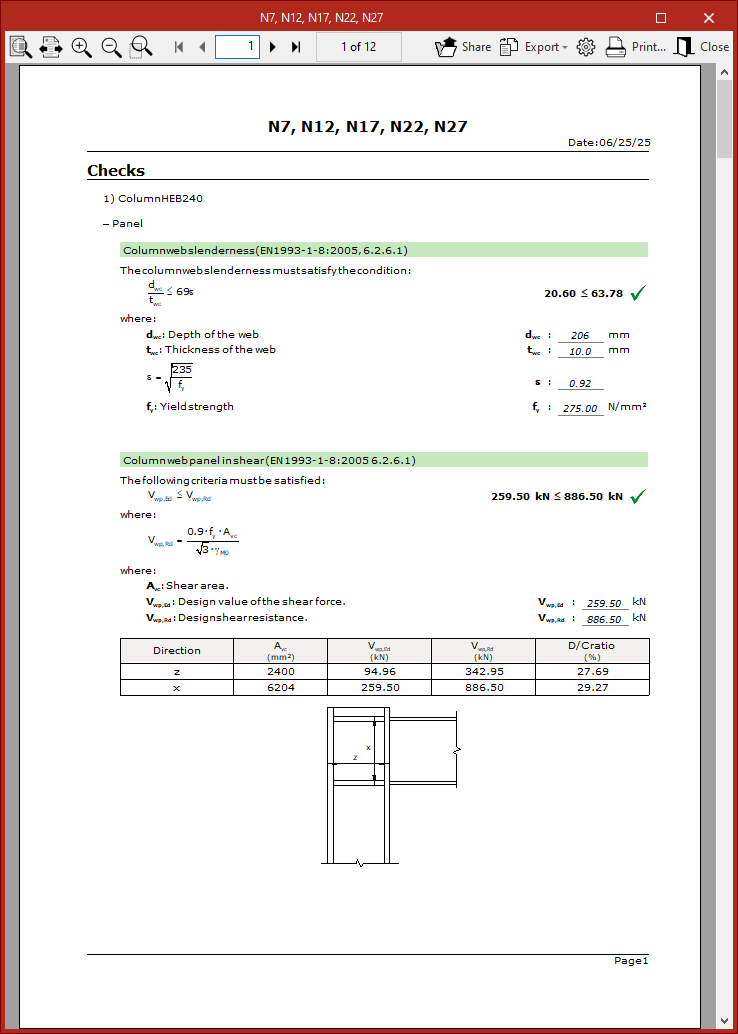
This report can also be generated via the "Code check" option located at the top of the viewer, which allows you to check the elements in their current state.
In the pop-up window that appears after pressing this button, you can select each "Element" from the left column.
At the top right, the "Verifications" carried out on that element are listed, including its "Status" (whether it is "Verified" or not) and the relevant "Zone".
By selecting each line, you can access the full details of the verification at the bottom, including standard references and calculations.
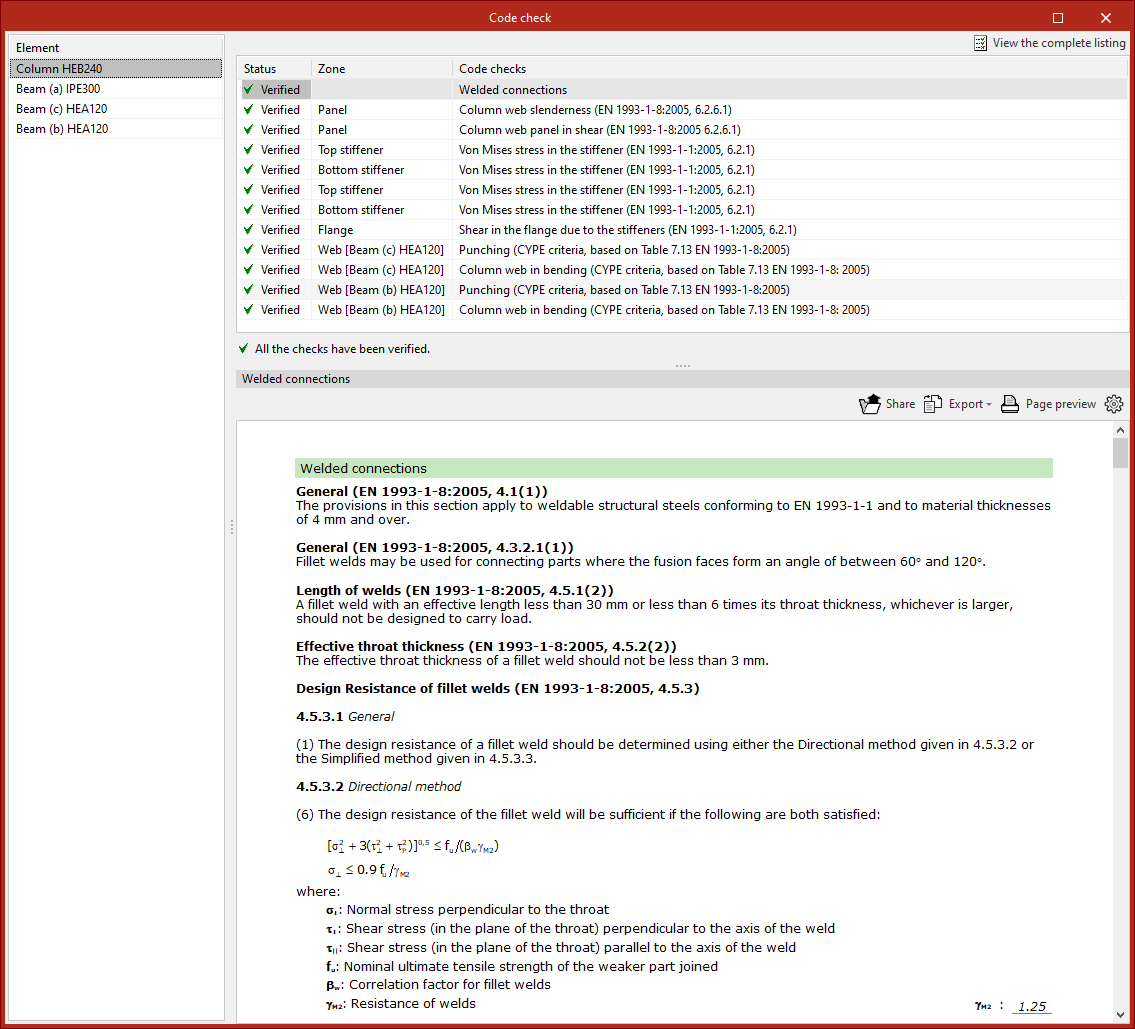
It is also possible to "View the complete listing" of the connection from the top right.
This report can be "Shared", "Exported" in various formats or "Printed".
Full report of the node
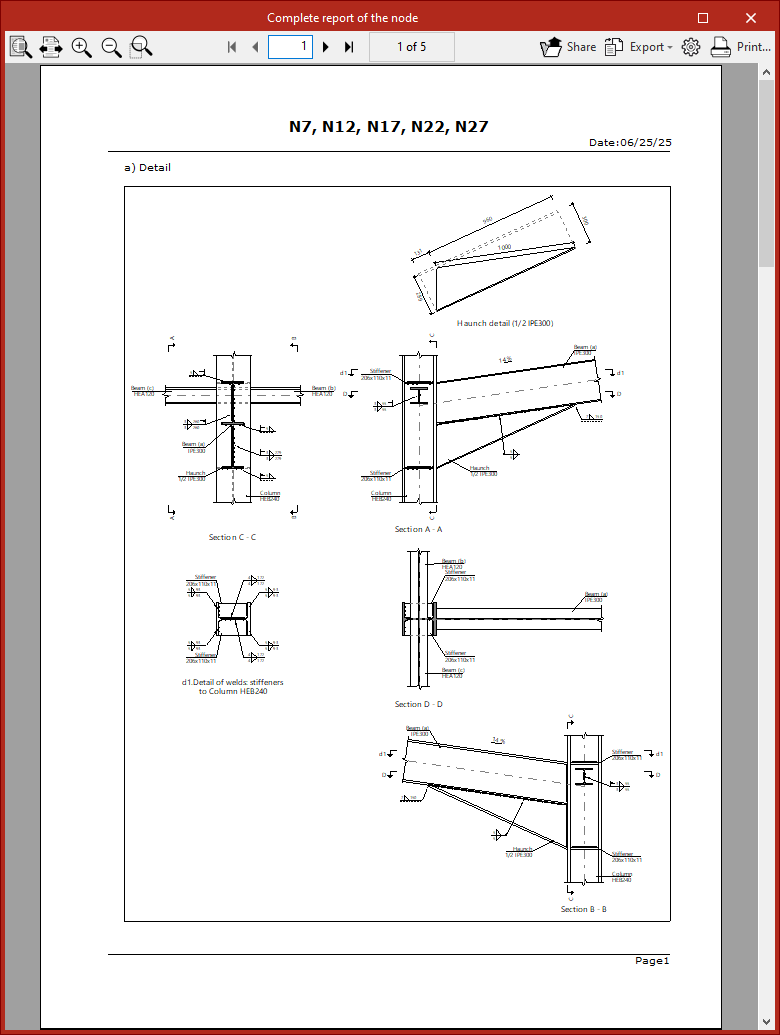
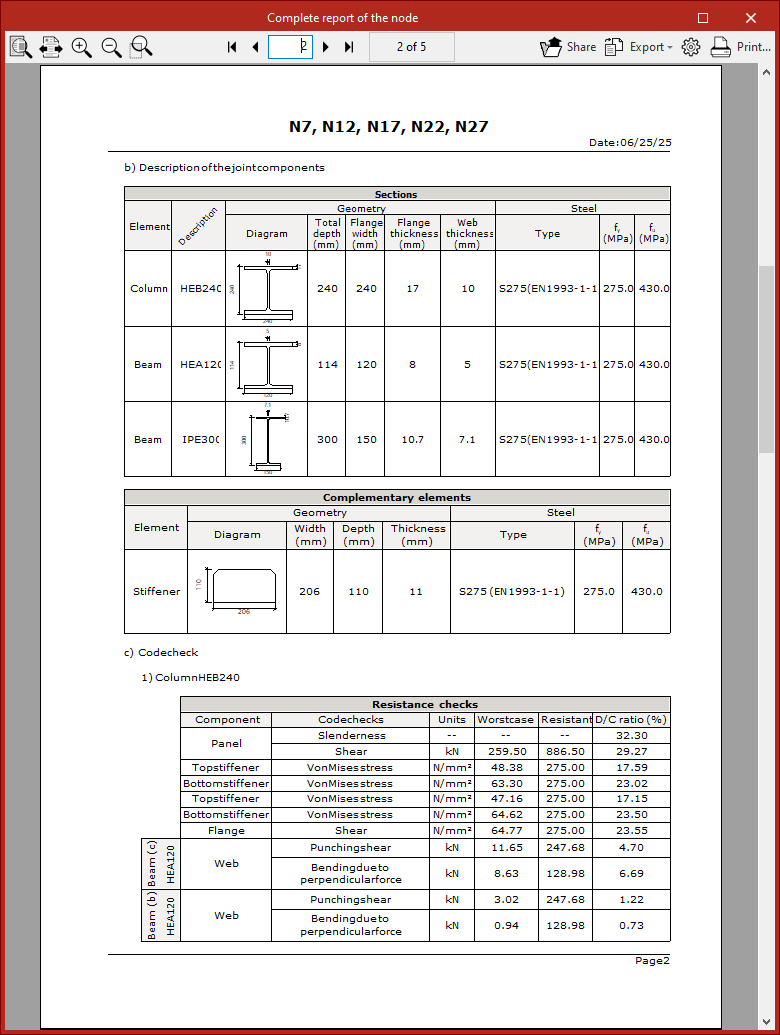
Another available option is to obtain the "Complete report of the node", which includes "Detail drawings", a "Description of the connection components", and summary "Verification" tables.
This report can also be "Shared", "Exported" or "Printed".
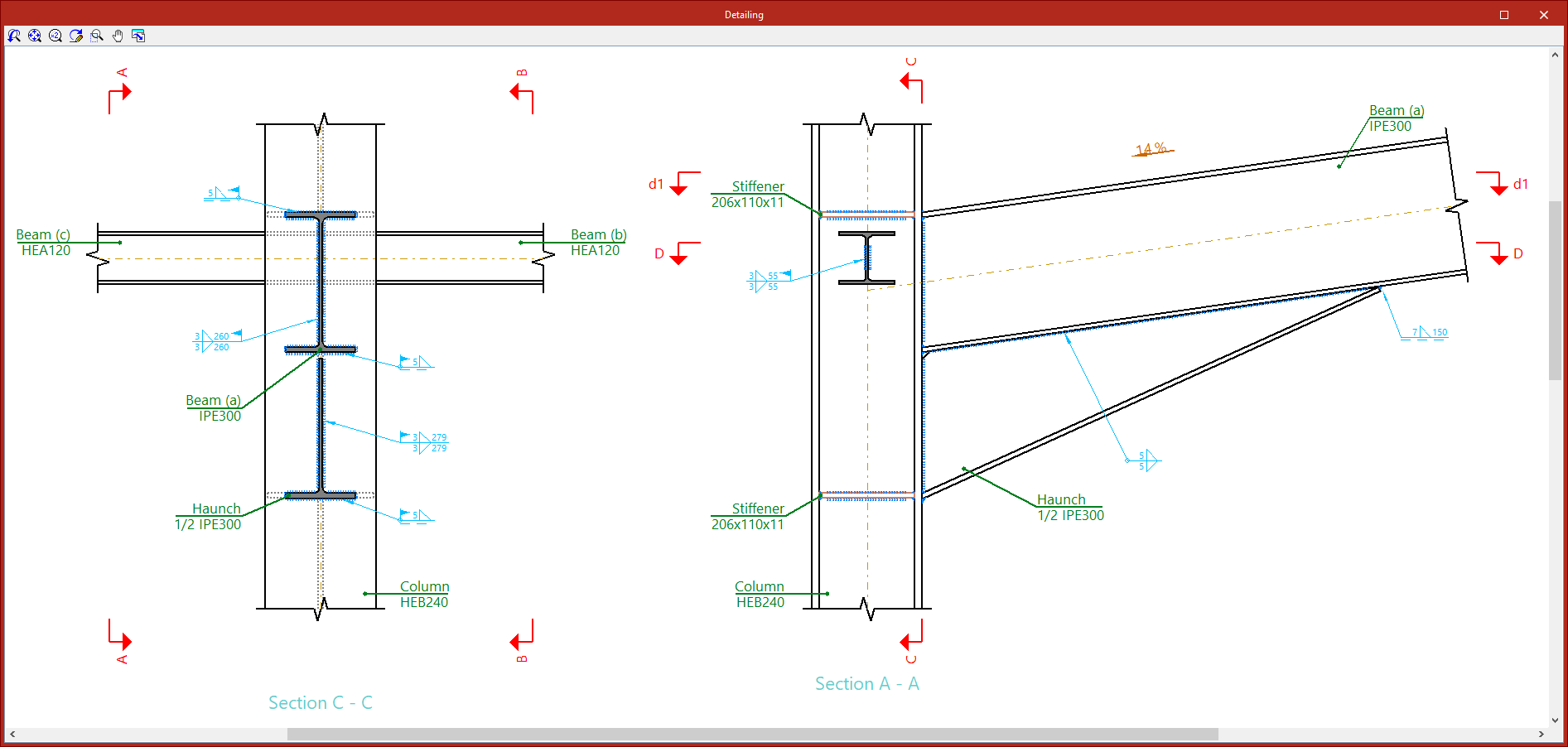
Detailing
With the "Detailing" options, a detailed view of the connection shell is generated. Although the general shell is printed along with the drawings, it is also possible to "Print the current view" directly from here.