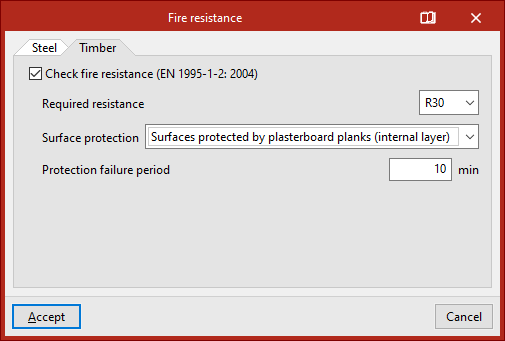
Fire resistance ("General data" window)
The fire resistance check settings are configured in the "Job" tab (in the "Structure" tab), by selecting the "General data" option in the "Job" group on the top toolbar.

"Fire resistance" option
To activate and configure the fire resistance check, in the "Loads" section, click on the "Fire resistance" option.
The program displays a tab for each material on which the fire resistance check can be performed according to the implemented regulations.
In our case, the check is available for "Steel" and "Timber" elements. This configuration will be applied by default to all elements of these materials defined in the job.
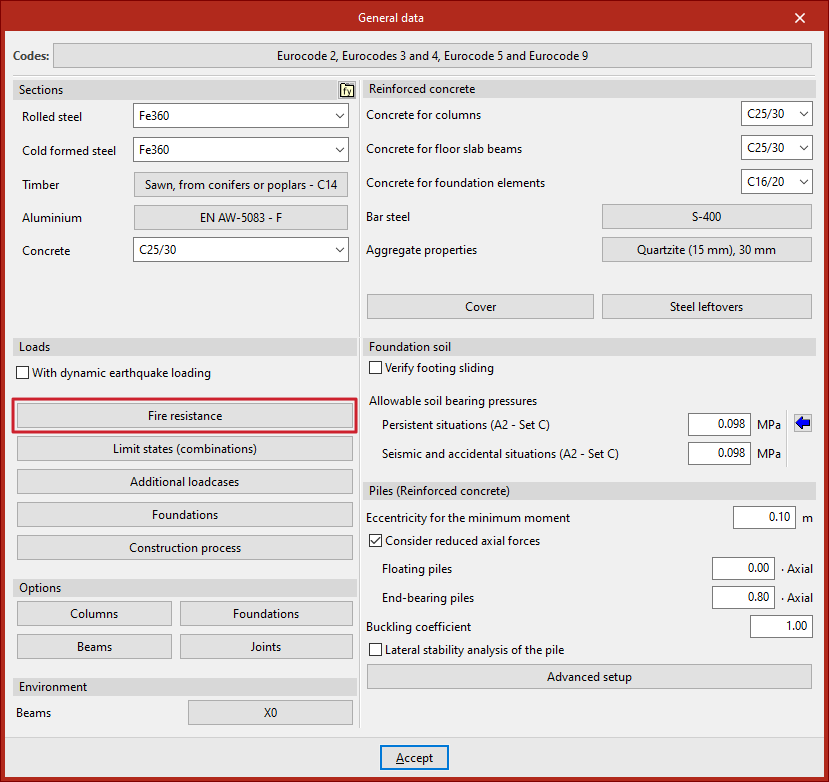
Fire resistance of steel elements
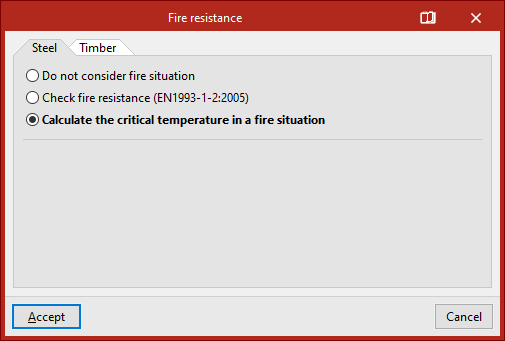
In the case of "Steel" sections, there are three options.
The first is selected if you choose "Do not consider fire situation".
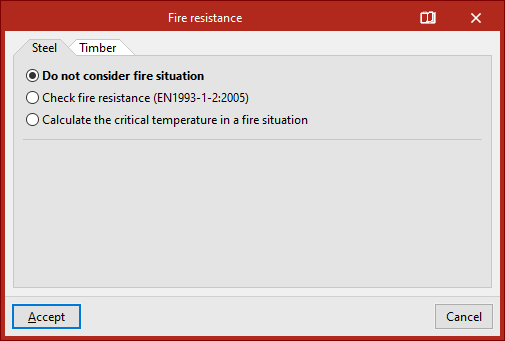
The second allows you to "Check fire resistance". The standard that appears here for checking fire resistance depends on the standard selected for the design of structural elements for each material.
At the bottom, the "Required resistance" is indicated, i.e. the time in minutes during which a structural element must maintain its load-bearing capacity, and, in the drop-down menu, the "Protective coating".
Here you can specify "No fireproof coating" or use coatings such as intumescent paint, intumescent mortar, boards, panels, sprayed coatings and mortars made of different materials, or mineral or rock wool.
- Without fireproof coating
- Intumescent paint
- Intumescent mortar
- Calcium silicate fibreboard
- Fibre cement board
- Plasterboard
- Vermiculite-perlite board with cement
- Rigid rock wool panel
- Mineral fibre spray
- Vermiculite-perlite mortar with cement (low density)
- Vermiculite-perlite mortar with cement (high density)
- Vermiculite-perlite mortar with gypsum
- Mineral or rock wool
If you select "Intumescent paint" or "Intumescent mortar", you can download manufacturer catalogues included in the Open BIM Database by clicking on the button on the right.
Then, select the manufacturer's "Reference" and the product from the drop-down menus.
Intumescent paints and mortars work in a similar way. The program analyses and checks the coating thicknesses based on the technical information for each product.
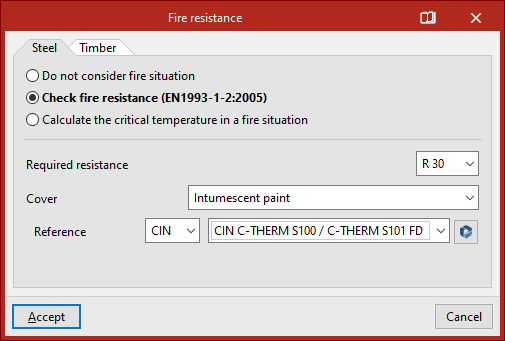
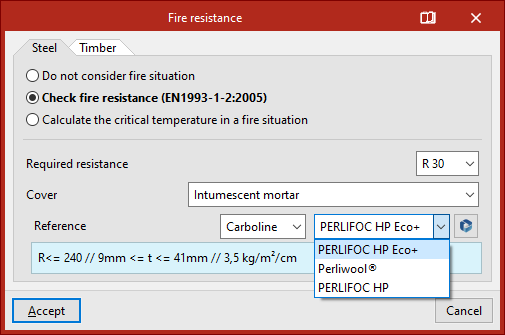
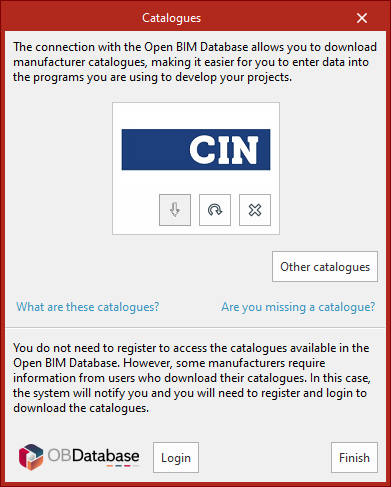
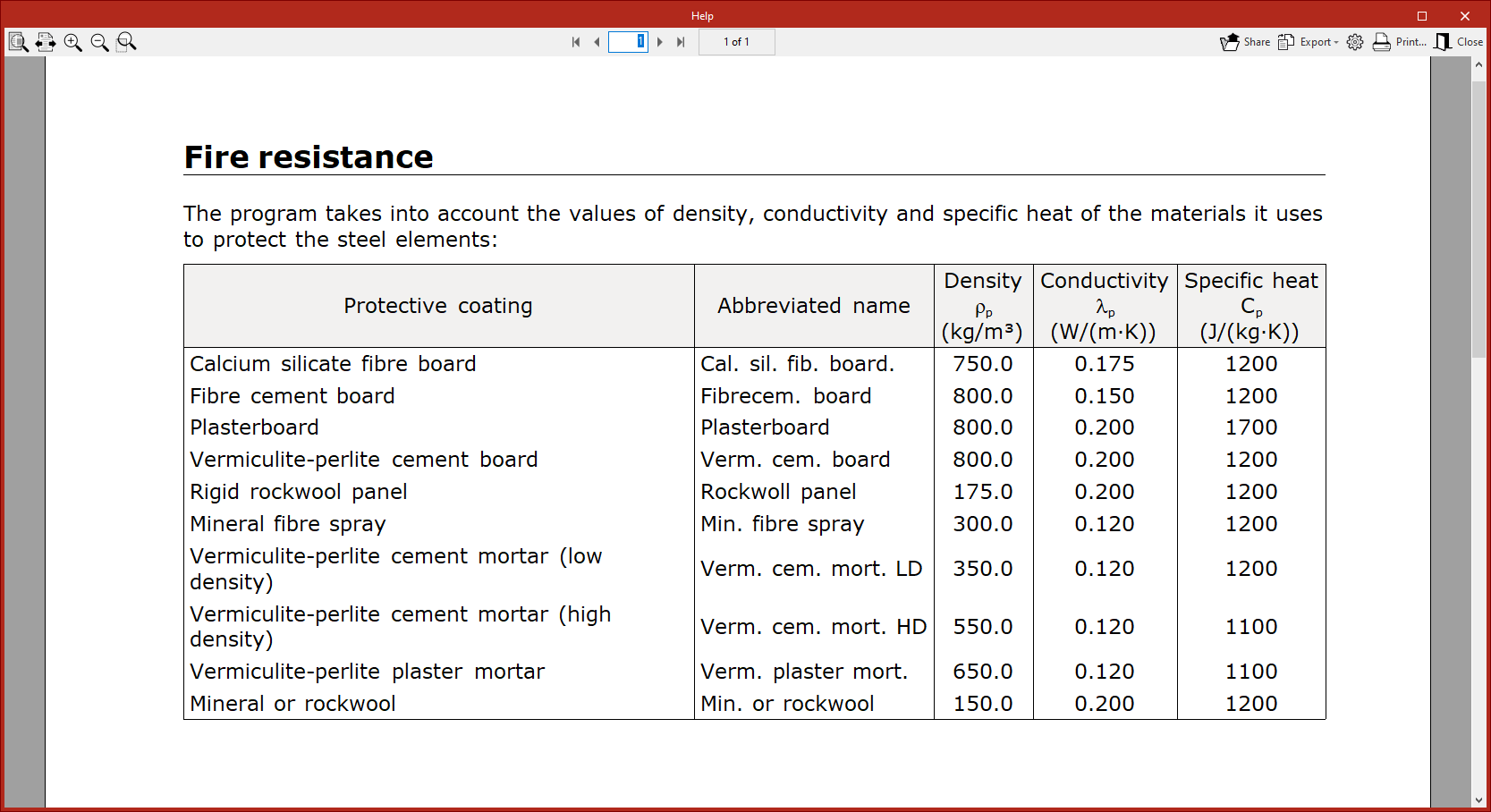
To view the data on protective coatings available for steel elements and elements not in Open BIM Database, click on the corresponding button in the window title bar.
This will bring up a pop-up window with a "Help" table showing the "Density", "Conductivity" and "Specific heat" values for the different protective coatings included in the program.
It is also possible to "Calculate the critical temperature in a fire situation". This is the temperature value that each profile must reach for collapse to occur.
It is calculated using an iterative procedure, taking into account the combinations established by the standard selected for the fire situation, as well as the mechanical characteristics of steel at high temperatures.
Fire resistance of timber elements
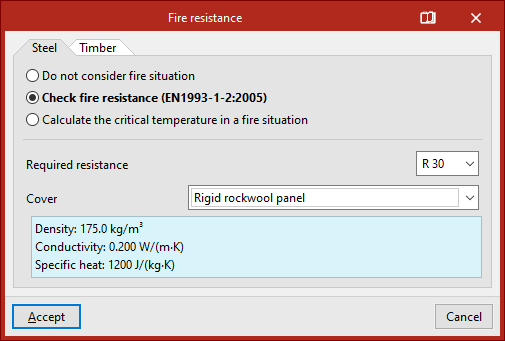
In the case of "Timber" bars, if the "Check fire resistance" box is ticked, in addition to the "Required resistance", the "Surface protection" is defined by selecting it from the drop-down menu.
The surfaces can be "Non protected surfaces", "Surfaces protected by wood derived planks" or "Surfaces protected by plasterboard planks (internal layer)". In these cases, the "Protection failure period" is specified.
After clicking "Accept" in the windows, you return to the general interface of the program.