Material configuration in "Sections"
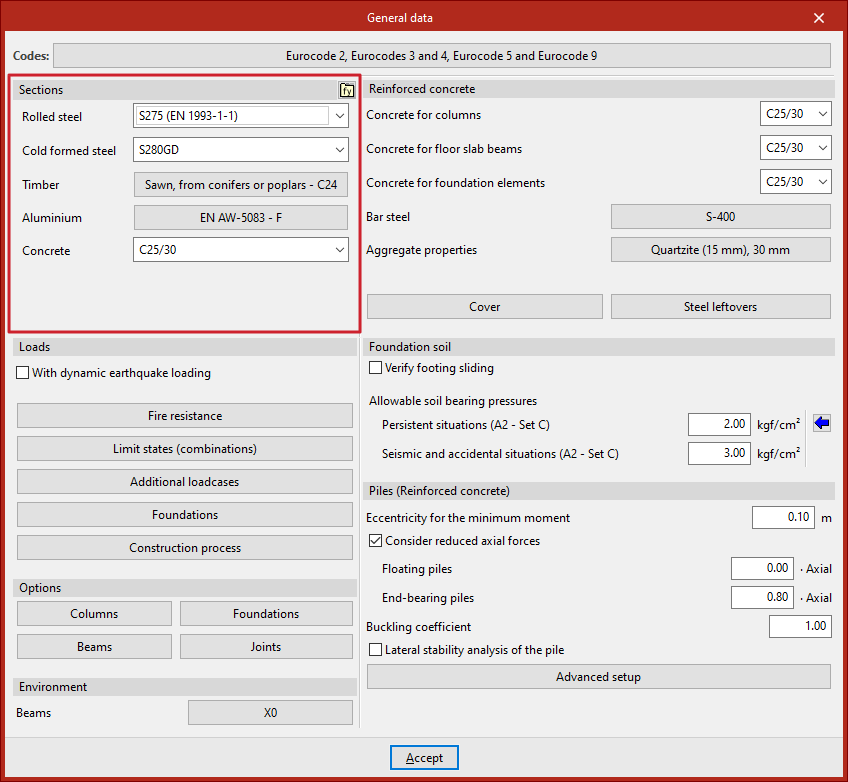
The configuration of the materials of the elements that make up the structure is carried out in the "Project" tab (in the "Structure" tab), by selecting the "General data" option in the "Project" group of the upper toolbar.

Material selection
The default materials used in the project sections are defined in "Sections".
To define the steel of the sections, the drop-down menus "Rolled steel" and "Cold formed steel" are used.
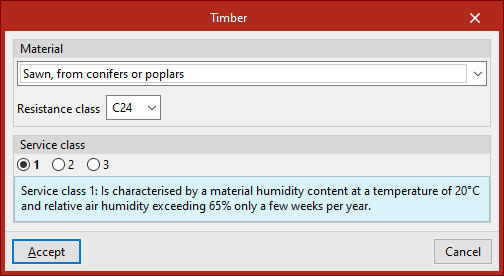
In "Timber", in the "Material" section of the pop-up window, the type of wood and the "Resistance class" associated with the elements of this material are selected. In the following sections, the "Service class" and the "Duration of the loads entered as live loads" are defined for each "Loadcase".
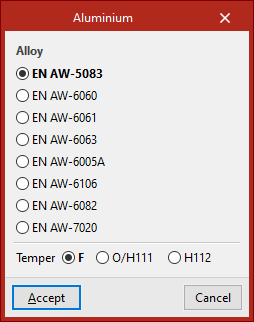
The "Aluminium" section can select the "Alloy" and the "Temper" to be applied to the aluminium elements.
In "Concrete", this material is defined for the generic concrete bars (entered from "Bar" and selecting "Generic", "Concrete bar").
| Note: |
|---|
| The materials available depend on the codes selected. |
Steel user library
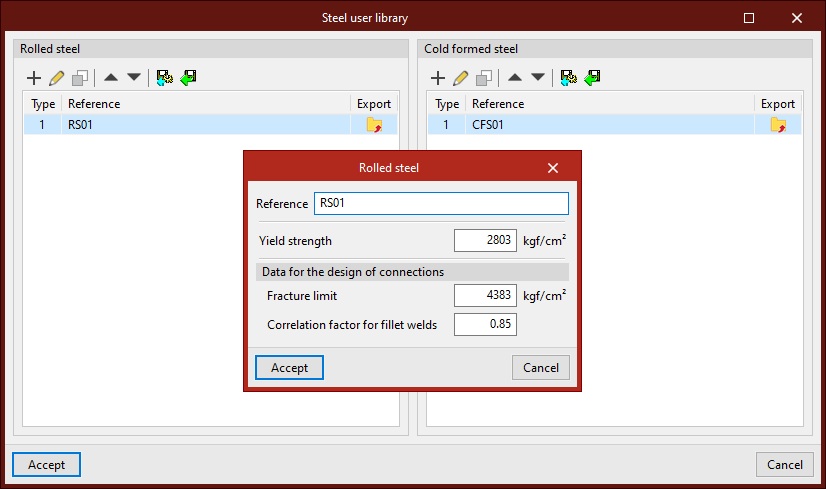
The "Steel user library" option, available in the upper right corner of the "Profiles" section, allows you to create and manage lists of user-defined steel types, either "Rolled steel" or "Cold formed steel".
For each one, a "Reference", its "Elastic limit" and, within the "Data for the design of connections", its "Fracture limit" and the "Correlation factor for fillet welds" are entered.
After creating a user steel, it can be selected from the corresponding drop-down lists in the "General data" window ("Rolled steel" and "Cold formed steel").