Grouping and ungrouping elements
The grouping and ungrouping of elements is carried out using the following tools, available in the "Bars" group of the top toolbar, under the "Geometry" tab (in the "Structure" tab).

Groups of elements will be assigned the same section and material, even as a result of the design process. Furthermore, the program will automatically modify all elements belonging to the same group when using the "Section" or "Material" options.
Grouping elements
To create a group of elements, click on the "Group" option, select two or more elements with the left mouse button, then right-click.
After confirming the operation in the dialogue box that appears, the program will group the elements.
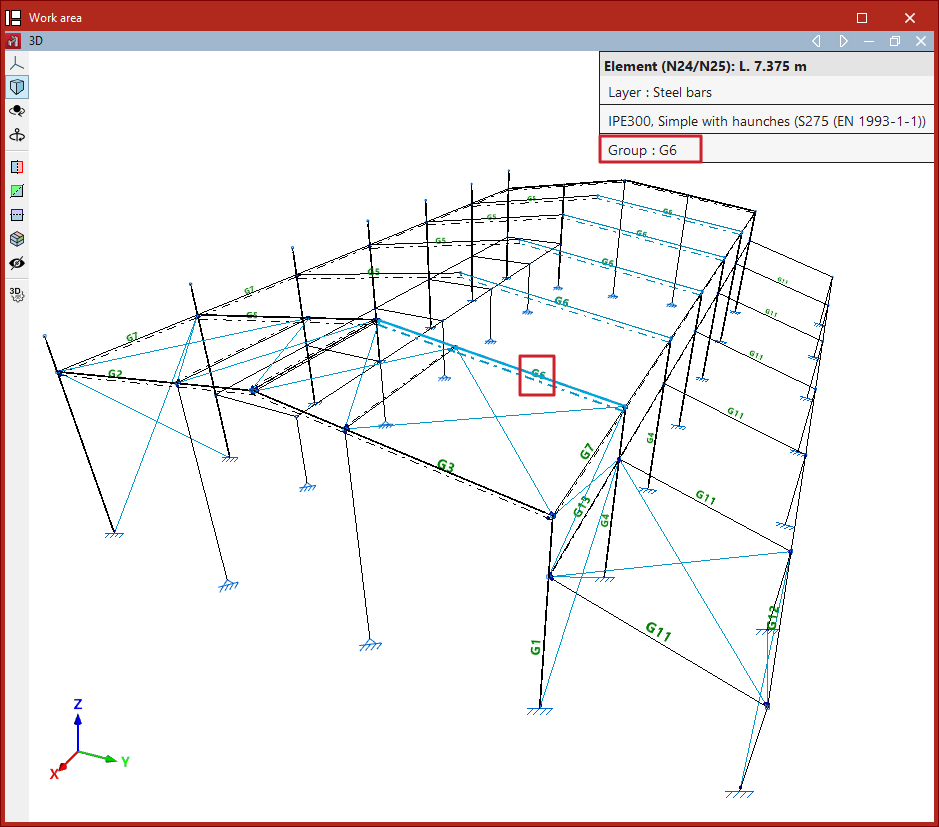
Each group of elements has an associated reference for identification. This reference is displayed as text in the model, positioned above the bars.
Additionally, when hovering the mouse pointer over the elements, the program indicates the "Group" to which they belong in the information box.
Ungrouping elements
Use the "Ungroup" option to perform the reverse operation.
After selecting the sections you wish to ungroup, right-click on them.
The selected sections will no longer form part of the group, and from that point on, their description will be independent.