Inserting elements with non-linear behaviour
As well as designing structures using linear analysis, in which all elements have an exclusively linear behaviour, the program allows you to include elements with non-linear behaviour and perform non-linear analysis.
The elements for which a non-linear analysis can be performed are as follows.
Bars only in tension and compression-only bars
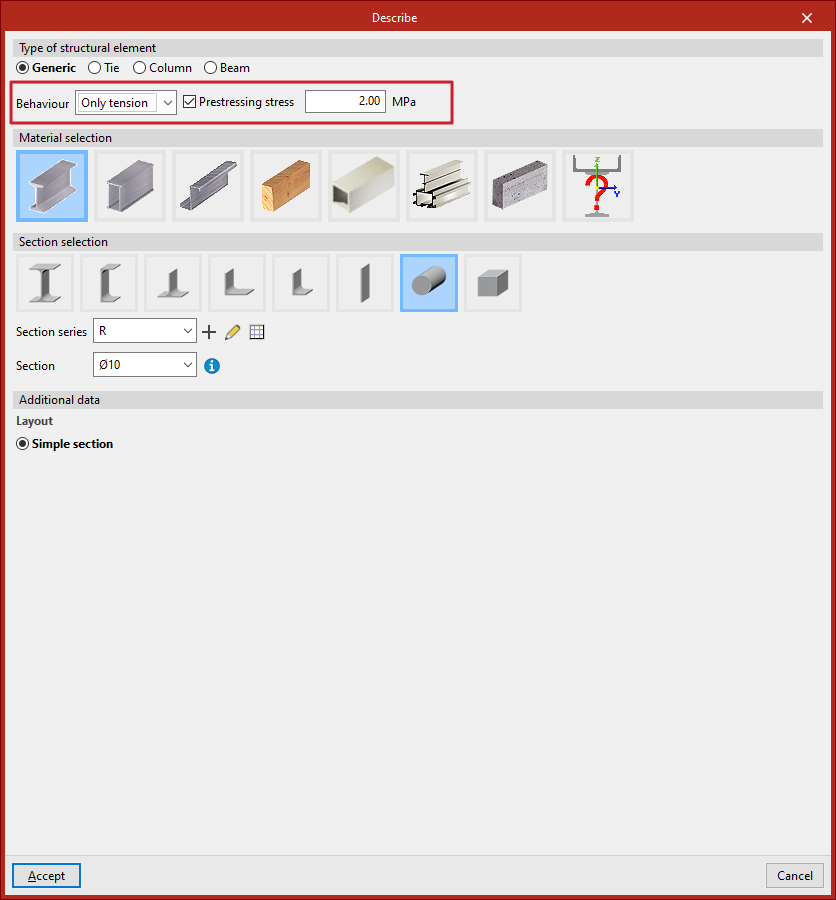
To model a beam subjected only to tension or only to compression, in the "Describe" window that appears when editing its cross-section, you must enter a "Generic" beam type and, under the "Behaviour" option, select either "Only tension" or "Only compression".
Optionally, you can enter a "Prestressing stress" for bars designed for tensile behaviour only from this panel.
Uplift at supports
The program allows you to define the non-linearity of the supports for two types of elements:
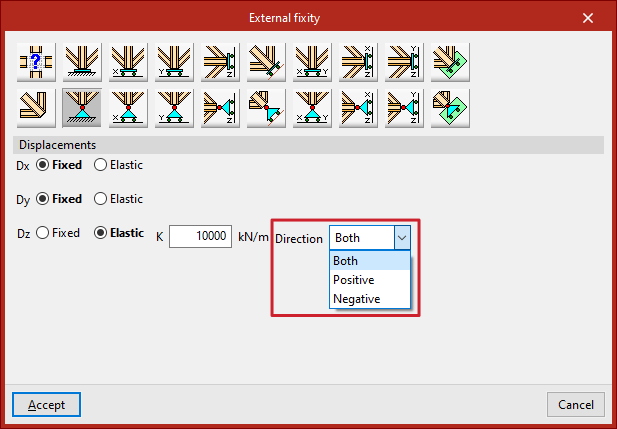
- For nodes or edges of shells defined using "External fixity", you can specify whether the "Direction" of the elastic constraint for each constrained degree of freedom is "Positive", "Negative" or "Both".
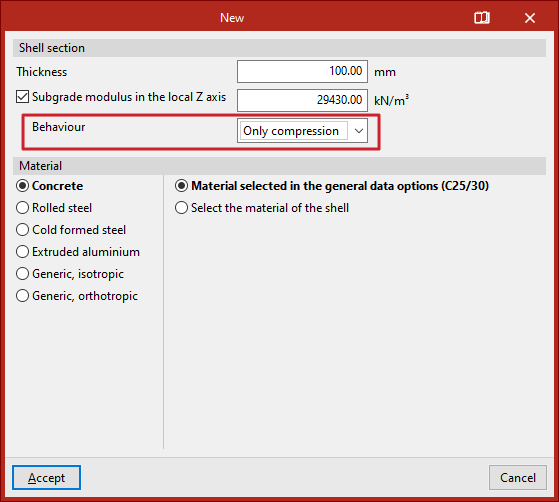
- In sheets with a "Subgrade modulus in the local Z axis", you can specify whether the "Behaviour" is "Linear" or "Only compression".
If the elastic restraint acts in a single direction, or if the shell is assumed to behave as a pure compression member, it is possible to consider the occurrence of uplifts at those supports.