

Viewing and checking issues, warnings and errors
Show/Hide issues
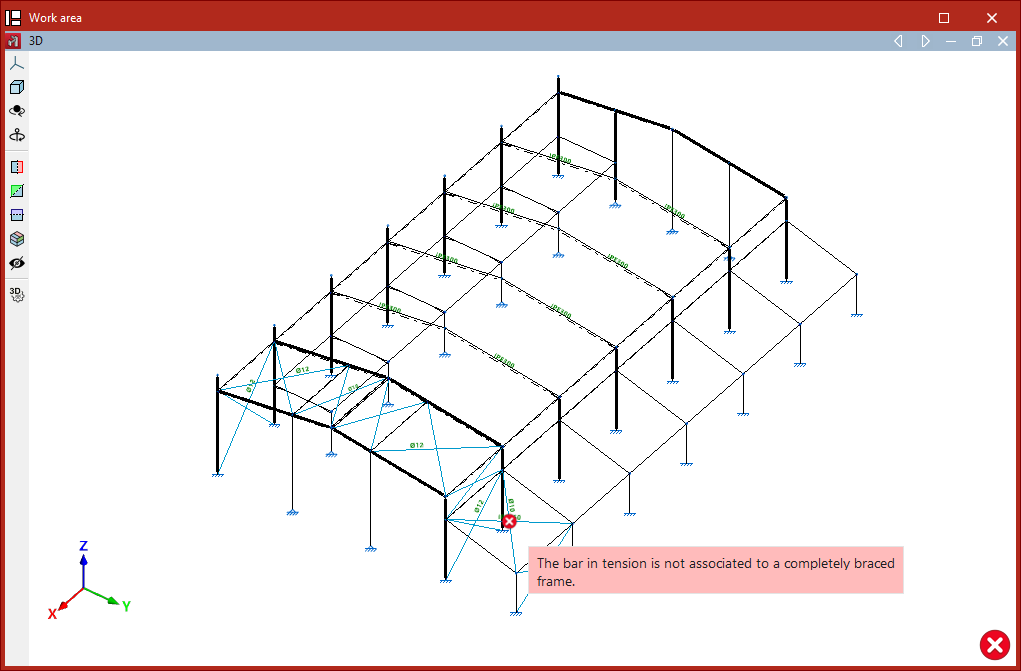
The "Issues" option, located within the "Analysis" tab on the "Structure" or "Foundation" panel, allows the program to display the position of issues in the model graphically. If you hover the mouse cursor over each one, a message describing the problem is displayed.

Below are some of the issues that may arise in the program. Click on any of the links provided to find a detailed explanation of each problem and recommendations for resolving it:
- One of the elements of the continuous beam forms an angle greater than 80 with the horizontal plane.
- The column cannot form part of a braced frame.
- The braced frame has not been completely introduced.
- The bar in tension is not associated to a completely braced frame.
- The length of the bar is less than the minimum permitted length.
- The element must be vertical, with its local x axis in the ascending direction.
- The element is not defined between two levels.
- The beam cannot form part of a braced frame.
- The sections used for the two braces that make up a braced frame must be identical.
- A node has been found that is not connected to a bar or a shell.
- A tie cannot have intermediate nodes.
Warnings and errors when checking elements
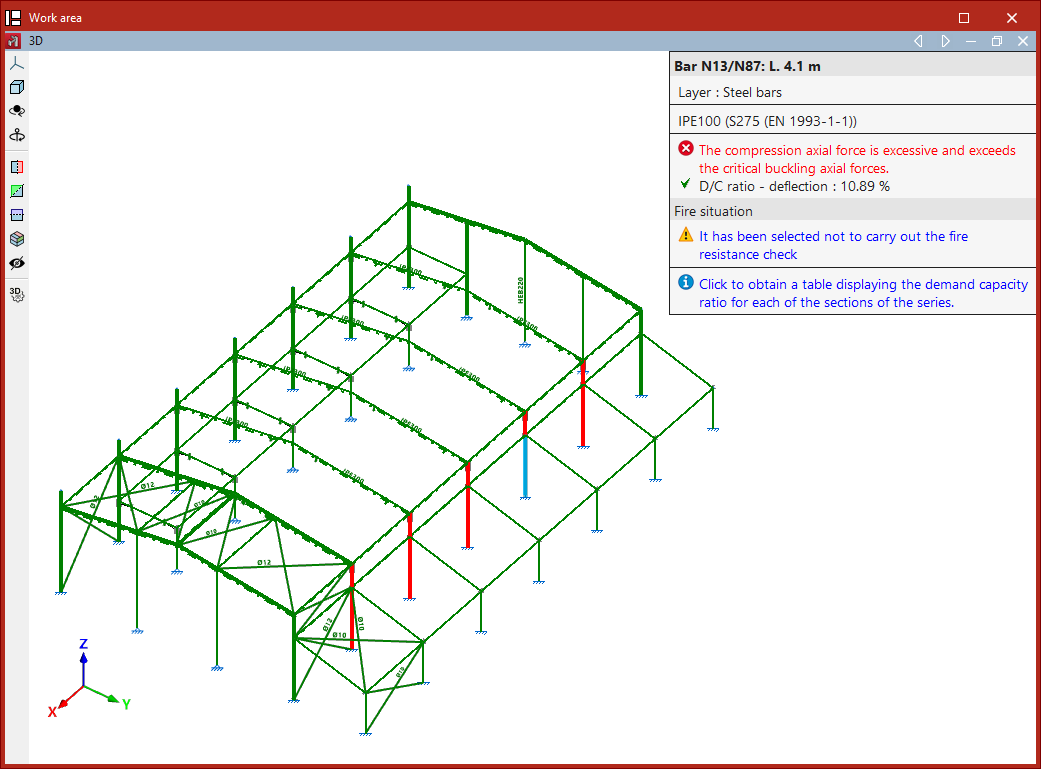
Other errors and warnings that the program may display on screen after the analysis, when using the "Check elements" or "U.L.S. checks" options in the top toolbar of the "Analysis" tab, are as follows:
- The compression axial force is excessive and exceeds the critical buckling axial forces.
- The compression axial force is excessive and exceeds the critical buckling axial forces.
- The tensile axial force is excessive and exceeds the plastic resistant axial force.
- It is not possible to carry out the check as the shear force is excessive and causes the section to fail. Therefore, it is not possible to check the interaction between bending and shear.
- An error has occurred; the slenderness of the bar is greater than the limit slenderness.
- It has been selected not to carry out the fire resistance check.
| Note: |
|---|
| Once the analysis process is complete, the program also displays any issues and errors that occurred during the process in the "Final design report". |
