Locking and unlocking reinforcement of columns
The options for locking or unlocking the reinforcement of concrete columns are located in the "Columns" group of the top toolbar, within the "Reinforcement" tab (in the "Structure" tab).

Lock/Unlock
To lock or unlock the reinforcement of columns, after clicking the option, you must select the columns one by one or use a selection area in the workspace. Then, right-click.
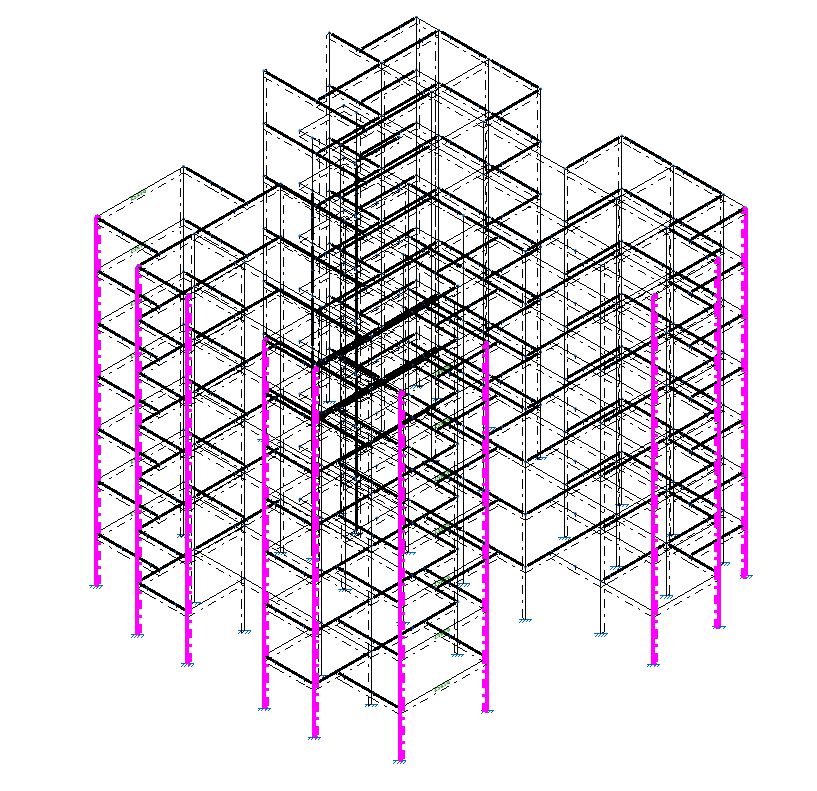
Columns with locked reinforcement are displayed in magenta in the viewer.
Locking the reinforcement of columns ensures that it is not modified during the reinforcement design process carried out by the program when calculating the structure.
| Note: |
|---|
| It is also possible to lock the reinforcement of a group of columns using the corresponding option within the "Groups" section of the column editor, accessible via the "Edit" option in the "Columns" group. |