Management of manufacturer catalogues
The "Manufacturer catalogues" option, available in the "Project" section of the top toolbar, within the "Project" tab (under the "Structure" sub-tab), allows you to manage the product catalogues of intumescent paint manufacturers so that they can be incorporated into the project.

| Note: |
|---|
| Sections from manufacturers can be managed via the "Section library" option in the same section. |
Catalogues
This allows you to download catalogues from manufacturers of intumescent paint via the connection to the Open BIM Database, making it easier to enter data into the software for project development.
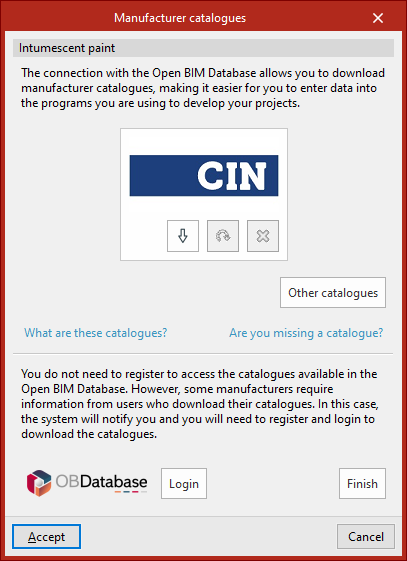
Clicking on this option opens a window showing the available manufacturer catalogues.
Download catalogues
The following options are displayed for each manufacturer:
- Download
Download the manufacturer's catalogue. The products in the catalogue will be available in the project. - Update
Updates the catalogue for the selected manufacturer to the latest version, deleting the version previously downloaded to the project. - Delete
Deletes the catalogue for the selected manufacturer. The products in the catalogue will no longer be available in the project.
Connection to the Open BIM Database
At the bottom of this dialogue box, the program allows you to log in using an Open BIM Database account and password.
| Note: |
|---|
| Products from the downloaded catalogues can be selected via the "Fire resistance" option under "General data" or via the "Required resistance / Protective coating" option in the "Fire resistance" menu on the "Properties" tab. |