Defining non-linear combinations
Load combinations used in the non-linear analysis can be entered, generated and/or edited using the following option, which is available in the "Stress / Strain" group of the top toolbar, within the "Analysis" tab (under the "Structure" tab).

Non-linear combinations
As it is not possible to overlay loadcases in non-linear analysis, a model analysis must be carried out for each load combination to be studied.
The "Non-linear combinations" option allows you to define the combinations you wish to analyse.
Clicking on it opens the "Non-linear combinations" window.
Load combinations are defined based on the loadcases specified in the "General data" section of the project.
Here, the program allows you to define the combinations to be analysed in three different ways.
Entering combinations manually
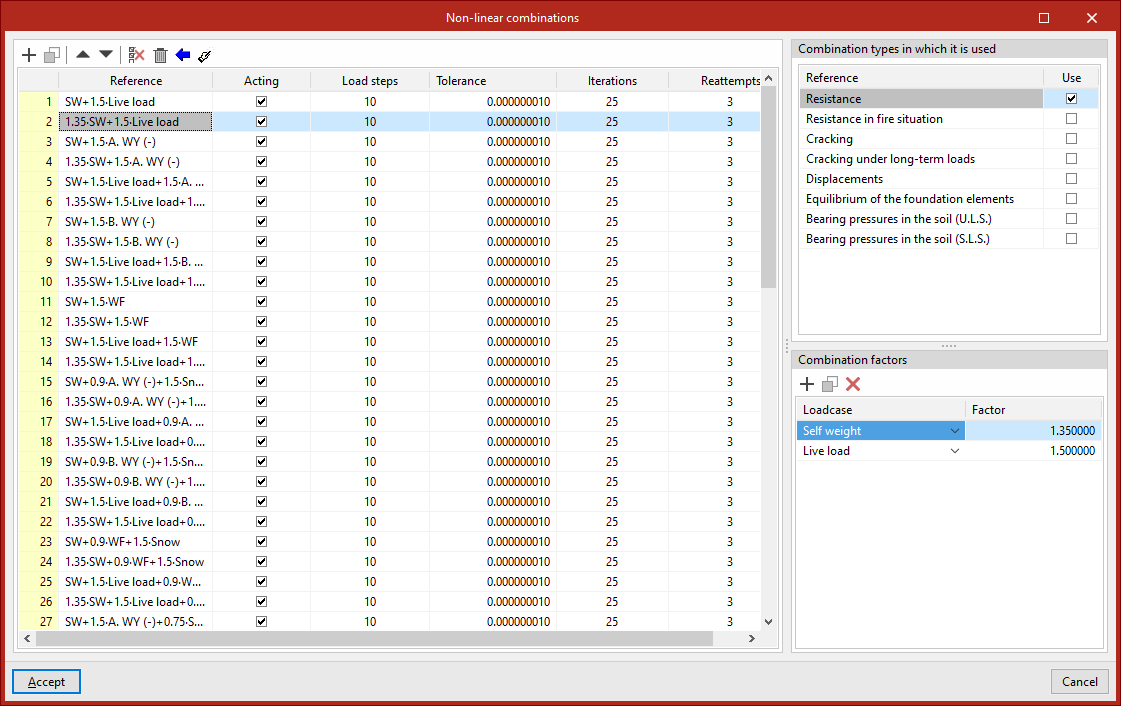
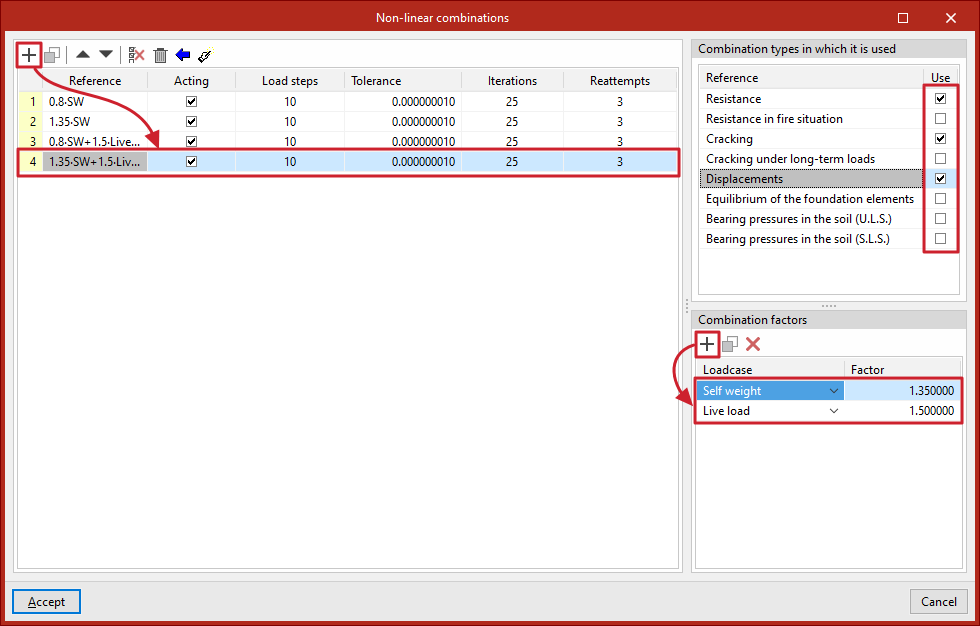
Load combinations for non-linear analysis can be added manually to the list on the left-hand side using the options on the top toolbar.
Each combination is defined as follows:
- The "Reference" is generated automatically based on the loadcases and combination factors defined below
- You can indicate whether the combination is "Acting" or not by ticking the box in the next column
- And the number of "Load steps", the "Tolerance" value, the number of "Iterations" used in the analysis, and the number of "Reattempts" are defined
Next, on the right-hand side, for each combination entered in the list, tick the box next to each of the "Combination types" in which it will be used to check structural elements, such as the following:
- Resistance
- Resistance in fire situation
- Cracking
- Cracking under long-term loads
- Displacements
- Equilibrium of the foundation elements
- Bearing pressures in the soil (U.L.S.)
- Bearing pressures in the soil (S.L.S.)
Further down, the "Combination factors" are defined by entering the value for the "Factor" for each "Loadcase" of the model selected from the drop-down menu.
Generating combinations based on the loadcases defined in the project
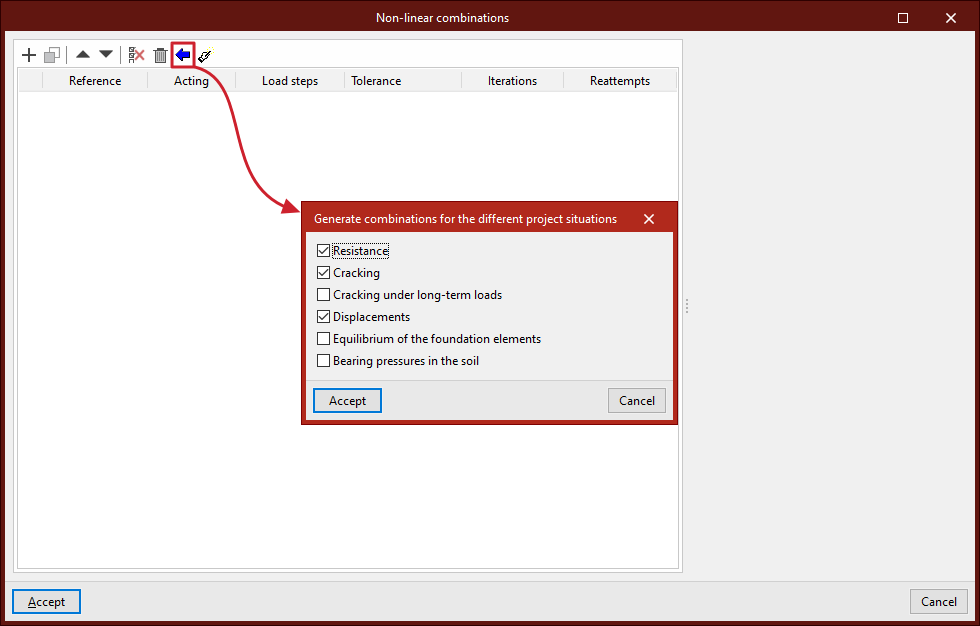
Combinations for nonlinear analysis can be defined by automatically generating all possible combinations based on the conditions defined in the project.
To do this, click the "Generate combinations for the different project situations" button at the top of the list of combinations. In the pop-up window, select the project loadcases from which you wish to retrieve the information, which include the following:
- Resistance (optional)
- Cracking (optional)
- Cracking under long-term loads (optional)
- Displacements (optional)
- Equilibrium of the foundation elements (optional)
- Bearing pressures in the soil (optional)
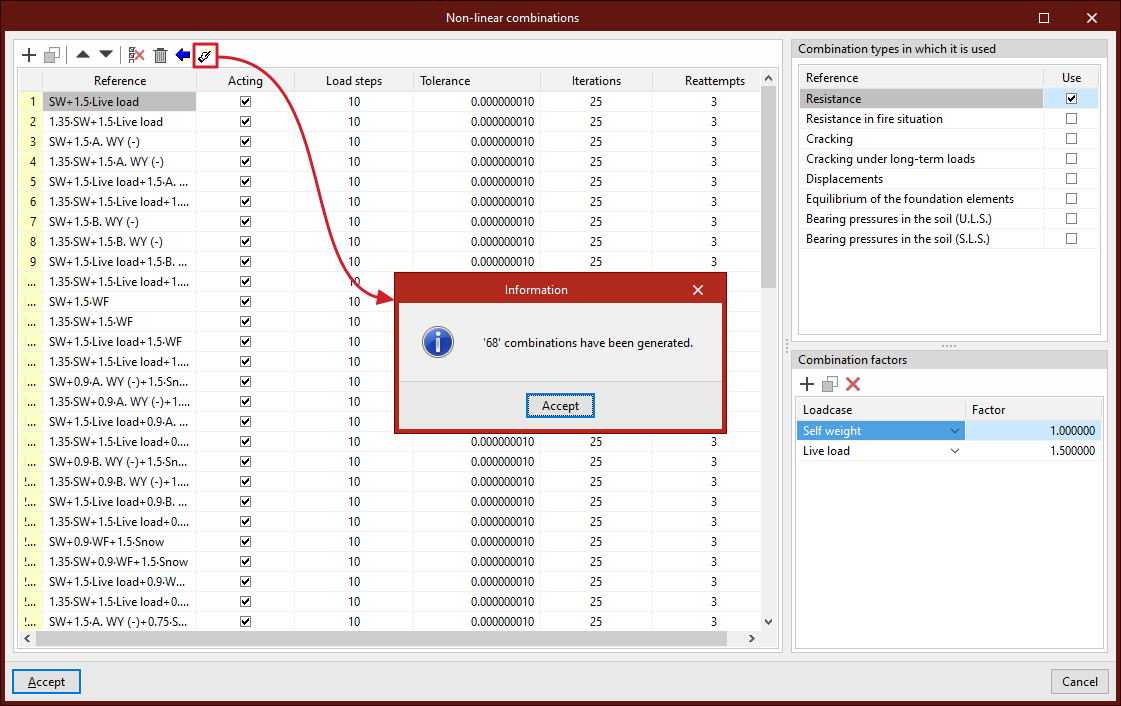
To apply the settings, click "Accept". The program will generate all combinations of the selected loadcases, automatically adding the necessary entries to the list, marking the combination types in which they are used, and entering the corresponding combination factors.
Generating combinations based on the results of the linear calculation
If the structure has been analysed, you can use the "Generate combinations from the results of the linear analysis" option at the top of the list of combinations.
This option allows you to automatically add to the list those combinations from the linear stress-strain analysis for which a non-linear analysis needs to be performed.
Of all the combinations generated from the defined loadcases, the program will retain those that meet this requirement, adding the entries to the list, marking the types of combination in which they are used, and entering the corresponding combination factors for each loadcase.