Configuring foundation options
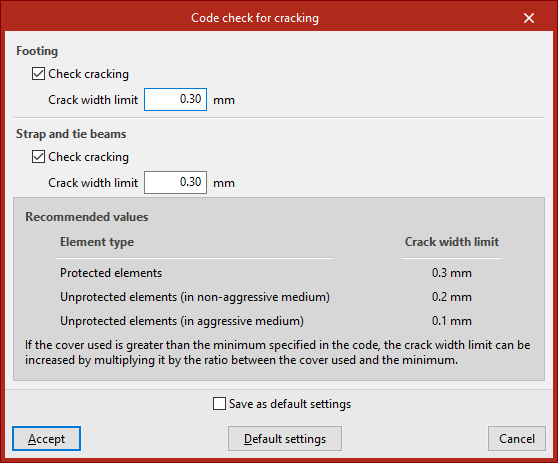
The foundation configuration tools are available in the "Options" menu within the "Project" section at the top of the interface, under the "Foundation" tab.

The general settings available in this menu are as follows:
- Cover
- Steel leftovers
- Blinding concrete
- Code check for cracking
Each of these features is described below.
Cover
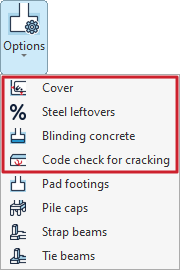
This option allows you to define the "Covers" for the reinforcement.
These may differ for "Footings and pile caps" and for "Strap and tie beams".
In each of these, you can enter a value for the "Top", "Bottom" and "Side" overlays.
If the "Save as default settings" box is ticked, the settings you have defined will be used when opening new projects. Clicking on "Default settings" will restore the program's default settings.
To apply the changes, click "Accept".
Steel leftovers
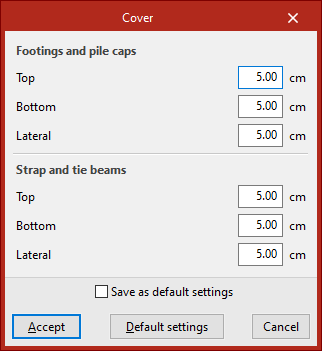
This option allows you to define a percentage for "Steel leftovers" for "Footings", "Pile caps" and "Strap and tie beams". The allowance represents an additional quantity of steel that is included in the project's measurement schedules.
Blinding concrete
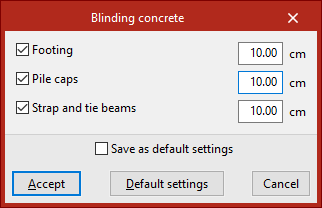
This option allows you to specify the thickness of the "Blinding concrete". You can include this in "Footings", "Pile caps" and "Strap and tie beams" by ticking the relevant boxes and entering the value.
The concrete cover is included in the quantities of the structural elements, but is not taken into account in the structural checks.
Code check for cracking
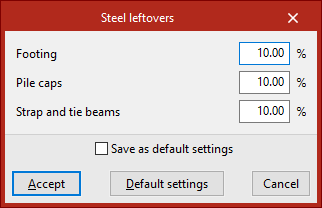
If you wish to perform the "Code check for cracking", click on the option of the same name and tick the "Check cracking" boxes under both "Footings" and "Strap and tie beams".
The program allows you to enter the "Crack width limit" value for each case. At the bottom of the window, the program displays a table of "Recommended values" based on the "Element type", which helps you to determine the value of this limit.