


Options in the "Analysis" tab
The upper tab "Analysis" (accessible in the lower tab "Structure") contains the options for analysing and designing the elements in the structure, as well as those for consulting the results of the analysis, such as displacements, stresses and checks carried out.
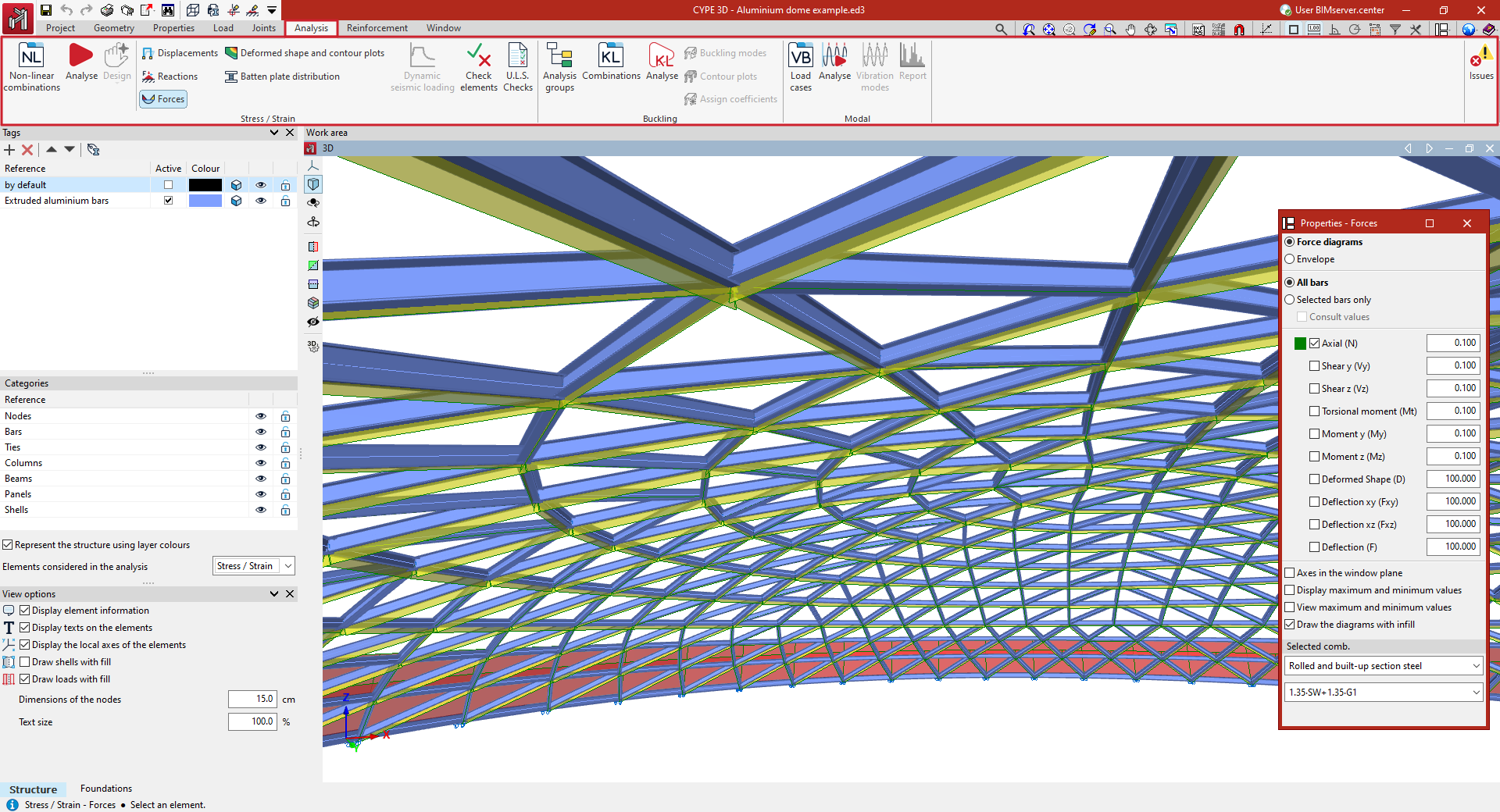
The "Stress / Strain" group, on the left, contains the options for carrying out the stress-strain analysis of the structure and consulting its results. It includes:
- the options for defining non-linear combinations, carrying out the analysis and design of the structure, and the design of special elements such as joints, columns, beams or the thickness of the fireproof cladding;
- and the options for checking the node displacements, support reactions, bar forces and integration strips, deformation and contour plots, and the grid, as well as to obtain the list with the results of the seismic action, to carry out the checking of the elements and to obtain detailed lists of the ultimate limit state (E. L.U.) corresponding to the selected code.
Further to the right are the following blocks of options, which allow for more advanced specific analyses:
- the "Buckling" group contains the options for linear buckling analysis, which determines the critical load factors and buckling deformations of the structure for each combination analysed;
- and the "Modal" group contains the options for modal vibration analysis of the structure, which determines the frequencies, periods and modal shapes, the participation coefficients and the percentages of mobilised mass in the analysis directions for each mode.
The program also includes a tool to display or hide "Issues" on the screen in the form of warning or error messages.
