Managing section series
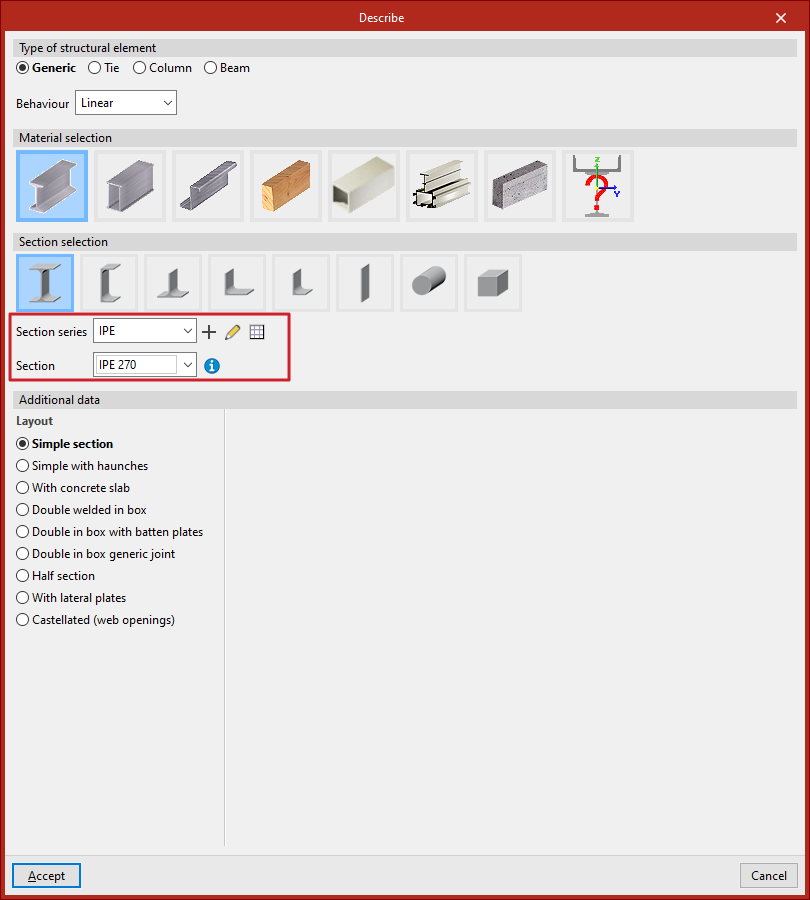
The section selection is carried out in the program using the drop-down menus "Section series" and "Section", which appear in certain sections of the "Describe" window, accessible both when entering a new section and when editing the section of an existing section.
A section series must be selected in the first drop-down menu, followed by a specific section from that series in the second drop-down menu.
Series can be created and edited using the buttons to the right of the first drop-down menu:
- To create a series, use the "New" option.
- If any existing section series is selected, you can make modifications to it using the "Edit selected type" button.
- Further to the right, the "Edit item list" option provides access to the "Section series" list.
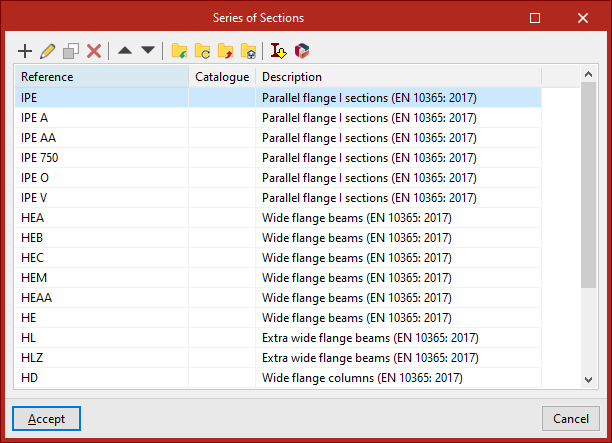
Series of sections list
This table allows for the management, import, and export of created series.
Series of sections
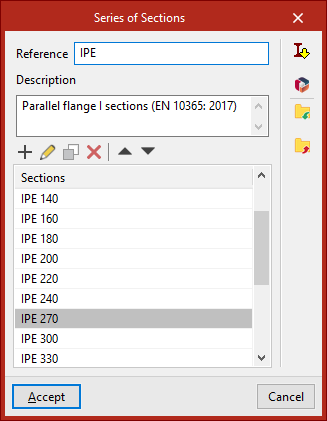
To create a section series, use the "New" option from either the "Describe" window or the section series list.
In the window that appears, enter a "Reference" and a "Description" for the series.
In the lower table, sections can be "Added", "Edited", "Copied", and "Deleted" from the series using the corresponding tools.
On the right, there are also utilities to "Import" and "Export" series to files on disk.
Importing predefined series of sections
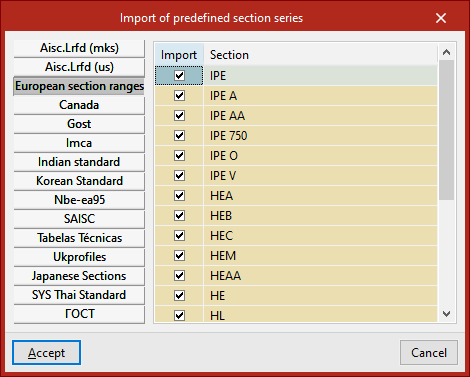
On the right-hand side of the section series list and in the editing window for a specific section series, there is an option to perform the "Import of predefined section series" taken from various handbooks and standards.
After selecting the desired predefined series and clicking "Accept", the selected series will be added to the section series list, or the sections from the chosen predefined series will be imported into the section list of the series currently being edited.
Importing section series from manufacturer catalogues
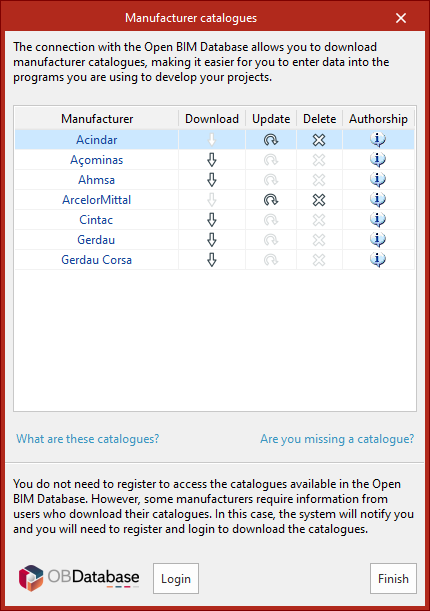
Also on the right-hand side of the section series list and in the editing window for a specific section series, it is possible to "Import manufacturer catalogues" via connection with Open BIM Database.
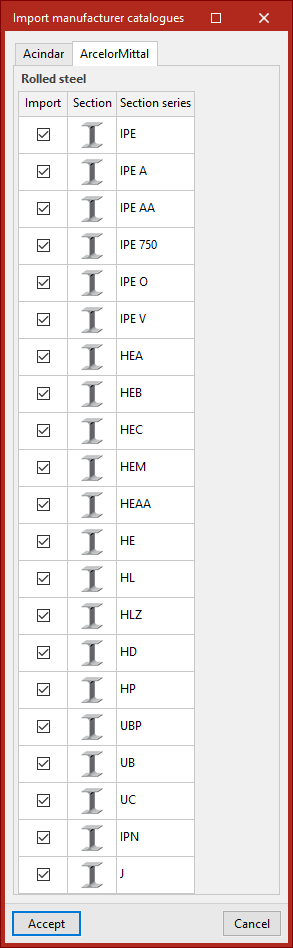
After downloading the catalogues, in the next window, select the series to be imported from each manufacturer. On clicking "Accept", the selected series will be added to the section series list, or the sections from the selected series will be imported into the section list of the series currently being edited.
Section dimensions and properties
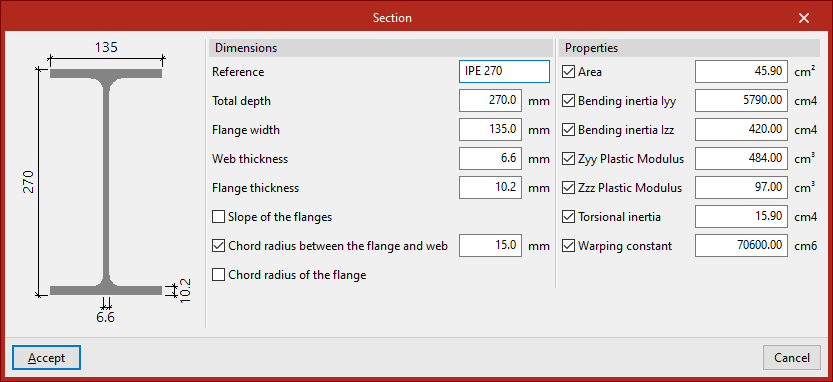
In the "Series of sections" window, when adding a "Section", a pop-up window appears.
In the central part of this window, the "Dimensions" of the section can be specified, such as the depth and the thicknesses of the web and flange.
On the right, the "Properties" of the section can be overridden by activating the following checkboxes:
- Area
- Bending inertia Iyy
- Bending inertia Izz
- ZyyPlastic modulus
- Zzz Plastic modulus
- Torsional inertia
- Warping constant
If left deactivated, the program will calculate these properties based on the defined dimensions.
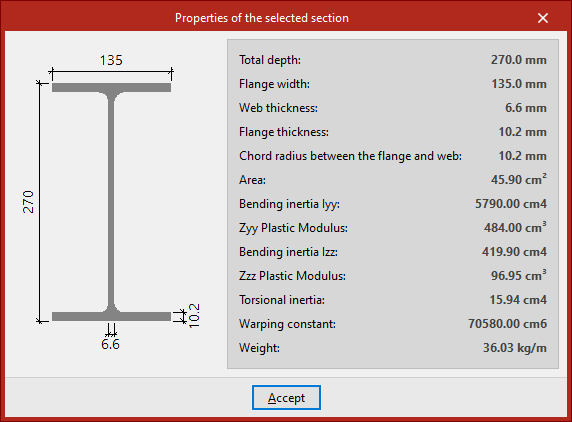
In the "Describe" window, after selecting a series and a section, the "Selected section properties" can be viewed using the button to the right of the second drop-down menu.