Ultimate limit state checks (U.L.S.)
The "U.L.S. checks" option, found in the "Stress / Strain" group on the top toolbar of the "Analysis" tab, allows you to view the ultimate limit state check reports for the elements of the structure after the analysis has been carried out.

U.L.S. checks
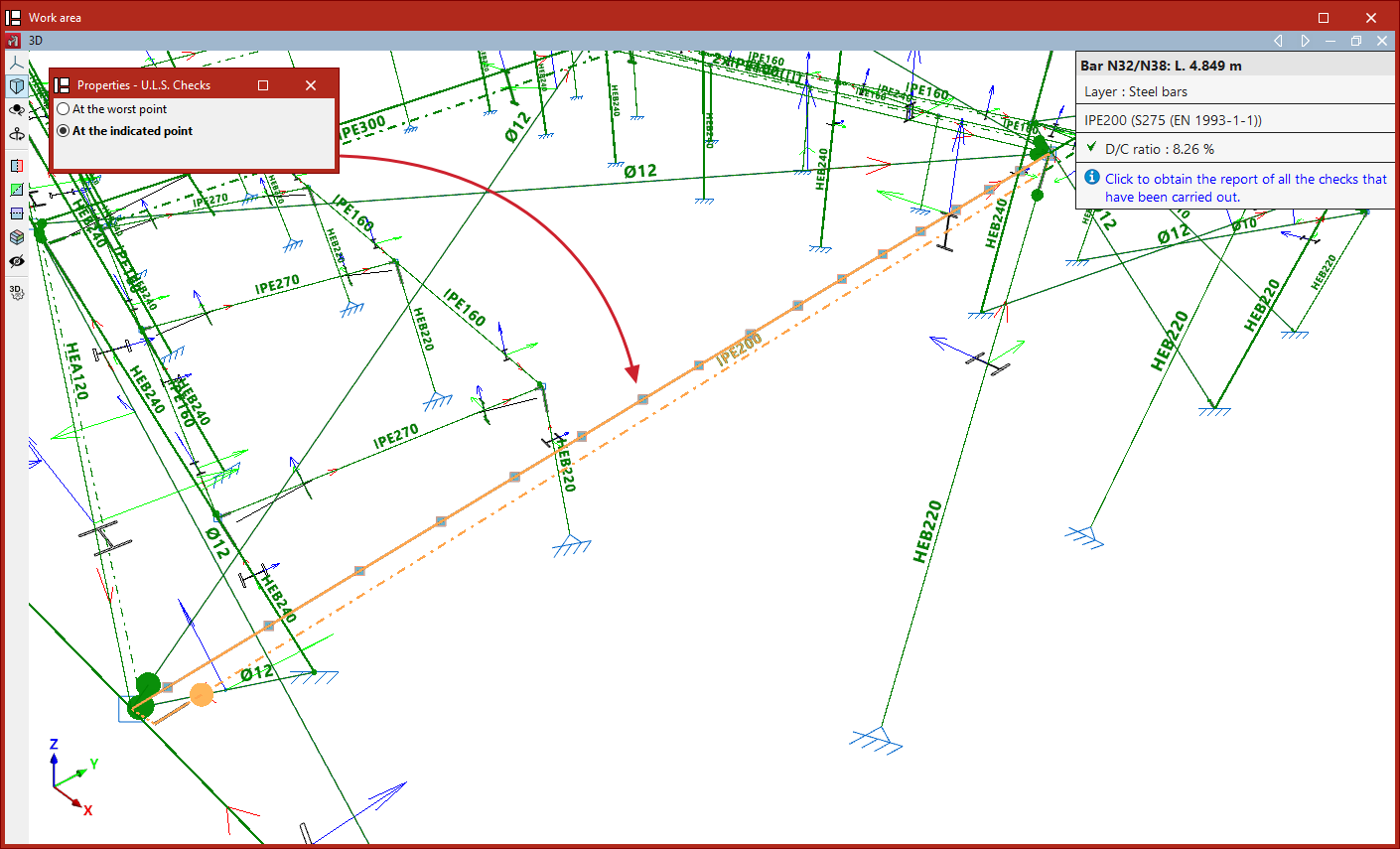
When you click on the option, the program displays bars that pass all checks in green, and those that fail any checks in red.
When you hover the pointer over each bar, an information box appears showing the section's demand capacity ratio ("D/C ratio").In the "Properties – U.L.S. checks" window that appears, there are two options:
- At the worst point
- At the indicated point

Ultimate limit state checks at the worst point
If "At the most unfavourable point" is selected, you must then select a bar by left-clicking on it.
This opens the "Checks" report for the bar. The report displays the results of each check at the point along the bar where that specific check is most unfavourable.
Each "Check" includes a "Status" label indicating whether it is "Verified" or not.
At the bottom, the relevant clause or article from the design code is shown, along with the detailed calculation carried out.
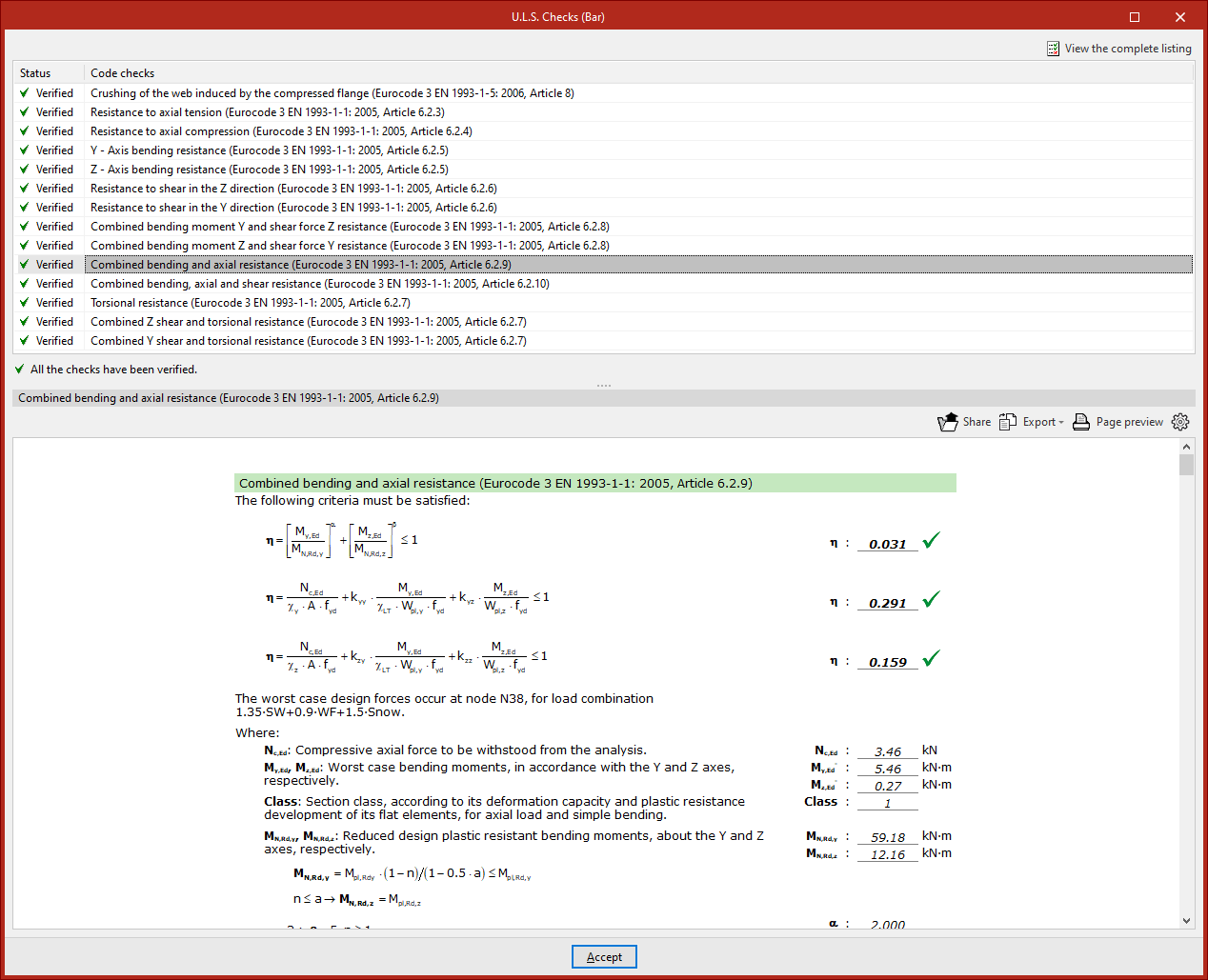
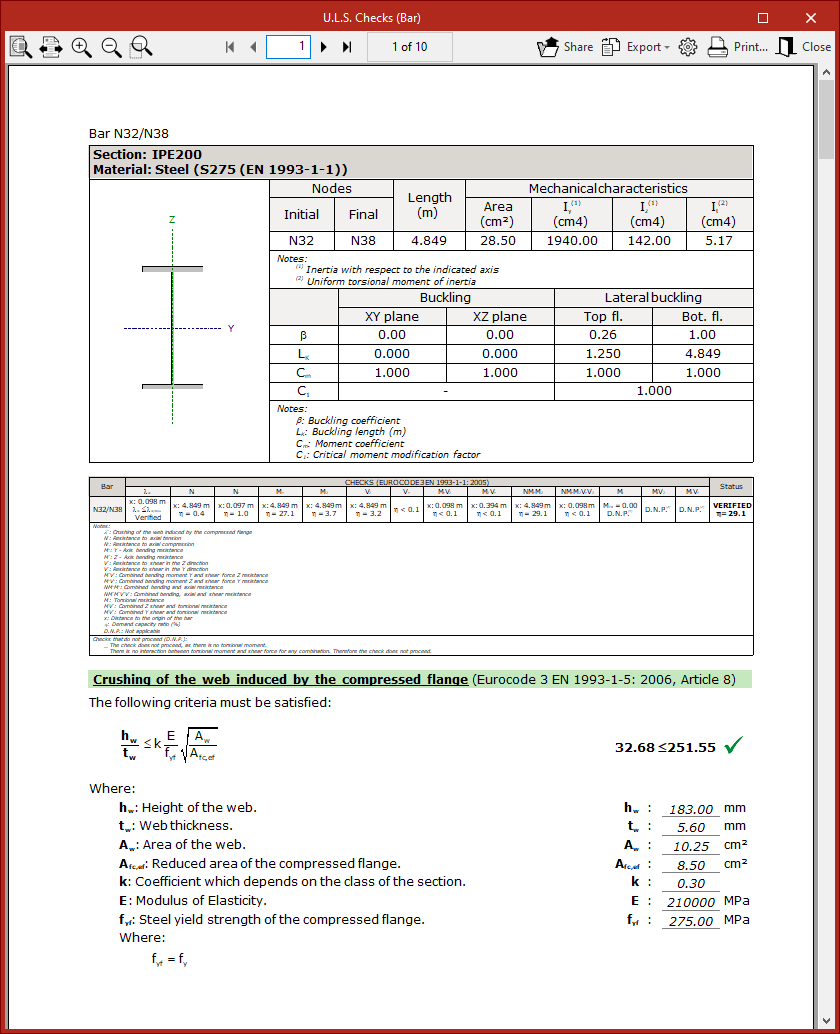
To obtain a detailed report of all checks, click "View full report" in the top right corner.
The information can be "Exported" in various formats (such as HTML, DOCX, PDF, RTF, or TXT), "Shared", or "Printed" using the options in the top right.
Ultimate limit state checks at the indicated point
The other available option, "At the indicated point", allows you to select a bar and then click on a specific point along it (from the available ones) using the left mouse button.
In this case, the report shows all checks at that particular section.
Right-clicking cancels the bar selection so you can inspect a point on a different bar.