

Colours and labels of sketch elements

The main tools for assigning colours and labels are the following:
- Colours: these are managed in the colour library, which is specifically designed for colouring elements created in the "Sketch" tab. Each element in the list will be associated with two colours, corresponding to the two sides of the same surface that can be coloured in the sketch. As well as entering the colours, you can also set the opacity of each one. There is even the option to save the set of colours to a colour library on your computer.
- Assign colour: each selected surface is coloured. This works whether you select the surfaces one by one or select several at once.
- Assign label: a text is assigned to each selected surface. You can change the font size and colour of the text displayed on each surface to indicate this concept.
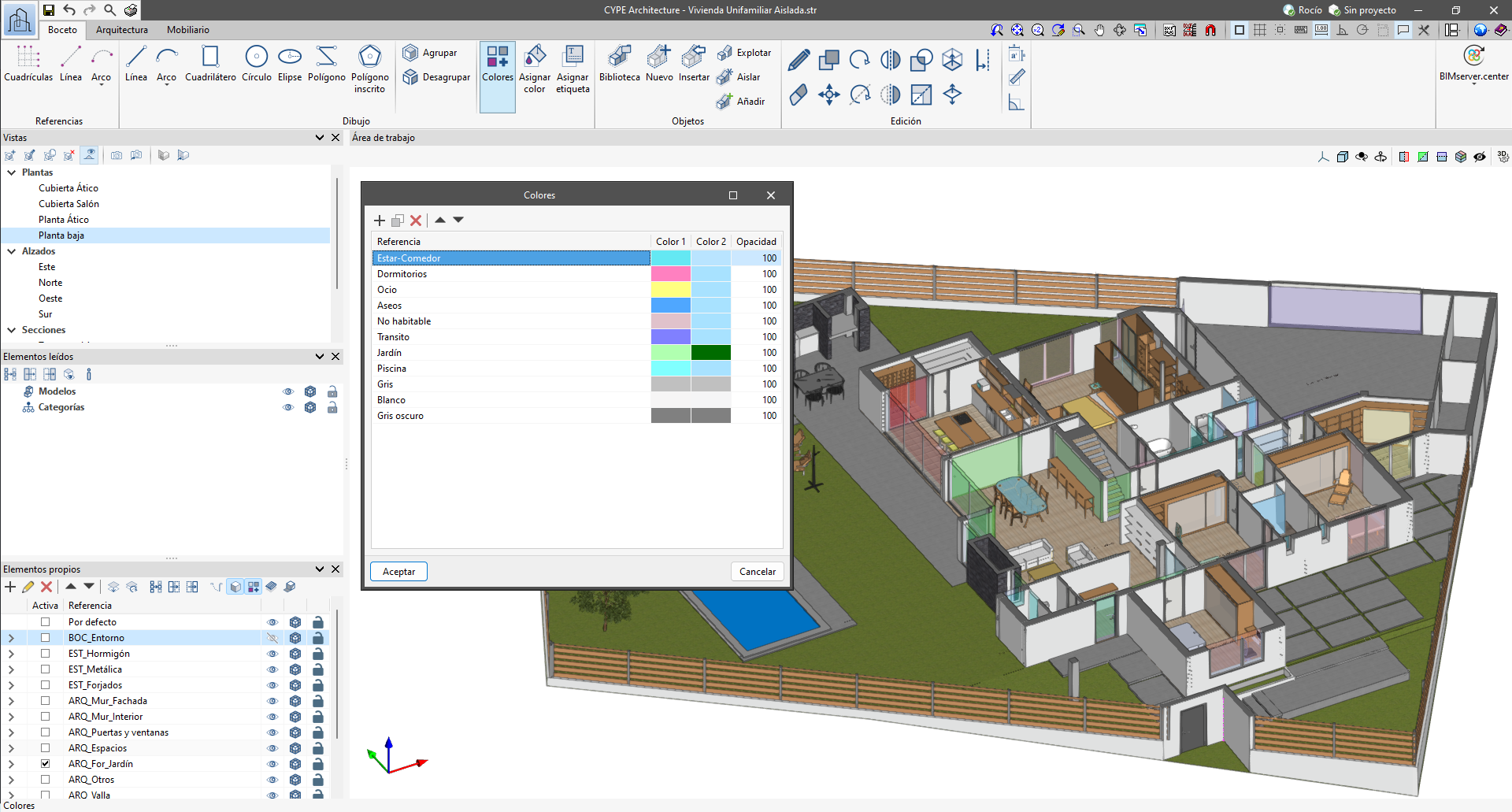
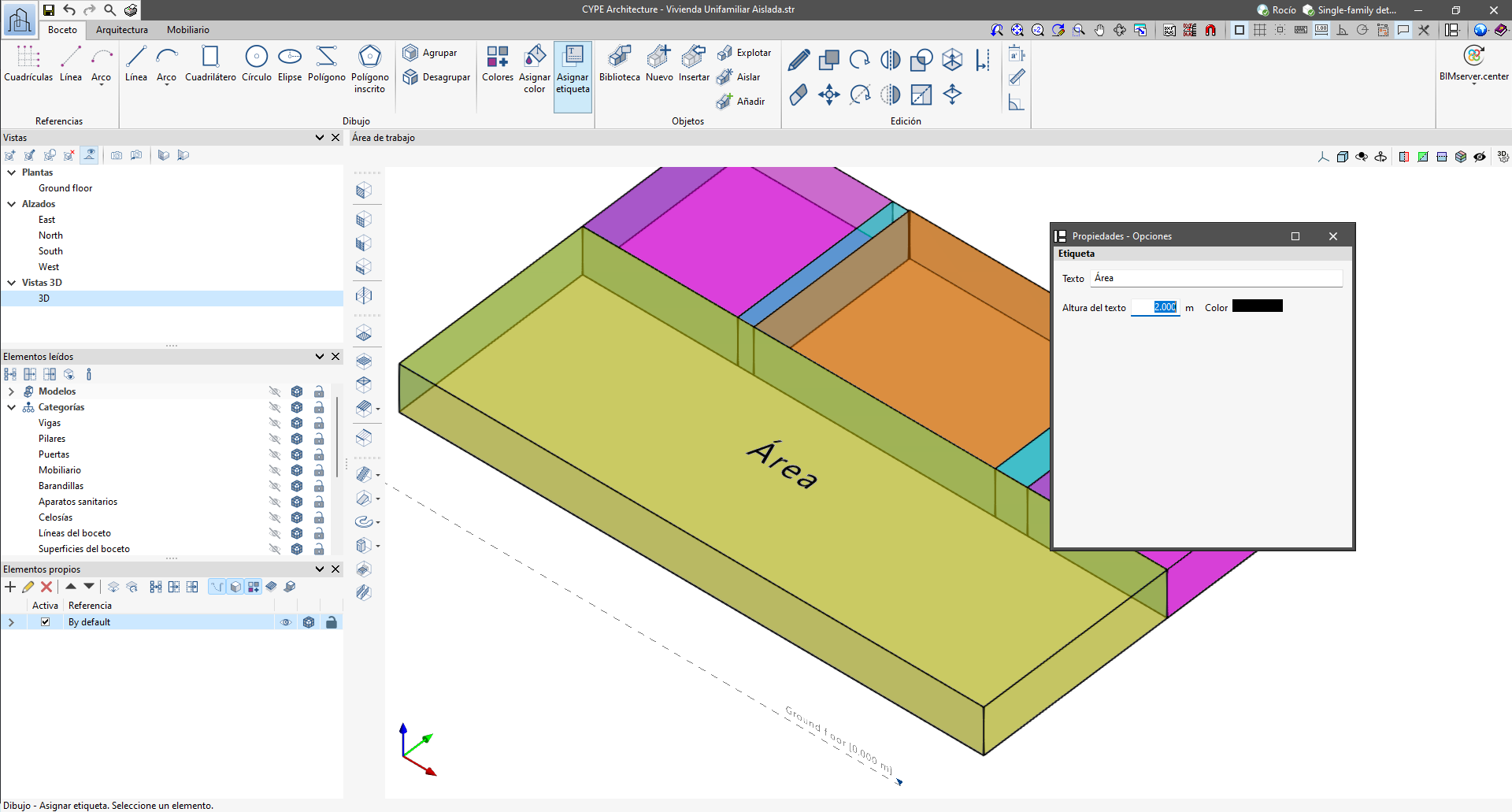
Surfaces created using the tools in the "Sketch" tab can be coloured on both sides using the colours available in the colour library previously created by the user.
Surfaces can also be labelled, allowing you to enter any concept that helps with the classification of the model’s elements.
